Back to all posts
Real Estate MarketingFeatures

7 Tools to Turn Real Estate Photos Into Videos: The Ultimate Guide for Real Estate Creators

Alok Gupta

Alok Gupta

13 min read
7 Tools to Turn Real Estate Photos Into Videos

The way buyers experience properties is changing fast—and photo-to-video AI software is leading the transformation. Gone are the days when a simple carousel of photos was enough to spark interest. Today’s buyers expect movement, mood, and storytelling. They want to feel the flow of a home before even stepping inside.

But for most real estate agents, producing video content isn’t easy. Time is limited, editing skills are rare, and hiring a videographer for every listing can get expensive fast.

That’s why AI-powered tools are becoming essential. These platforms instantly convert real estate photos into polished, scroll-stopping videos—no editing experience required. In this guide, we explore the top 7 tools for turning pictures into real estate videos, with AutoReel taking the #1 spot as the most potent and real-estate-focused option.

What is Photo-to-Video AI Software?

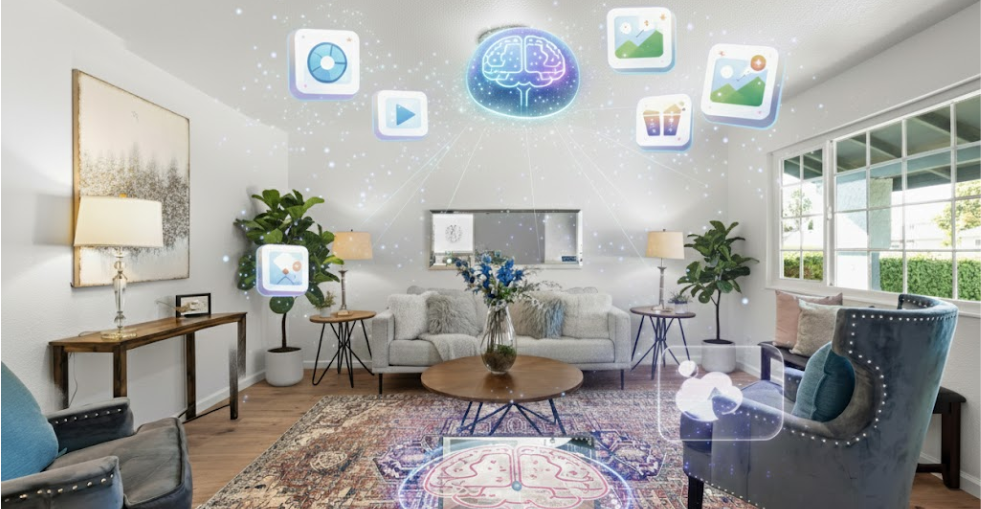
Photo-to-video AI software automatically converts a collection of images into a fully edited video. It analyzes your real estate photos, arranges them in the ideal order, and enhances them with motion effects, smooth transitions, on-screen text, captions, and background music, creating a cinematic video without manual editing.

For real estate professionals, these tools streamline the process of turning property photos into engaging content, including listing videos, virtual walkthroughs, neighborhood tours, social media reels, and promotional highlight clips. The software handles property sequencing, pacing, branding, and even music selection, allowing agents, photographers, and marketers to produce polished videos in minutes.

In short, photo-to-video AI software can help realtors succeed in 2025.

photo to video ai software for realtor

Sources

Why Real Estate Photo-to-Video Tools Matter More Than Ever? 

Real estate photo-to-video tools have become essential, as buyers now prefer dynamic video content over traditional photo galleries. As online browsing increases, video consistently drives higher engagement, longer viewing times, and more inquiries on listings.

  • Buyers spend 4–5x longer on listings with video.
  • Social media platforms like Instagram, TikTok, and Facebook prioritize video in their algorithms, giving videos more reach than static images.
  • Short-form video is currently the #1 performing content format in real estate marketing.

Why video outperforms photos

  • Videos showcase property flow and layout more effectively.
  • Motion, music, and captions create emotional impact.
  • Agents build stronger brand authority with consistent video presence.

How AI tools save time

  • No editing skills needed — AI handles sequencing, pacing, music, and motion.
  • Produces polished, consistent videos in minutes instead of hours.
  • Eliminates the technical barriers to creating real estate videos manually.

In short, AI-powered photo-to-video tools help agents work faster, stand out online, and deliver the type of content today’s buyers prefer.

photo to video ai tools for real estate

Sources

7 Best Tools to Turn Real Estate Photos Into Videos

Creating high-quality video content no longer requires expensive equipment or professional editing skills. Thanks to modern photo-to-video AI softwares, real estate agents, photographers, and marketers can transform basic listing photos into powerful video content in minutes. 

Whether you need cinematic walkthroughs, short-form social media reels, or polished listing presentations, these tools make the entire process fast, consistent, and scalable.

Here is a guide to seven best tools to turn real estate photos into videos, starting with the industry’s top real-estate-focused solution—AutoReel.

1. AutoReel (Top pick – Best photo to video AI software for real estate)

AutoReel is the most advanced photo-to-video AI software built specifically for real estate professionals who want fast, polished, and highly engaging video content. Instead of using a generic video editor for property marketing, AutoReel gives agents and creators a purpose-built workflow that converts listing photos into cinematic videos, walkthroughs, reels, and promo clips in minutes.

Why AutoReel stands out

AutoReel doesn’t just assemble photos—it intelligently analyzes each image, identifies the room type, and applies motion, sequencing, transitions, and pacing to mimic a real property walkthrough. The result is a professional video that feels intentional, smooth, and visually impressive.

Key features

  • AI-generated real estate videos: Automatic motion effects, transitions, and storytelling designed for property showcases.
  • One-click listing import: Pull images directly from Zillow, Realtor.com, or MLS listings without manual downloads.
  • AI virtual staging & enhancements: Add furniture, improve lighting, replace sky, and clean up rooms instantly.
  • Full branding control: Add your colors, logo, agent info, and custom banners with one click.
  • AI voiceovers & auto-captions: Generate narration in multiple styles and add captions optimized for silent autoplay on social media.

Best for

  • Real estate agents & brokers
  • Real estate photographers & media companies
  • Marketing teams at brokerages
  • Property managers & Airbnb hosts

Why AutoReel beats other tools

  • Tailored 100% for real estate
  • Produces more realistic home-tour movement
  • Faster processing and more consistent output
  • Includes staging, branding, and social captions built in
  • Ideal for learning how to make real estate videos with no editing experience

Real user results

Users consistently report:

  • Faster video turnaround times
  • More engaging listing content
  • Higher social media reach and inquiries
  • Stronger personal branding and listing presentations

AutoReel earns the #1 spot because it delivers unmatched automation, quality, and real-estate-specific features. To explore pricing and features, check out AutoReel’s latest plans for their AI photo-to-video creator.

2. Animoto

Animoto is a beginner-friendly video creation tool that allows real estate professionals to turn listing photos into polished slideshow-style videos in just a few minutes. Its drag-and-drop interface makes it ideal for agents who want simple, fast video production without learning complex editing software.

Key features

  • Real estate templates: Prebuilt designs for listing tours, open house promos, and agent branding videos.
  • Drag-and-drop builder: Import your photos, rearrange them, and add text or music effortlessly.
  • Branding tools: Upload your logo, apply brand colors, and customize font styles for consistent marketing.
  • Music & stock library: Choose from hundreds of licensed tracks and stock visuals to elevate your videos.

Best for

  • Agents needing quick, consistent real estate photo-to-video content
  • Beginners with no editing experience
  • Marketing teams who want repeatable templates for social media

While less advanced than AutoReel, Animoto remains a reliable and easy solution for creating clean, professional-looking real estate videos.

3. Canva Visual Suite

Canva Visual Suite is a versatile creation platform that lets real estate professionals turn listing photos into high-quality videos using templates and AI-powered tools. Known for its ease of use and polished visuals, Canva is a good choice for agents who want branded, social-ready video content without hiring a designer.

Key features

  • Real estate templates: Dozens of prebuilt designs for listing videos, property teasers, open house promos, and neighborhood spotlights.
  • Magic video & magic design AI: Instantly creates video layouts from your uploaded photos and listing details.
  • Drag-and-drop editor: Add transitions, animations, music, icons, agent details, and more with no editing experience required.
  • Brand kit tools: Maintain consistent colors, logos, and fonts across all marketing materials.

Best for

  • Real estate reels, TikTok tours, and Instagram posts
  • Agents who want strong branding and visual consistency
  • Creators who value design flexibility and custom layouts

Canva is ideal for social-first real estate marketing where style and visual appeal matter most.

4. InVideo

InVideo is an AI-enhanced video creation platform that helps real estate professionals turn listing descriptions and photos into complete marketing videos. With thousands of customizable templates and strong automation features, it strikes a balance between hands-off AI assistance and hands-on creative control.

Key features

  • AI script-to-video: Convert your listing description into a narrated video layout automatically.
  • Real estate templates: Ready-made designs for listing tours, open house announcements, agent promos, and neighborhood spotlights.
  • Flexible editor: Add transitions, voiceovers, stock footage, branding elements, and animations with precision.
  • Extensive media library: Access premium music, video clips, graphics, and text styles to enhance your content.

Best for

  • Agents who want both automation and the ability to fine-tune each video
  • Teams producing regular social media content
  • Creators who want to blend listing photos with scripts, captions, and b-roll

InVideo is good for turning property details and photos into polished, story-driven real estate videos.

5. FlexClip

FlexClip is an affordable and straightforward slideshow-style video creator that makes it easy for real estate professionals to turn listing photos into clean, highlight-focused videos. Its intuitive drag-and-drop interface is perfect for beginners who want fast results without navigating advanced editing tools.

Key features

  • Slideshow video builder: Quickly convert a batch of real estate photos into a ready-to-share video.
  • Real estate templates: Choose from layouts designed for property tours, feature highlights, and open house announcements.
  • Easy editing tools: Add text, transitions, music, watermarks, and basic animations with minimal effort.
  • AI add-ons: Auto-subtitles, text-to-speech, and simple AI enhancements to streamline the process.

Best for

  • Beginners creating their first real estate photo-to-video content
  • Agents needing quick property highlight videos for MLS or social media
  • Budget-conscious creators who want a straightforward, no-frills editor

FlexClip is ideal for creating simple, fast, and clean real estate videos without overwhelming features or complexity.

6. Adobe Premiere Rush

Adobe Premiere Rush is a streamlined, professional-grade video editor designed for creators who want more control over their real estate videos while still keeping the workflow simple. It’s a lighter, more accessible version of Adobe Premiere Pro, making it a strong choice for agents or media teams with basic editing experience.

Key features

  • Advanced editing tools: Fine-tune transitions, pacing, color, and audio for a polished final product.
  • Multi-layer editing: Mix listing photos with video clips, agent introductions, neighborhood footage, or drone shots.
  • Built-in voiceovers & sound control: Record narration directly in the app and adjust background music levels with precision.
  • Cross-device sync: Create on desktop or mobile and seamlessly switch between devices.

Best for

  • Real estate creators who want complete control over their video quality
  • Users combining photos, clips, voiceovers, and branded elements
  • Agents producing premium listing videos or long-form content

Adobe Premiere Rush is ideal for those who want deeper customization and professional-level results beyond standard AI automation.

7. Kapwing

Kapwing is a fast, browser-based editing platform that makes it easy for real estate professionals to turn photos into engaging short-form videos—no software downloads or advanced skills required. Designed for modern content creators, it’s especially popular among agents focused on social media visibility.

Key features

  • Image-to-video tools: Quickly convert listing photos into scroll-friendly videos with transitions, music, and text overlays.
  • Social media optimized: Export in 9:16, 1:1, or 16:9 formats for platforms like TikTok, Instagram Reels, YouTube Shorts, and Facebook.
  • Team collaboration: Share projects with team members, assistants, or marketing staff for real-time editing.
  • AI add-ons: Auto-subtitles, background removal, templates, and smart editing tools.

Best for

  • Agents and creators who prioritize social-first real estate content
  • Fast editing needs without complex software
  • Teams collaborating on recurring listing videos and marketing posts

Kapwing is good for quick, flexible, and collaborative real estate video creation directly in your browser.

Which Photo to Video AI Software is Best for Real Estate Workflow? 

Below is a simplified comparison of the top photo-to-video AI tools based on automation strength, user level, video type, and AI capabilities.

Tool

Automation level

Best for

Ideal video type

AI capabilities

AutoReel

Full automation, real-estate-specific

Beginners & pros

MLS videos, reels, walkthroughs, ads

AI motion, sequencing, staging, captions, branding, voiceovers

Animoto

Moderate

Beginners

Simple slideshows, listing videos

Basic templates + text tools

Canva Visual Suite

Moderate

Social media creators

Reels, branded videos

Magic Design AI, animated templates

InVideo

Strong

Agents wanting customization + automation

Story-driven videos, promos

Script-to-video AI, smart editing

FlexClip

Light automation

Beginners/budget creators

Quick highlight videos

Auto-subtitles, text-to-speech

Adobe Premiere Rush

Professional manual control

Experienced creators

Premium listing videos, long-form content

Basic automation; manual editing focus

Kapwing

Basic–moderate

Social-first agents

Reels, TikTok, Shorts

Smart edits, auto-subtitles

Why AutoReel Still Leads the Pack

AutoReel remains the #1 photo-to-video AI software because it’s the only platform designed entirely for real estate workflows.

It automates the whole process, from sequencing and motion to staging and branding, making it the fastest and most specialized tool for turning real estate photos into high-converting videos.

Testimony from AutoReel Users 

Nicole Causey

Co-Founder, Everhome Realty

“AutoReel transforms photos into beautiful, realistic video walkthroughs. The Drone 'flyovers' are truly incredible! A must-have tool for realtors in a digital-first world.”

Don Horn

Owner, Horn Pix Photography

“We realized the founder and his team were providing a value-add proposition our business could leverage. AutoReel has streamlined editing times by 25%, shortening time to listing.”

Step-by-Step: How to Make Real Estate Videos Using Photo-to-Video AI Software

Creating professional real estate videos is easier than ever, thanks to modern photo-to-video AI software. Here’s a simple, beginner-friendly process for making real estate videos in minutes—no editing experience required.

Step 1: Gather high-quality property photos

Choose clear, well-lit images that show the flow of the home. Include exterior shots, key rooms, angles, and any unique features buyers will appreciate.

Step 2: Upload to your AI Video tool

Import photos into your chosen real estate photo-to-video platform. Tools like AutoReel even allow one-click imports from Zillow or Realtor.com.

Step 3: Customize the template

Add your branding, agent details, property specs, text overlays, and optional voiceovers. Keep the design consistent with your marketing style.

Step 4: Add music, pacing, and transitions

Choose music that fits the property's vibe—calm for luxury listings, upbeat for modern or urban listings. Let the AI handle smooth transitions and pacing automatically.

Step 5: Export in the correct format

Use 16:9 for MLS listings, 9:16 for Instagram Reels and TikTok, and 1:1 for Facebook posts.

Step 6: Publish and optimize

Write strong titles and captions, and use relevant hashtags. Include a call to action such as “Book a showing” or “Message for details.”

With AI tools, real estate video creation becomes faster, more consistent, and more effective.

Want to see it in action? View the step-by-step video guide for creating AI photo-to-video content using AutoReel and start producing professional real estate videos in minutes.

photo to video ai software infographic

Step-by-step guide for using an AI tool like AutoReel to make real estate videos using photos

Tips to Create High-Converting Real Estate Photo-to-Video Content

Creating real estate videos that drive clicks, inquiries, and engagement is easier when you follow a few proven strategies. Whether you’re using AutoReel or any other photo-to-video AI software, these tips will help your videos perform better on social media and listing platforms.

  • Keep videos short and focused: Aim for 30–60 seconds, especially for Instagram Reels, TikTok, and YouTube Shorts. Shorter videos hold attention and perform better in algorithm-driven feeds.
  • Add key selling points upfront: Highlight updates, upgrades, amenities, or standout features within the first few seconds so viewers instantly understand the property’s value.
  • Use consistent branding: Include your colors, logo, agent name, and contact info. Consistent branding builds trust and recognizability across all your listings.
  • Leverage AI-generated captions: Most people scroll with sound off, so captions improve watch time, accessibility, and message clarity.
  • Include neighborhood or lifestyle visuals: Add photos of parks, schools, shops, or community amenities to help buyers visualize daily life and elevate perceived property value.

Using these simple, practical tips can significantly boost engagement and help your real estate photo-to-video content convert more viewers into leads. Use the tips and get the most out of AI tools like AutoReel.

Sources

Conclusion – Future of Real Estate Videos is Automation

Video is no longer a “nice-to-have” in real estate—it’s a must-have. Today’s buyers expect dynamic listing content, smooth walkthroughs, and visually engaging presentations that static photos simply can’t deliver. With the rise of powerful photo-to-video AI software, creating professional real estate videos has become faster, easier, and more accessible than ever.

Among all the tools available, AutoReel stands out as the best choice for real estate professionals. Its real-estate-specific automation, AI sequencing, virtual staging, branding tools, and MLS-friendly workflows make it the most efficient way to turn property photos into high-converting videos in minutes.

If you’re ready to modernize your marketing, attract more attention, and streamline your content creation process, now is the perfect time to explore AutoReel or compare the tools in this guide based on your workflow needs.

Ask yourself:  What would your listings look like if every property had a high-quality video ready in minutes?

FAQs  on Photo to Video AI Software

1. What is AutoReel, and how does it help real estate professionals?

AutoReel is a real-estate-focused photo-to-video AI software that automatically converts listing photos into cinematic videos. It handles sequencing, transitions, pacing, and storytelling so agents can produce polished listing videos, walkthroughs, and social reels in minutes.

2. Does AutoReel require video editing skills?

No. AutoReel is designed specifically for non-editors, using advanced AI to automate over 90% of the video creation process. Agents simply upload their photos, select a video style, and let the software generate a professional, ready-to-share real estate video without any technical expertise.

3. Can AutoReel create vertical videos for Instagram Reels, TikTok, and YouTube Shorts?

Yes. AutoReel supports multiple export formats, including the highly popular 9:16 vertical aspect ratio used on TikTok, Instagram Reels, and YouTube Shorts. It also offers 1:1 and 16:9 formats, making it easy to create short-form content and MLS-ready videos from the same project.

4. Does AutoReel support virtual staging or photo enhancement?

Yes. AutoReel includes built-in AI virtual staging, sky replacement, brightness corrections, and photo cleanup tools. These enhancements help improve the quality of your listing photos before generating the final video, giving your content a more modern, polished, and professional appearance without additional editing apps.

5. Can AutoReel add captions and voice-overs to my real estate videos?

Absolutely. AutoReel automatically generates captions for silent-viewing platforms like Instagram and Facebook. It also provides AI-powered voiceovers in multiple tones, languages, and styles, allowing agents to create highly engaging narrative videos without recording audio manually.

6. How fast can AutoReel turn real estate photos into videos?

AutoReel can convert a full set of listing photos into a complete video in just a few minutes. Processing time depends on customization and video length, but most users experience rapid turnaround—making it ideal for agents who need professional content quickly and consistently.

7. Does AutoReel allow branding customization for agents and brokerages?

Yes. AutoReel includes extensive branding controls, allowing you to add your logo, agent details, color palette, overlays, banners, and intro/outro cards. This ensures every video aligns with your personal or brokerage brand, helping build recognition and trust across all your marketing channels.

Citings:

https://gitnux.org/real-estate-video-statistics/

https://wyzowl.com/sovm-results-2024/

https://www.kapwing.com/tools/convert/image-to-video

https://helpx.adobe.com/in/premiere-rush/help/adobe-premiere-rush-video-editing.html

https://www.flexclip.com/create/real-estate-slideshow-video.html

https://invideo.io/make/real-estate-marketing/

https://www.canva.com/video-editor/templates/real-estate

https://animoto.com/online-video-editor/real-estate-videos

TESTIMONIALS

Join the top real estate pros

Real estate media businesses, photographers, and agents are using AutoReel every day to boost their video marketing.

Kim Lindsey

Kim Lindsey

Owner, Kim Lindsey Photography

Groundbreaking tool. They are committed to improving the services with new updates often.
Joe Semkow

Joe Semkow

Photographer, Inspire Kindness

An absolute game-changer! Professional-quality reels in minutes. Customer service is top-notch, quick and responsive.
Don Horn

Don Horn

Owner, Horn Pix Photography

We realized the founder and his team were providing a value-add proposition our business could leverage. AutoReel has streamlined editing times by 25%, shortening time to listing.
Nicole Causey

Nicole Causey

Co-Founder, Everhome Realty

AutoReel transforms photos into beautiful, realistic video walkthroughs. The Drone 'flyovers' are truly incredible! A must-have tool for realtors in a digital-first world.
Chris Lawrence

Chris Lawrence

Owner, Rip City Photography, LLC

It literally takes 5 minutes on the backend to produce a great product to offer to your real estate agents. The cost is affordable and the developers are quick to respond.
Bryce Perez

Bryce Perez

Founder, RE Media Company

It's quick, cost-effective, and perfect for generating professional-quality videos. I can create multiple videos in minutes, maintaining a strong online presence.
Mark Shepherd

Mark Shepherd

MD & Founder, Apollo3D Ltd, UK

AutoReel has enhanced our video and 3D tour services uniquely. The team behind the app is super responsive and is always looking to improve the product and its AI capabilities.
Kerry Riordan

Kerry Riordan

Owner, Blu Lemonade Photography

The future is here! AutoReel surpasses the rest in terms of quality and accuracy. The generations look authentic with clean movements and tasteful add-ons.
Ron Potts

Ron Potts

Owner, Advanced Virtual Imaging

This is truly an amazing product turning photos into video. If you're looking for short video ads or property videos, consider AutoReel!

Create your AI property videos today

AutoReel helps creators, marketers, and real estate pros turn raw content into polished, platform-ready reels in minutes.