AutoReel vs. Canva for Real Estate Videos: Which One Actually Saves Agents Time (2026)?

Summarize with AI


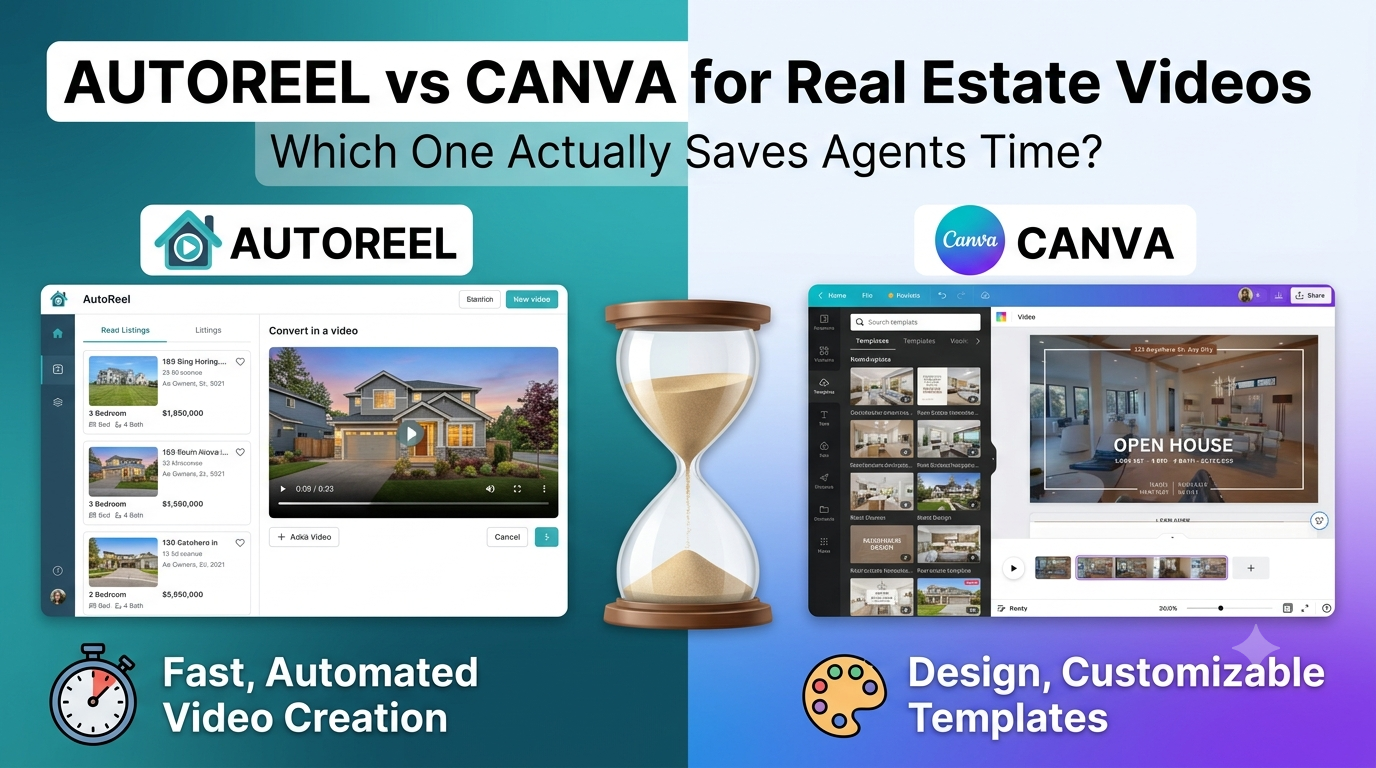
Canva can make a real estate video. So does AutoReel. That's not the question.
The real question is what happens after you open the app: are you dragging clips onto a timeline, or are you uploading photos and getting a finished property tour back? That difference is where the time actually goes.
AutoReel is an AI real estate video platform built specifically for listings, you upload photos, and it generates a cinematic property video, complete with camera-style motion, music, and captions, in about 10 minutes.
Canva is a general-purpose design tool with a video editor inside it, powerful for social graphics, but built for manual assembly - not automated listing production.
Here's how Canva and AutoReel compare when the job is turning today's listing photos into a video before an open house.
What Canva Actually Does for Real Estate Video
Canva is a template-and-timeline editor. For a listing video, you pick a video template, swap in your photos or clips one at a time, adjust the duration of each frame, add transitions, drop in text overlays, and layer in music from Canva's library.
None of that is automated. Every photo placement, every transition, every caption is a manual decision you make inside the editor. That's exactly what makes Canva good for one-off social graphics and flexible for almost any design task. It's not built to understand that photo three is the kitchen and photo seven is the backyard.
There's also no listing-specific import. You're pulling photos in from your camera roll or a folder, one by one, the same way you would for a birthday party slideshow.
What AutoReel Actually Does
AutoReel skips the manual assembly step entirely. You upload 15–20 listing photos (or pull them straight in with One-Click Import from Realtor.com), and the platform turns each one into a roughly 3-second cinematic clip.
Pans, zooms, and depth effects mimic real camera movement, then stitches them into a video up to 60 seconds long, depending on your plan.
Music, captions, and branding are added automatically, which are then editable inside AutoReel Studio if you want to adjust anything. A typical video is ready in about 10–15 minutes, and the platform has now generated more than 200,000 of them, with a 4.9-star average across 370+ reviews from photographers, agents, and media companies.
The practical difference is that Canva asks you to build the video. AutoReel automatically constructs the videos and just asks you to approve it.
average AutoReel turnaround vs. 30–45 minutes of manual editing in Canva
listing videos generated on AutoReel
average rating across 370+ reviews
The Time Test: Building the Same Listing Video in Both Tools
Picture a standard 18-photo listing, front exterior to backyard, and walk both workflows side by side.
In Canva, you'd typically: pick a template, import photos one at a time, trim and reorder each frame, set individual durations, add transitions between every pair of images, drop in a music track and adjust it to fit the runtime, add text overlays for the address or price, then export and check the result.
For an agent who isn't a trained editor, that's realistically 30–45 minutes of hands-on work, and longer if you want the pacing to feel intentional rather than mechanical.
In AutoReel, you upload the same 18 photos, choose a template and voice or music option, and let the platform generate the video. Review, tweak in Studio if needed, export. That's the 10-minute window most users land in.
The gap isn't about which tool is "better" in the abstract; it's that Canva's editor charges you for every creative decision in time, and AutoReel's AI makes the first pass of those decisions for you.
For an agent turning around three or four new listings a week, that's the difference between an evening lost to editing and a video ready before the sign goes in the yard.
Motion Quality: AI-Generated Camera Movement vs. Static Templates
A still photo dropped into a Canva template stays a still photo, Canva can add a generic zoom or pan effect (a "Ken Burns" style move), but it applies the same motion regardless of what's in the frame.
AutoReel's photo-to-video engine reads the image and generates camera-style motion suited to that specific shot, a slow push into a living room, a wider drift across an open kitchen.
When you use AutoReel, consecutive clips feel like they were filmed on a walkthrough rather than assembled from a slideshow. For listing video specifically, where the goal is to simulate the feeling of touring the home, that distinction matters more than it sounds.
Real Estate-Specific Features Canva Doesn't Have
Canva wasn't built for the listing workflow, and it shows in the features that are simply missing:
- One-Click Import from Realtor.com: pull listing photos directly instead of downloading and re-uploading them
- AI Virtual Staging: furnish an empty room instantly
- AI Photo Edits: twilight conversions and lawn touch-ups built for listing photos specifically, not general design fixes
- Viral Visual Effects: day-to-twilight transitions and drone-style flyovers generated from flat photos
None of these exist in Canva because Canva isn't solving for real estate. It's solving for "make anything look good," which is a different, broader problem than "make this listing look market-ready in one pass."
Branding, Voiceovers, and Scaling Past One Agent
Canva does have brand kits, and they're genuinely useful for keeping fonts and colors consistent across an agent's social posts. But branding is where the comparison stops; Canva has no concept of a "listing," a client roster, or a repeatable production pipeline.
AutoReel was built for three groups doing this at different scales:
- Realtors turning listing photos into tour videos without hiring a videographer, see AutoReel for realtors
- Photographers upselling AI video as an add-on to every photo shoot, no extra editing hours, see AutoReel for photographers
- Media companies producing branded video across dozens of client accounts without scaling their editing team
AI Voiceovers (including voice cloning or a library of natural-sounding voices) and AI Avatars for presenter-style videos are also native to AutoReel; features that would require a separate app, or a human narrator, if you were staying inside Canva.
Canva's Strengths, and Where They Stop
Canva is a general-purpose design tool, not a listing-video platform, and that's worth being upfront about.
If you need a flyer, an Instagram carousel, a listing brochure, or a general social graphic, Canva's template library and design flexibility genuinely go further than AutoReel, because AutoReel isn't trying to be a generalist app.
Canva's general-purpose design is built for manual editing, not photo-to-video automation for listings. Turning a folder of listing photos into a polished property video in Canva still means building it slide by slide, timing transitions by hand, and sourcing music yourself; the exact manual process AutoReel's automation was built to remove.
For static graphics, Canva alone may cover you. The moment video becomes a regular part of your listing workflow rather than an occasional extra, that manual model starts costing real hours every week; hours AutoReel's photo-to-video automation gets back.
Cost Per Video, Roughly
Canva's paid plans are priced as a general design subscription, not per video; you're paying for the whole design suite whether you make one video a month or twenty, and every video still costs you the editing time above regardless of your plan tier.
AutoReel's free plan includes 2 watermarked videos a month with no credit card required, and paid plans include a 7-day trial with 3 watermark-free videos and full access to the platform. Video credits roll over for a year on annual plans, and there are no pay-per-video surprise fees.
Current plan details are on AutoReel's pricing page.
The honest way to compare cost isn't subscription price against subscription price; it's cost per finished video once you count your own time. A tool that's cheaper per month but costs you 30 extra minutes per listing isn't actually the cheaper option once you're making multiple videos every week.
The Bottom Line
Canva is a design tool that can technically produce a video. AutoReel is a video platform built for one job: turning real estate listing photos into a finished, motion-rich property tour with as little manual editing as possible.
If you're deciding between the two for regular listing video work, the honest test is the one above: build the same video in both, time it and also clock your efforts. For most agents, photographers and media companies, that's the fastest way to see which tool actually fits the workflow. And you won't be surprised that AutoReel is the clear winner.
Ready to see the difference on your own listing? AutoReel's free plan requires no credit card and gives you two watermarked videos a month to test the workflow yourself.
See the difference on your own listing
No credit card required — two watermarked videos a month to test the workflow yourself.
FAQs
Can I make a real estate video in Canva?
Is AutoReel better than Canva for real estate agents?
How long does it take to make a listing video in Canva vs. AutoReel?
Does Canva have real estate-specific features like virtual staging?
Is there a free way to try AI real estate video instead of Canva?
Sources: