How to Shoot Flambient Real Estate Photography for AI-Enhanced Videos

Summarize with AI


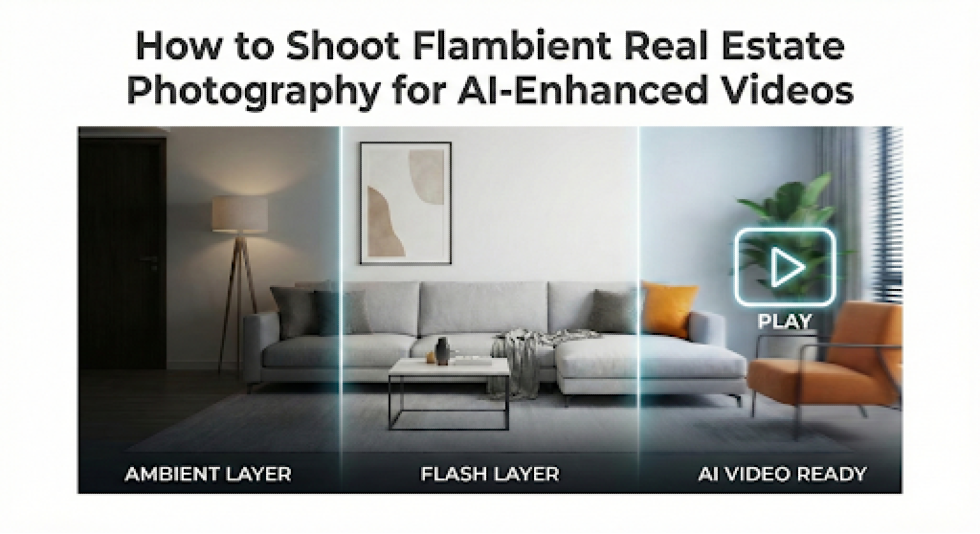
Takeaway
- Learn flambient techniques that produce clean, AI-ready real estate images.
- Understand how lighting consistency improves AI-enhanced video motion quality.
- Avoid capture mistakes that cause flicker, color shifts, and artifacts.
How to shoot flambient real estate photography is no longer just about producing clean still images.
When photos are used for AI-enhanced real estate videos, capture discipline becomes critical. AI systems depend on consistent geometry, neutral color science, and stable luminance across frames, all of which flambient photography can provide when executed correctly.
This guide is written for photographers who already understand interior exposure control and flash fundamentals. It focuses on how flambient capture choices affect AI video performance, including camera height consistency, controlled flash output, fixed white balance, and predictable compositions. The emphasis is not visual drama but data reliability.
Try AutoReel free and see how flambient photos translate into AI video.
What Is Flambient Real Estate Photography?
Flambient real estate photography is a controlled capture methodology. It blends ambient light exposures with selective flash frames to produce images with accurate color rendition, clean shadow transitions, and consistent luminance across architectural surfaces.
When discussing how to shoot flambient real estate photography, it’s critical to understand that the technique is less about stylistic lighting and more about data consistency, especially when images are repurposed for AI-enhanced video workflows.
Ambient Exposure Layer
The ambient frame establishes:
- Exterior window detail
- Natural falloff gradients
- True spatial depth of the room
This exposure is typically underexposed for the interior to preserve highlight data at windows and light sources.
Flash Exposure Layer
The flash frame corrects:
- Color contamination from mixed lighting
- Muddy shadow regions
- Low-CRI interior light distortion
Unlike HDR, flambient avoids tone mapping and ghosting, which are problematic for AI motion synthesis. Clean, neutral frames allow AI systems to interpolate movement without introducing edge artifacts or luminance flicker.
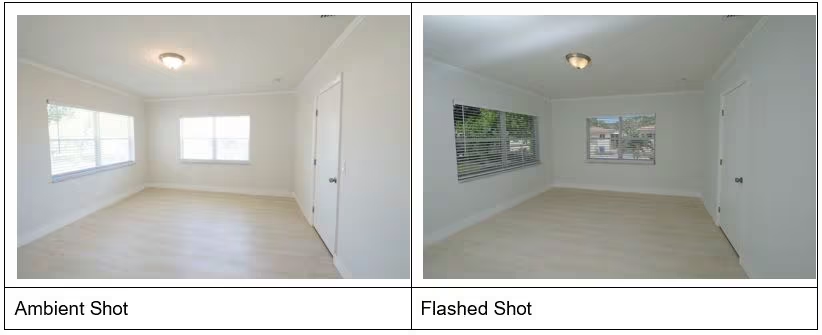
For photographers preparing images for AI-enhanced videos, flambient is not optional—it is the most stable acquisition method currently available.
Gear You Need to Shoot Flambient the Right Way
Understanding how to shoot flambient real estate photography starts with selecting gear that prioritizes repeatability and control, not maximum output. The goal is to produce uniform frames that maintain geometric and photometric consistency across an entire property.
Camera & Optics
A full-frame or APS-C camera with strong dynamic range is preferred. Lenses in the 14–24mm or 16–35mm range (full-frame equivalent) provide sufficient field of view without introducing perspective distortion that complicates AI motion reconstruction.
Lighting Equipment
A single off-camera speedlight or compact strobe is sufficient when used correctly. Manual flash control is mandatory. Wireless triggers with low-latency response reduce misfires during rapid room transitions.
Tripod & Stability
A rigid tripod with marked height settings is non-negotiable. AI video generation relies on consistent camera elevation to maintain spatial coherence between frames. Even minor vertical shifts can cause artificial parallax in generated motion.
Professional flambient workflows favor simplicity and predictability, ensuring every capture behaves consistently downstream.
How to Shoot Flambient Real Estate Photography for AI-Enhanced Videos (Step by Step)
This section addresses how to shoot flambient real estate photography at the execution level rather than as a conceptual lighting method, particularly when images are destined for AI-enhanced video generation.
Every capture decision should support spatial continuity, photometric stability, and predictable depth interpretation.
Step 1: Establish a Fixed Camera Geometry
Set tripod height between 1.2 and 1.4 meters and maintain it consistently throughout the property. Lock leg extensions and avoid center column adjustments between rooms. Use electronic leveling instead of tilting the camera to preserve vertical axis integrity. Consistent camera geometry reduces AI-driven perspective correction and limits artificial parallax during synthesized motion.
Step 2: Capture the Ambient Frame
Expose strictly for exterior highlight retention using base ISO values between 100 and 200. Allow interior shadow regions to fall naturally without compensation. This exposure establishes the luminance envelope and contrast range that AI systems reference when generating motion paths and depth transitions.
Step 3: Capture the Flash Frame
Fire a single manual flash per angle, bounced behind the camera or into the ceiling plane. Flash output should be calibrated to neutralize mixed-light color contamination rather than increase scene brightness. Multiple flash positions or directional side lighting introduce inconsistent shadow geometry that degrades AI depth inference.
Step 4: Maintain Predictable Spatial Compositions
Use two-wall compositions with a consistent focal length, typically between 16 and 20mm full-frame equivalent. Avoid diagonal hero angles, exaggerated verticals, or compositional variation between rooms. AI-enhanced videos favor repeatable spatial relationships and consistent framing over stylistic variation.
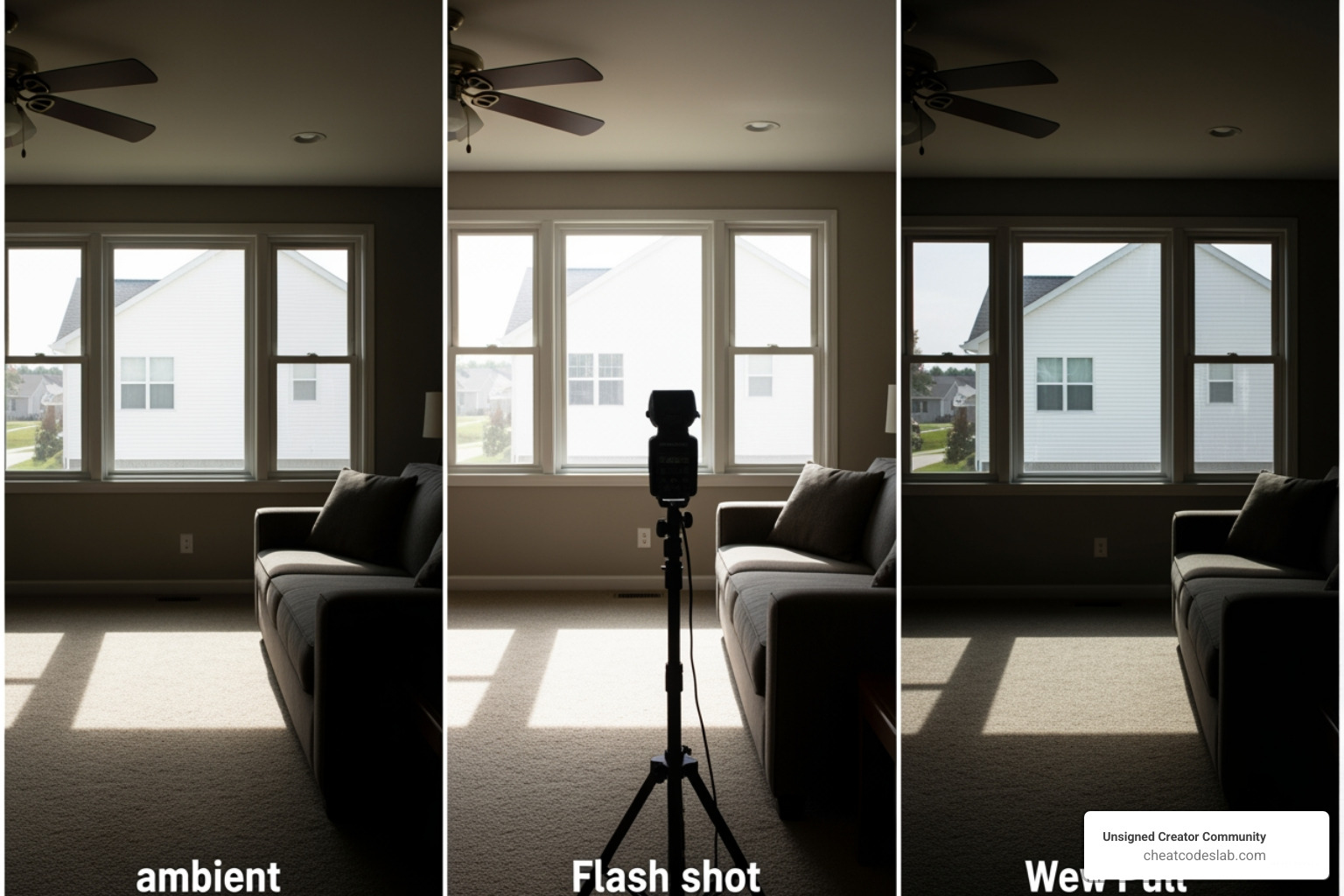
This capture discipline differentiates flambient photography optimized for AI video synthesis from approaches intended solely for static image delivery.
Camera and Flash Settings That Keep Colors Natural
Color stability is one of the most underestimated variables when learning how to shoot flambient real estate photography for AI workflows.
AI video systems are highly sensitive to chromatic drift. Minor shifts that appear invisible in still images are amplified into visible flicker, pulsing highlights, or color breathing once motion is synthesized.
Camera Settings for Luminance Control
- ISO: 100–200 to maximize dynamic range and reduce noise interpolation
- Aperture: f/7.1–f/9 to maintain depth uniformity across foreground and background planes
- Shutter Speed: Adjusted exclusively to control ambient exposure, never flash output
Exposure bracketing should be avoided. Multiple ambient frames introduce unnecessary luminance variability that complicates AI temporal alignment. Single, repeatable exposures produce cleaner input data.
Flash Configuration Discipline
- Manual flash power only, typically between 1/32 and 1/8
- Flash output should neutralize color contamination, not dominate scene lighting
- Use bare flash or minimal diffusion to preserve edge definition and surface texture
Inconsistent flash ratios across rooms are a common cause of AI color instability.
White Balance Control
Set a fixed Kelvin value between 5000K and 5600K and maintain it throughout the shoot. Auto white balance creates frame-level variance that AI systems interpret as lighting change rather than camera adjustment.
Neutral, repeatable color science is foundational when flambient images are used as motion assets rather than static photographs.
Why Flambient Photos Work Better for AI-Enhanced Videos
From a computational standpoint, flambient imagery provides AI systems with cleaner and more interpretable spatial data than HDR or natural-light-only photography.
When evaluating how to shoot flambient real estate photography for AI-enhanced videos, the core consideration is not visual appeal but how reliably an image can be analyzed, segmented, and animated by AI motion and depth models.
Structural Advantages for AI Interpretation
Flambient frames consistently exhibit:
- Reduced edge halos around architectural lines
- Predictable shadow directionality across surfaces
- Stable tonal gradients without aggressive local contrast
HDR workflows often rely on tone mapping and exposure fusion, which introduce micro-contrast artifacts, edge ringing, and inconsistent luminance transitions. These artifacts interfere with depth inference models that assume linear light behavior.
Flambient photography avoids heavy tone compression, preserving natural luminance roll-off that AI systems can interpolate more accurately.
Temporal Consistency Across Frames
AI-enhanced video generation depends on detecting continuity between still images. Flambient’s controlled flash and fixed ambient exposure minimize frame-to-frame lighting variance.
This allows AI systems to generate smoother virtual camera motion, cleaner parallax, and fewer corrective artifacts during rendering.
Many photographers note that flambient images appear restrained or flat as standalone stills. However, when processed through AI video systems, those same images produce more realistic motion, stable color transitions, and believable spatial depth.
That tradeoff is deliberate, technically justified, and central to successful AI-driven real estate video workflows.
Why This Matters Specifically for AutoReel
AutoReel’s AI video generation benefits directly from the structural and temporal stability that flambient photography provides.
When photographers apply how to shoot flambient real estate photography with consistent geometry, neutral color science, and controlled lighting, AutoReel can analyze frames with less corrective processing. This results in smoother camera motion, fewer edge artifacts, and more believable depth transitions.
In practical terms, flambient images reduce ambiguity for AutoReel’s motion and depth models, allowing the system to focus on video synthesis rather than error correction.
For AutoReel workflows, flambient images enable:
- Cleaner motion interpolation
- Stable color continuity across frames
- More natural parallax and spatial flow
This alignment is why flambient capture consistently produces stronger AI-enhanced video output in AutoReel-driven pipelines.
Run your flambient images through AutoReel for smoother AI video results.
Common Flambient Mistakes That Break AI Video Quality
Even experienced photographers can undermine AI video output if flambient discipline slips during capture.
Understanding how to shoot flambient real estate photography for AI-enhanced videos requires more than clean stills. It requires eliminating inconsistencies that AI motion models interpret as structural change or lighting instability.
Inconsistent Camera Height
Minor elevation changes between rooms introduce artificial vertical movement when AI systems generate motion paths. These shifts often appear as subtle camera bobbing or warped transitions in video output.
Use a rigid tripod, set a fixed working height, and physically mark leg extensions to maintain spatial continuity across the entire property.
Over-Flashing Interiors
Excessive flash power produces hard shadow edges, clipped highlights, and localized color shifts on neutral surfaces. While these issues may look acceptable in still images, AI exaggerates them during motion interpolation.
Flash in flambient photography should correct color contamination, not redefine room lighting.
Mixed White Balance Sources
Leaving practical lights on without correction introduces mixed color temperatures that destabilize AI color continuity.
Always use a fixed white balance and either disable practical lights or neutralize them with flash dominance.
Creative Angles and Perspective Drift
Diagonal compositions and exaggerated wide angles disrupt AI spatial mapping.
Straightforward geometry with consistent framing produces cleaner depth inference and smoother AI-enhanced video results.
Precision Is the New Advantage
Learning how to shoot flambient real estate photography for AI-enhanced videos is ultimately about capture discipline, not stylistic flair.
When geometry, color science, and luminance are controlled with intent, AI systems can generate motion that feels natural and spatially accurate.
Photographers who adapt their flambient approach for AI video are not just future-proofing their skill set. They are aligning their capture process with where real estate media production is already heading.
Use AutoReel to turn flambient photos into stable AI-enhanced videos.
FAQs About Flambient Real Estate Photography for AI-Enhanced Videos
1. Is flambient photography better than HDR for AI-enhanced real estate videos?
Yes. Flambient photography produces cleaner edges, consistent shadows, and linear tonal transitions. HDR often introduces halos, ghosting, and micro-contrast artifacts that interfere with AI depth and motion models. For AI-enhanced videos, flambient images provide more predictable spatial data and smoother motion synthesis.
2. Why do my flambient photos look fine but the AI video flickers?
This usually happens due to inconsistent camera height, auto white balance, or varying flash power between rooms. AI systems amplify small frame-to-frame differences into visible flicker. When learning how to shoot flambient real estate photography for video, consistency matters more than visual impact.
3. Should I turn off all interior lights when shooting flambient for AI video?
Ideally, yes. Mixed color temperatures from practical lights introduce chromatic instability that AI systems struggle to normalize. If lights must remain on, flash output should dominate and white balance must remain fixed to prevent color drift in AI-generated motion.
4. Do I need multiple flash shots per angle for better AI results?
No. Multiple flash angles introduce inconsistent shadow geometry, which degrades AI depth interpretation. A single, well-balanced flash frame per composition is optimal. AI-enhanced videos benefit from simplicity and repeatability, not complex lighting setups.
5. What camera height works best for flambient photography used in AI video?
Most professionals use a fixed height between 1.2 and 1.4 meters. More important than the exact height is maintaining it consistently across the entire property. Vertical inconsistency causes artificial camera movement in AI-generated video paths.
6. Can I use creative wide angles or diagonal compositions?
You can, but they are not recommended for AI-enhanced videos. Diagonal lines and exaggerated perspectives disrupt spatial mapping. Straightforward two-wall compositions with consistent focal length allow AI systems to infer depth and motion more accurately.
7. Why does AI video prefer “flat” flambient images?
What looks flat to the human eye often represents neutral, linear data to AI models. Reduced contrast, even lighting, and minimal stylization allow AI systems to generate realistic motion, stable parallax, and believable depth without visual artifacts.
8. Does exposure bracketing help flambient images for AI workflows?
No. Exposure bracketing introduces unnecessary luminance variation that complicates AI temporal alignment. Single, controlled ambient and flash frames produce cleaner input data and more stable AI video output.
9. Is flambient photography harder when shooting for AI video?
It is more disciplined, not more complex. The technical steps are the same, but tolerance for inconsistency is lower. Photographers who understand how to shoot flambient real estate photography with precision usually adapt quickly to AI-focused requirements.
External Sources