How to Transform Real Estate Photos into Cinematic AI-Powered Videos (Step-by-Step Guide for Listing Success in 2026)

Summarize with AI


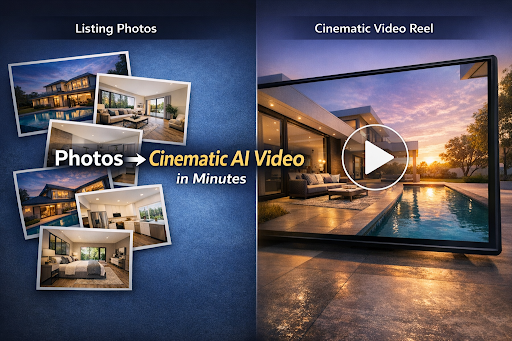
Imagine this: you upload 15 listing photos, choose a style, and within minutes you have a smooth, modern, cinematic video that looks like a professional editor spent hours on it.
In 2026, this workflow is no longer experimental. AI-powered tools now let agents and media teams turn photos into high-quality listing videos quickly, consistently, and at scale. Faster production, fewer revisions, and platform-ready formats are why photo-to-video AI has become standard in modern real estate marketing.
Not just a slideshow.Not a shaky phone walkthrough.A real scroll-stopping listing video that works on Instagram Reels, TikTok, YouTube Shorts, Facebook, and even your listing presentation.
And it’s not just agents—real estate media companies are using this workflow to deliver more videos with fewer revisions.
What real estate pros are saying
“This is truly an amazing product, turning photos into video. If you're looking for short video ads or property videos, consider AutoReel!”
— Ron Potts, Owner, Advanced Virtual Imaging
That’s exactly what AI-powered video tools are making possible for real estate agents and media houses right now. And if you’re still relying on static photos alone, you’re basically showing up to a video-first market with a print brochure.
If you’re comparing tools, here’s a quick breakdown of the best options for photo-to-video creation.
This guide breaks down the process step-by-step—how to create real estate listing videos from photos using AI, how to turn them into virtual property tours, and how to scale the entire workflow using real estate content automation.
Let’s make your listings look expensive—without the expensive part.
Why Real Estate Listing Videos Matter More Than Ever
Real estate platforms have always been visual. But the shift now is bigger than “better photos.”
It’s about attention.
Buyers scroll. Fast.Short-form video is where listings win attention and momentum right now. Your listing gets a few seconds to win interest.
That’s why videos consistently outperform photo posts on social platforms—because they hold attention longer and create emotional momentum. And it’s not just reach—video changes how buyers evaluate homes and make decisions.
Many AI platforms and real estate video providers now build entire guides around photo-to-video workflows because demand is exploding.
And it’s not just marketing fluff—buyers are actively consuming video-first experiences and “walkthrough-style” content while browsing listings.
Translation: If you create listing videos consistently, you get:
- More clicks
- More saves
- More inquiries
- Stronger brand recall
- A cleaner premium perception (even if your listing isn’t luxury)
Now the question becomes:How do you do it fast and at scale?
What “Cinematic” Actually Means in Real Estate Video
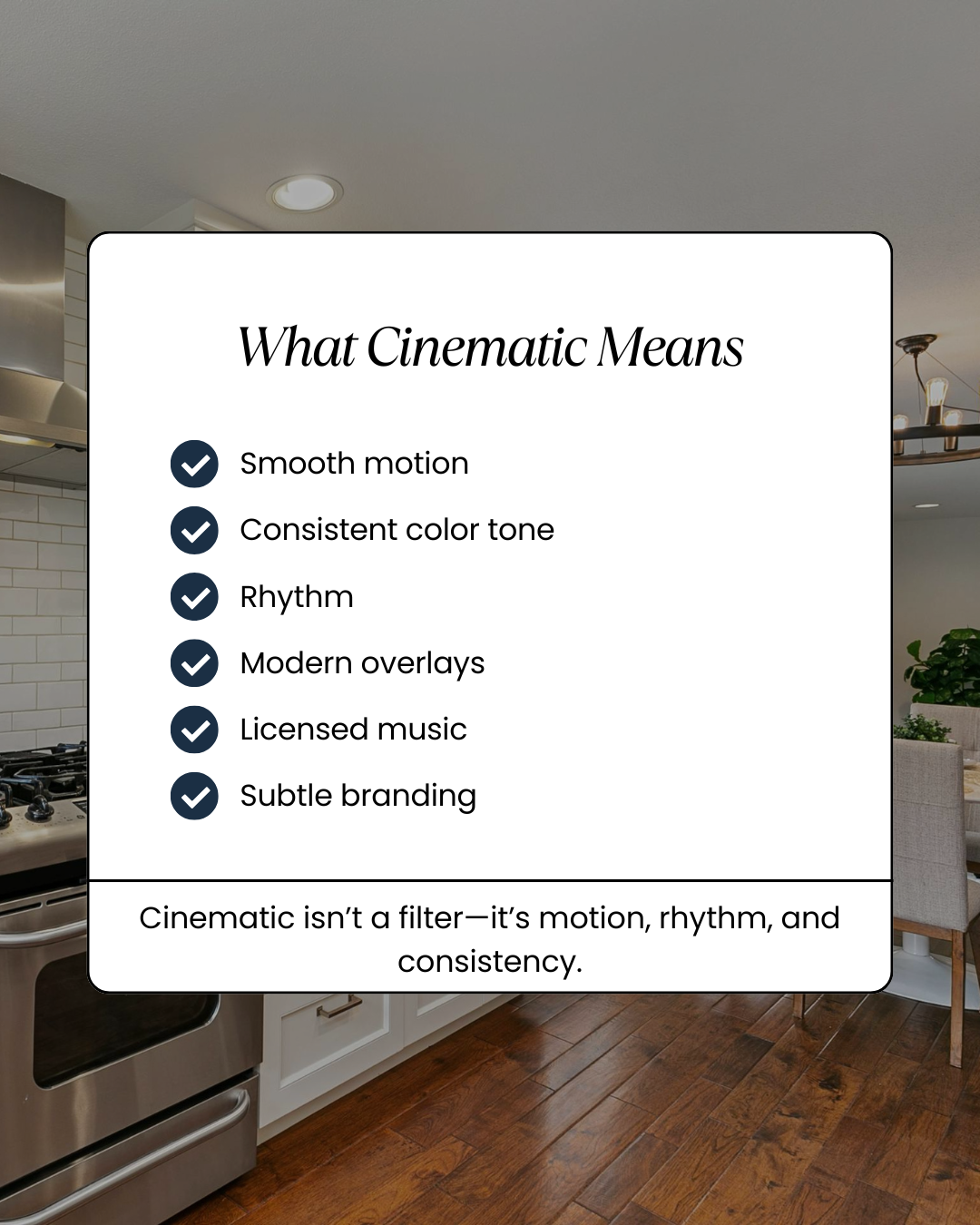
Agents say “cinematic” a lot. But when buyers see a “cinematic” listing video, it typically includes:
The cinematic checklist
- Smooth motion (push-in/pull-out/pan-style transitions)
- Consistent color tone (warm interiors, clean whites, no muddy shadows)
- Rhythm (shots change at the right pace)
- Text overlays that don’t look like a 2012 PowerPoint
- Music that feels modern and licensed
- Branding that’s present—but not screaming
AI can automate most of that now—if you feed it the right photos and choose the right settings.
And that brings us to the part most people miss…
Before You Start: The Photo Checklist That Makes AI Videos Look Expensive
If your photos are weak, AI won’t magically turn them into a premium video. You’ll just get a premium-looking edit of weak photos.
Here’s the quick checklist that gets you high-end outputs:
Photo inputs that work best
- 12–25 photos per property (minimum 10)
- Wide shots that show full rooms (not half walls)
- Consistent lighting (no random night photos mixed with daytime interiors)
- Clean compositions (minimal clutter)
- At least:
- 1 exterior hero shot
- 2 living area angles
- 2 kitchen angles
- 1–2 master bedroom angles
- 1 bathroom
- 1 backyard/balcony
- 1 neighborhood/amenity (if relevant)
Quick upgrades before AI (optional but powerful)—or use AI photo edits to make your images show-ready before you generate the video.
- Straighten verticals (walls shouldn’t tilt)
- Brighten shadows slightly
- Remove personal items if possible
If you’re a media house, build this into your intake checklist. It reduces revisions dramatically.
Step-by-Step: How to Turn Real Estate Photos into Cinematic AI-Powered Videos
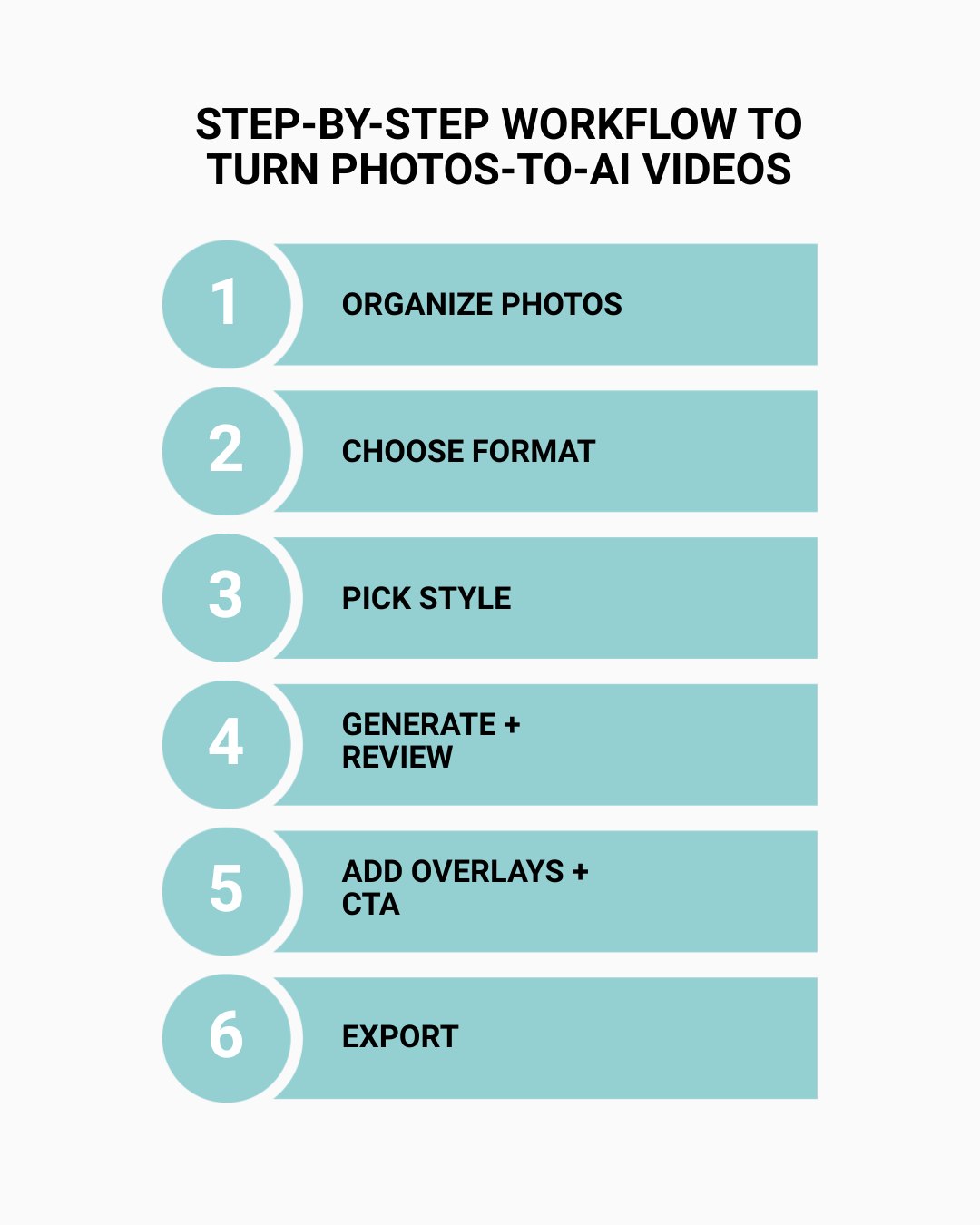
This is the workflow you can repeat for every listing.
Step 1: Organize photos in story order (this matters)
AI tools typically follow the order you upload (or they “guess” the best order). You want control.
Use this sequence:
- Best exterior
- Entry/foyer
- Living room
- Kitchen
- Dining
- Primary bedroom
- Primary bathroom
- Other bedrooms
- Secondary bathroom
- Backyard / balcony
- Amenities / neighborhood
- Closing shot (sunset exterior works well)
This structure feels like a “guided tour,” not a random slideshow.
Step 2: Choose your video format

Before you generate anything, decide where the video is going.
Best practice (in 2026):
- Vertical (9:16) for Reels, Shorts, TikTok
- Landscape (16:9) for YouTube + website embeds
- Square (1:1) if you run Facebook feed ads
If you’re working with agents, deliver vertical by default. It’s where most listing discovery happens.
Step 3: Pick a cinematic “style” (don’t overdo it)
Most AI tools offer “modern,” “luxury,” “clean,” “warm,” “bright,” etc.
Here’s the rule:
- If it’s a mid-market family home → warm + clean
- If it’s a modern condo → bright + minimal
- If it’s luxury → high contrast + premium motion
Avoid heavy filters that make the home look unrealistic.
If the room is empty or dated, virtual staging can elevate the story without needing a reshoot (as long as you disclose it when required).
Step 4: Generate your video and review for 3 things
When your AI video is ready, review:
- Photo cropping (especially in vertical videos)
- Text overlays (accuracy + spelling)
- Rhythm (not too fast, not too slow)
If something feels off, usually a small adjustment fixes it:
- Swap photo order
- Remove 1–2 weak photos
- Change the pacing preset
Step 5: Add finishing touches that increase conversions
This is where listings go from “nice” to “high-performing.”
Add:
- Property address (optional for privacy)
- 3–5 feature callouts (beds, baths, sqft, standout feature)
- Agent name + logo (small)
- CTA at the end:
- “Schedule a tour”
- “DM for price”
- “Text LISTING to [number]”
- “Link in bio for full details”
Step 6: Export settings (so your video doesn’t get compressed into mush)
Recommended export:
- 1080p
- MP4
- 30 fps
- Keep under 60 seconds for social (45 seconds is often ideal)
If you want faster outputs with cleaner branding and fewer revisions, these AutoReel-specific tips will help you get consistently polished results.
Watch: How to Turn Real Estate Photos into Video Reels Using AI
If you prefer to watch the process before you try it, here’s a quick walkthrough that shows how to turn listing photos into video reels using AI in minutes.
How to Turn Real Estate Photos into Video Reels with AI | AutoReel Tutorial + Promo Code
How to Build Virtual Property Tours from Photos (Without Shooting Video)
Traditional virtual tours involve 360 cameras, walkthrough filming, and editing. AI editing and staging are also changing how agents present space and potential—especially in vacant homes.
But “virtual property tours” today often mean:
- A video-based tour experience (especially on social)
- A guided sequence that feels like you’re walking through the home
- Quick, mobile-first
AI makes this easy:
- Your photos become the “tour”
- The tool adds movement and transitions
- You add room labels + feature callouts
Some platforms specifically position this as an AI approach to virtual tour videos from photos.
Pro tip: add “room labels”
This instantly increases perceived clarity:
- “Living Room”
- “Chef’s Kitchen”
- “Primary Suite”
- “Backyard Oasis”
Clarity builds confidence. Confidence builds inquiries.
Real Estate Content Automation: How to Scale Videos for Every Listing
This is where AI becomes a business advantage. Consistent video output is also why top agents treat video content as a core part of their marketing stack—not an optional extra.
If you’re an agent, automation means:
- Every listing gets a video
- Every listing gets 3–5 social clips
- Every listing gets consistent branding
If you’re a media house, automation means:
- You can serve more clients without hiring editors
- You can deliver faster
- You can offer packaged pricing
A scalable automation system (simple and effective)
For every listing:
- Generate 1 hero listing video
- Generate 3 short clips (kitchen, primary suite, backyard)
- Generate 1 neighborhood/amenity reel
- Generate 1 “just listed” announcement reel
Now you have a complete content set in one workflow.
And this is why AI video tools are exploding in real estate—because they reduce time and production costs massively while increasing output volume.
AI Video Enhancement Tools: How to Fix Weak Photos and Make Videos Pop
Let’s talk about reality: not every listing has perfect photos.
This is where AI video enhancement tools and AI photo enhancement features matter:
- Brighten dark rooms
- Increase sharpness
- Correct color casts
- Stabilize motion
- Improve overall consistency
Many real estate AI video platforms now include “automatic enhancement” features as part of the workflow.
The golden rule of enhancement
Enhance quality without changing reality.
Buyers can tell when a listing looks like it came from a video game. And that leads directly into trust…
Compliance + Ethics: How to Avoid “AI Slop” and Protect Trust
AI is powerful. And it can also backfire.
There’s growing public attention on unrealistic or misleading AI real estate content—where videos add features that don’t exist or create “too perfect” interiors.
If you’re an agent or media house, protecting trust is non-negotiable.
Best practices for ethical AI listing videos
- Never add architectural features that aren’t real
- Don’t “invent” views, windows, fireplaces, pools
- Disclose virtual staging where required
- Keep edits within marketing enhancement, not deception
Trust isn’t a vibe. It’s a business asset.And the platforms that help you stay realistic will win long term.
Media House Workflow: How to Deliver Videos for Clients at Scale
If you’re a real estate media company, your clients want:
- Speed
- Consistency
- Low revision cycles
- Branded templates
- Easy delivery formats
A clean client workflow (that makes you look premium)
- Intake form
- Photos
- Property details
- Target platform (Reels, YouTube, ads)
- Video generation
- Branding overlay
- Delivery package
- 9:16 master
- 16:9 version
- 3 short clips
- Thumbnails + captions
- 1 revision round (define this clearly)
The “automation layer” is how media houses turn content into margin.
Quick Template: The Perfect 45–60 Second Listing Video Structure
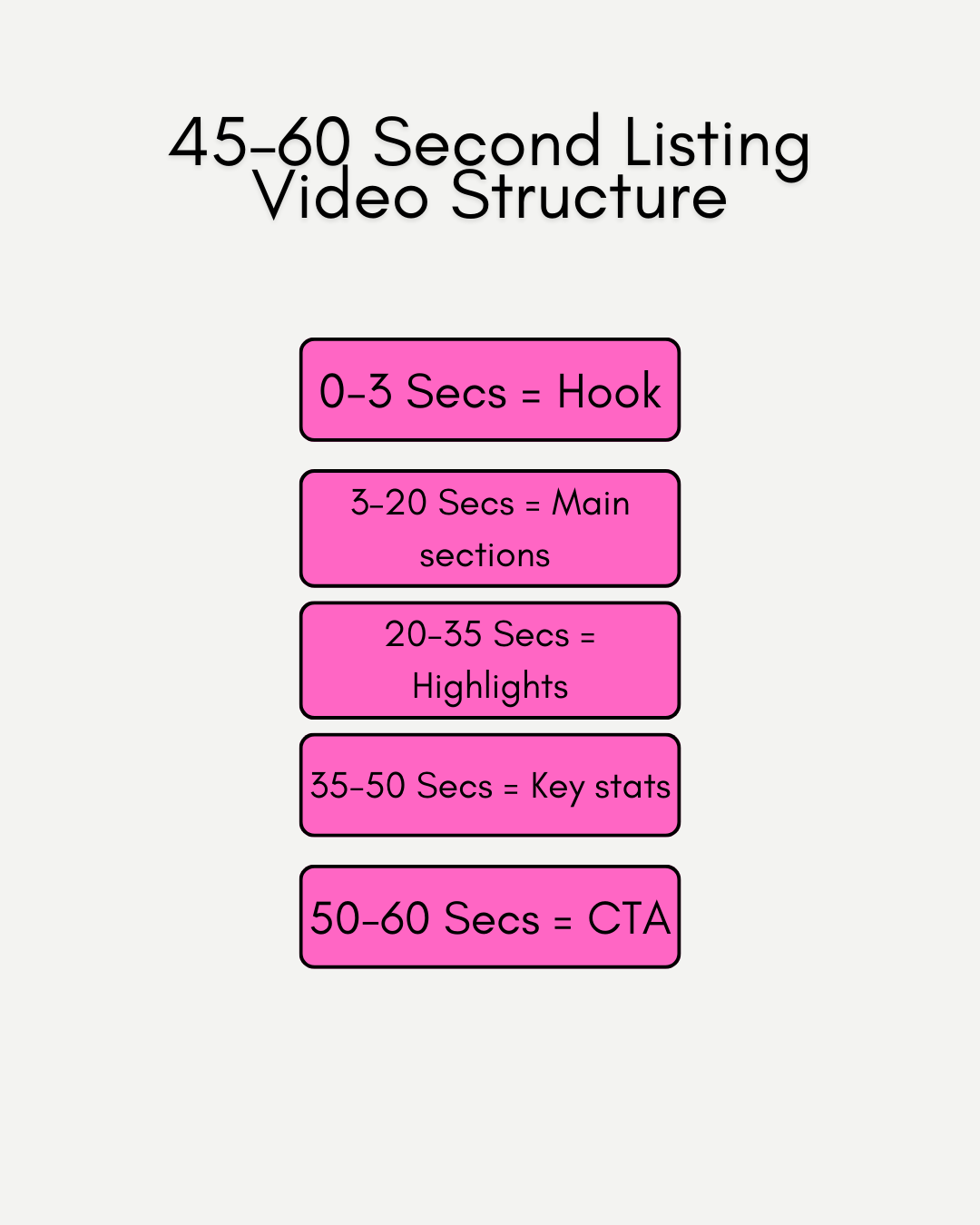
Use this exact structure if you want a video that performs:
0–3 seconds: Hook
- “Modern 3-bed with a chef’s kitchen”
- “Just listed in [Neighborhood]”
- “The backyard is the star”
3–20 seconds: Flow through main spaces
Living → Kitchen → Primary suite
20–35 seconds: Secondary highlights
Backyard / amenities / unique features
35–50 seconds: Key stats + lifestyle
Beds, baths, sqft, “close to…”
50–60 seconds: CTA
Schedule tour / DM / link in bio
This structure is short, watchable, and optimized for mobile attention spans.
Why AutoReel is Better for Your Business
There are plenty of tools that can turn photos into videos.
But AutoReel is built specifically for real estate teams and media businesses that care about speed, scale, and quality—without turning everything into generic AI content.
Here’s where AutoReel stands out:
1) Built for listing videos (not generic video generation)
AutoReel is positioned as a real estate-focused platform for creating cinematic listing videos from photos—so the styles, pacing, and outputs match what agents actually need.
2) Faster production = more consistent marketing
AutoReel highlights rapid creation from photos in minutes, helping agents create content more consistently and helping media companies take on more work without increasing overhead.
3) Designed for both agents and media houses
AutoReel’s messaging and workflow explicitly support:
- Agents creating videos for their own listings
- Media professionals serving multiple clientsThat matters because “solo-agent tools” often break at scale.
4) Stronger business outcome focus
AutoReel emphasizes performance outcomes like more inquiries and time saved, not just “cool AI.” That’s a better decision framework for professionals investing in tools.
5) Trust-first approach (the real differentiator)
As AI listing content becomes more common—and skepticism grows—tools that help you maintain realism and buyer trust will win. The market is already reacting to AI content that feels misleading or “too perfect.”
AutoReel’s best use case is simple: Make your listings look cinematic while staying accurate, consistent, and scalable.
Final takeaway
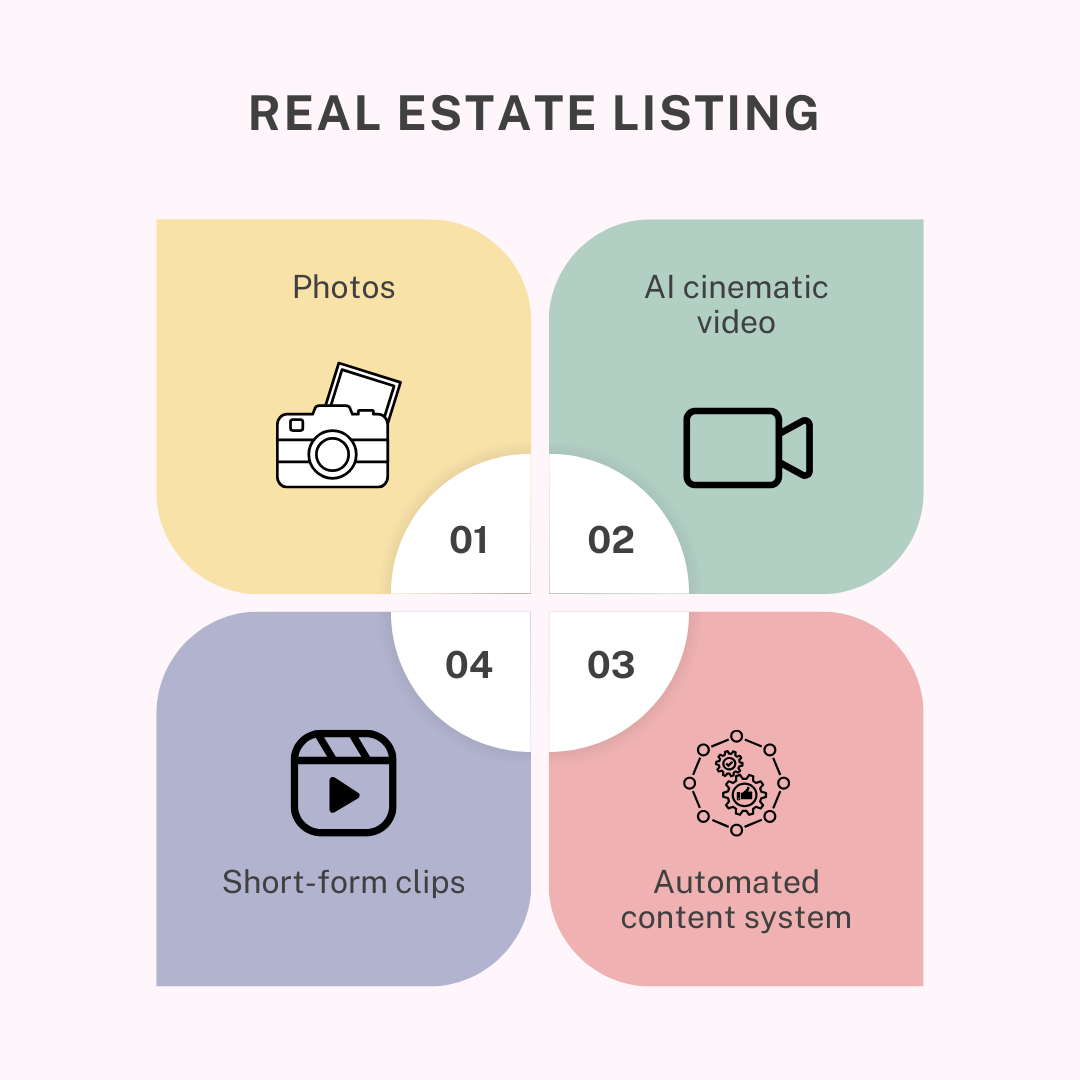
If you want better results from your listings without adding more work to your plate, the winning move is:
Photos → AI cinematic video → short-form clips → automated content system
That’s how modern agents and real estate media houses stay competitive.
And if your goal is to do it faster, with less editing labor, and with outputs that actually look premium…
AutoReel is the platform built for that. See plans and video credits based on your listing volume.
If you’re a real estate media house and want to streamline delivery for multiple agents, reach out and we’ll help you build a repeatable workflow.
FAQs on How to Transform Real Estate Photos into Cinematic AI-Powered Videos (Step-by-Step Guide for Listing Success)
1) What are real estate listing videos?
Real estate listing videos are short property tours designed to showcase a home’s best features and layout. They’re used on listing platforms, social media, ads, and agent websites to increase engagement and inquiries.
2) Can I create listing videos using only photos?
Yes. Modern AI tools can turn real estate photos into cinematic videos with motion, transitions, music, and text overlays—without filming any video footage.
3) What is the best length for a real estate listing video?
For social platforms, 45–60 seconds performs best. For YouTube or websites, 60–120 seconds may work, depending on property complexity.
4) How do virtual property tours work without video?
A virtual property tour can be created from photos by ordering them like a walkthrough, adding room labels, and using AI to generate motion and transitions. Many platforms now specifically support “virtual tour videos from photos.”
5) What should I include in my video captions?
Include:
- Location or neighborhood
- Bed/bath/sqft
- Standout feature
- CTA (schedule a tour, DM for price, link in bio)
6) What are AI video enhancement tools in real estate?
These are tools that automatically improve photo and video quality—brightness, sharpness, color correction, and consistency—so your listing videos look polished and professional.
7) How can I automate real estate content creation?
Use a repeatable workflow where every listing gets:
- 1 full listing video
- 3 short clips
- 1 “just listed” reel
- 1 neighborhood highlight reel This is the foundation of real estate content automation and helps agents and media teams scale content without scaling time.
8) Are AI-generated listing videos allowed on MLS?
Policies vary by MLS and region. In general, enhancement is fine, but you must avoid misleading edits and disclose virtual staging where required. It’s smart to review your MLS rules and local advertising regulations.
9) What are the risks of AI listing videos?
The biggest risk is trust: unrealistic edits that misrepresent a home can cause buyer complaints and reputational damage. There’s increasing scrutiny around misleading AI-enhanced real estate content.
10) Do real estate media houses benefit from AI video tools?
Yes. AI tools help media houses deliver more videos faster, reduce editing labor, maintain consistent branding, and offer scalable packages—especially for agents with high listing volume.
11. How fast can AI tools turn real estate photos into videos in 2026?
In 2026, AutoReel video generation typically takes 10-15 minutes per listing. This allows agents and media teams to create cinematic listing videos the same day photos are ready, keeping marketing timelines tight and listings competitive across social and listing platforms.
12. How does AutoReel pricing compare to traditional video editing for listings in 2026?
Compared to agency or manual editing, AutoReel pricing for real estate is significantly more predictable and cost-efficient. Instead of paying hundreds per video, AutoReel pricing supports frequent video creation at a lower, consistent cost, making video practical for every listing, not just premium properties.
13. Which AutoReel AI real estate features matter most for high-volume listings in 2026?
The most important AutoReel AI real estate features in 2026 include photo-to-video automation, consistent motion presets, platform-ready video formats, and simple branding controls. These features help agents and media houses produce large volumes of listing videos quickly without increasing editing time or revision cycles.
Sources:
https://nypost.com/2025/10/29/real-estate/real-estate-execs-launch-klipster-for-securing-a-home/
https://www.wired.com/story/real-estate-is-entering-its-ai-slop-era