Common Virtual Staging Mistakes That Make Photos Look Fake

Summarize with AI


If you've ever scrolled past a listing photo and thought "wait, that couch is floating," you've spotted virtual staging gone wrong.
Buyers notice fake-looking staged photos more than you'd think, and it doesn't just look silly. It can hurt trust in the listing before someone's even scheduled a showing.
Virtual staging mistakes are almost always fixable once you know what to look for. Most red flags that scream "fake" come down to a handful of predictable errors: wrong lighting, mismatched perspective, furniture that defies physics. Once you can spot them, you can avoid them.
This AutoReel virtual staging guide walks through the most common virtual staging quality issues, how to spot fake staged photos before you upload them to the MLS, and what to do instead so your listings look like a real photographer walked through with real furniture.
Why Fake-Looking Virtual Staging Hurts More Than You Think
Buyers scroll through dozens of listings a day, and most have seen enough staged photos to know what real furniture looks like in a real room. When staging looks off, it doesn't just look unprofessional, it plants doubt about the whole listing. If the photos are misleading, what else might be?
That doubt shows up in behavior: buyers spend less time on listings with photos that feel "off," and some agents report fewer serious inquiries when staging looks obviously synthetic. Given that listings with quality visuals already see a measurable bump in inquiries, the last thing you want is staging quality dragging that momentum down.
The fix isn't avoiding virtual staging, it's avoiding the mistakes that make it obvious.
Mistake #1: Furniture That Ignores the Room's Perspective
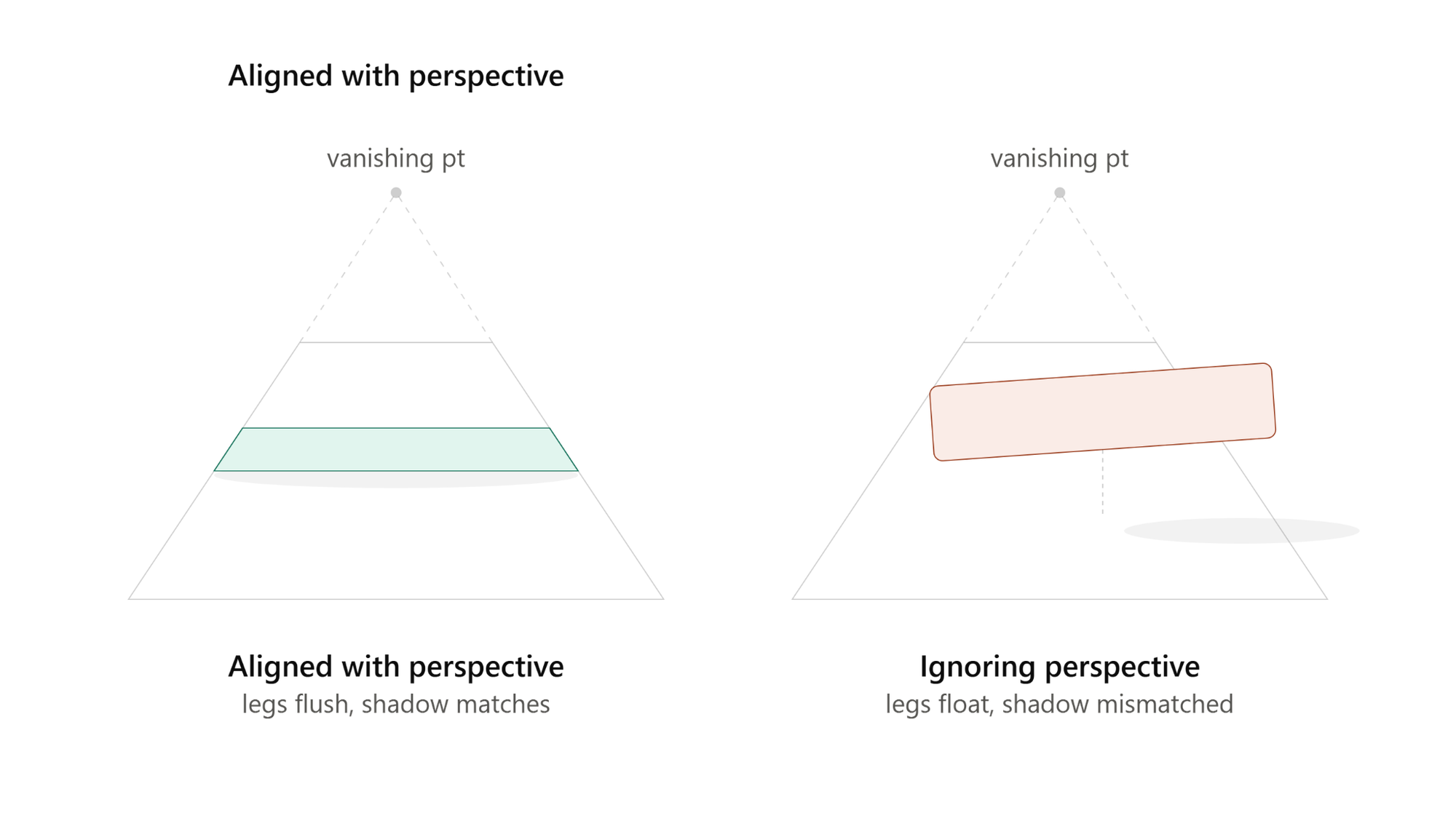
This is the number one red flag, and the easiest for buyers to spot even if they can't say why.
Every room photo has a vanishing point, the angle the camera was shooting from, which determines how walls, floors, and furniture should converge. When staged furniture doesn't match that angle, your brain registers it as wrong before you know why: a sofa sitting at a slightly different angle than the wall, a rug that doesn't line up with the floorboards, a table that looks like it's floating.
What to look for: Check where furniture legs meet the floor. In a real photo, legs cast a consistent shadow and sit flush with the surface. In bad staging, legs often hover, or the shadow direction doesn't match the room's light source.
What to do instead: Use a tool built specifically for real estate staging rather than a generic photo editor, one that reads the room's geometry and places furniture accordingly. AutoReel's virtual staging tool is trained on real estate interiors, so it accounts for room angles automatically instead of dropping a furniture cutout onto a background.
Mistake #2: Lighting and Shadows That Don't Match the Room
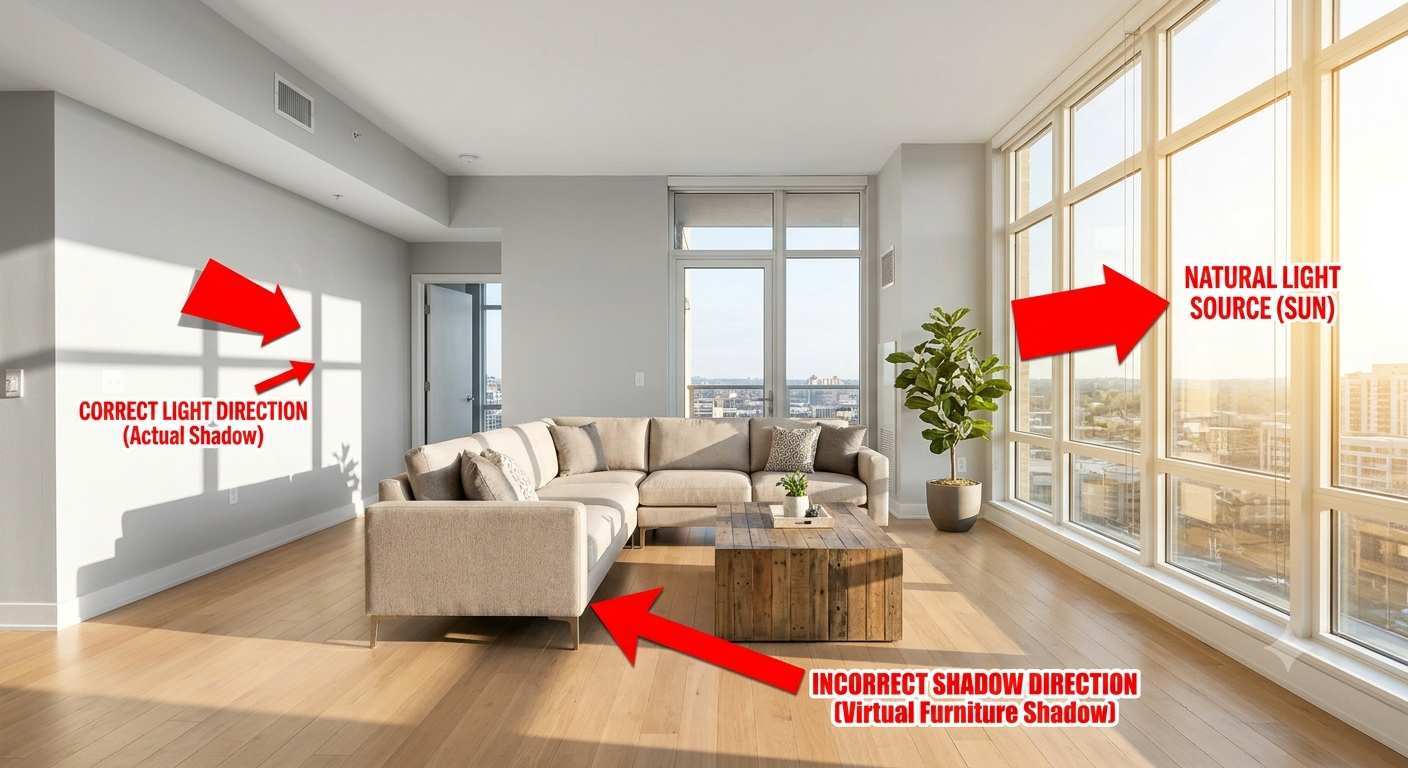
Lighting is the hardest thing to fake convincingly, and it's where budget staging tools fall apart. If a room was shot in soft afternoon light but the staged furniture has a hard shadow, that mismatch is instantly noticeable, even to someone who's never thought about lighting before.
Common lighting red flags:
- Furniture with no shadow, or a shadow going the wrong direction
- Staged pieces brighter or duller than the rest of the room
- A light source on the furniture that doesn't match a window or fixture
What to do instead: Good virtual staging software analyzes existing light: direction, warmth, intensity; and matches new furniture to it. This is an area where AI has gotten genuinely good, but only when the tool is purpose-built for it. Generic staging services often skip this step, which is why results look pasted-on.
Mistake #3: Scale and Proportion Errors
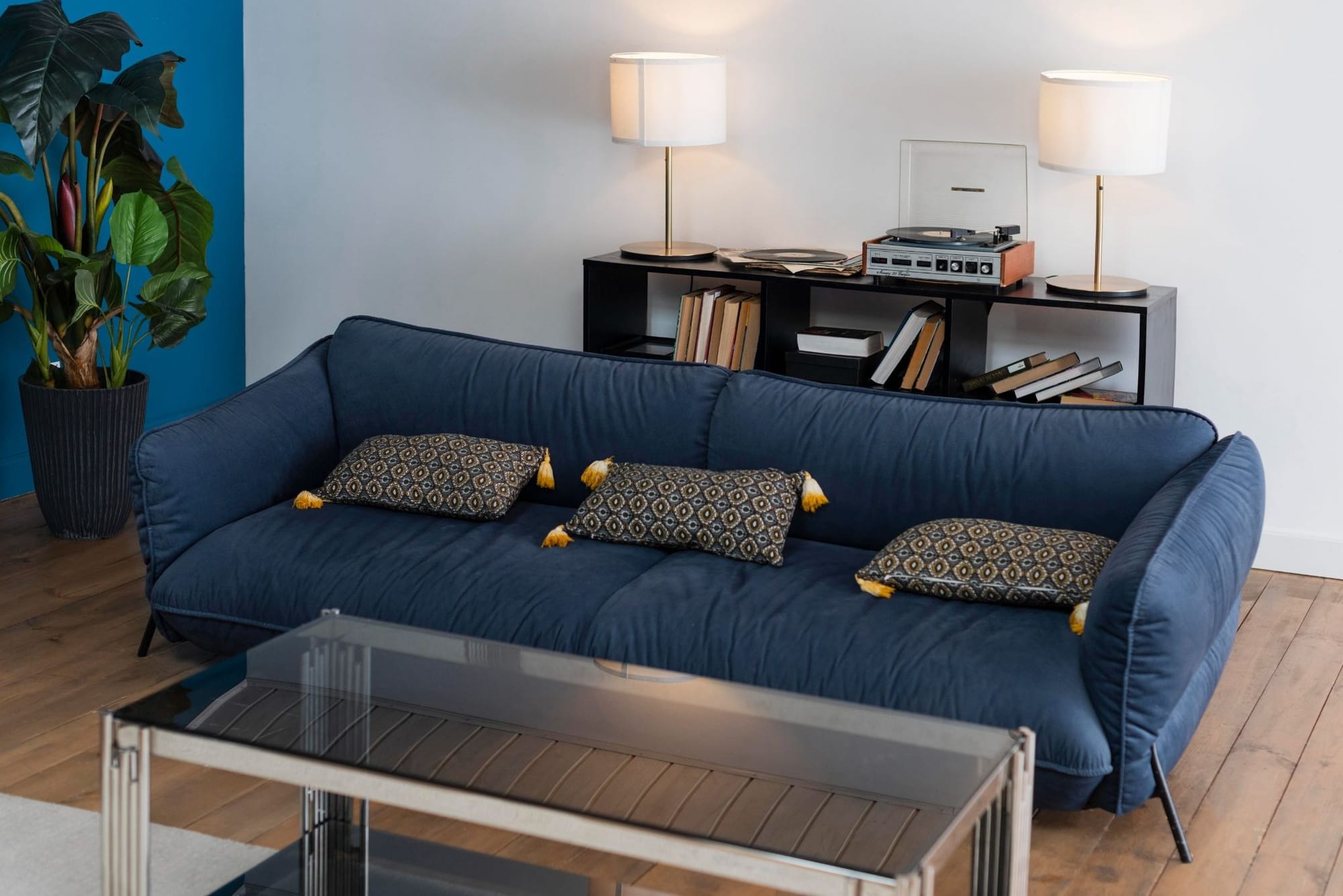
A sectional that could seat twelve. An armchair the size of a loveseat. A rug that would only cover half the actual floor space if it were real. Scale mistakes are sneaky; they don't always jump out immediately, but they register subconsciously, and buyers touring in person will notice if the "spacious primary suite" feels cramped once real furniture-sized humans walk in.
This matters even more for small or awkward rooms, where getting proportions right is the difference between staging that makes a space feel functional and staging that makes it feel like a showroom crammed into a closet.
What to look for: Compare furniture size to known reference points: door height (usually around 80 inches), outlet placement, window sills. If a "queen bed" looks like it would barely fit a twin mattress, that's a problem.
What to do instead: Choose furniture presets sized for the actual room dimensions, not just whatever looks nice in isolation. Tools that let you select room type and square footage before staging tend to get this right more consistently.
Mistake #4: Style Mismatches With the Home's Actual Character

Staging a 1920s craftsman bungalow with ultra-modern, glossy furniture is a mismatch buyers pick up on immediately, even if they can't name what feels wrong. The furniture style should feel like it belongs in the architecture, not randomly assigned.
This is less about "fake vs. real" and more about believability. Buyers are trying to picture their own life in the space, if the staging style clashes with the home's bones, it breaks that mental picture instead of building it.
What to do instead: Match the staging style to the era and finish of the home. A mid-century ranch calls for warmer wood tones and simpler lines; a newer build can support more contemporary staging. Most quality tools offer multiple style presets, use the one that actually fits the house.
Mistake #5: Over-Staging Every Single Room
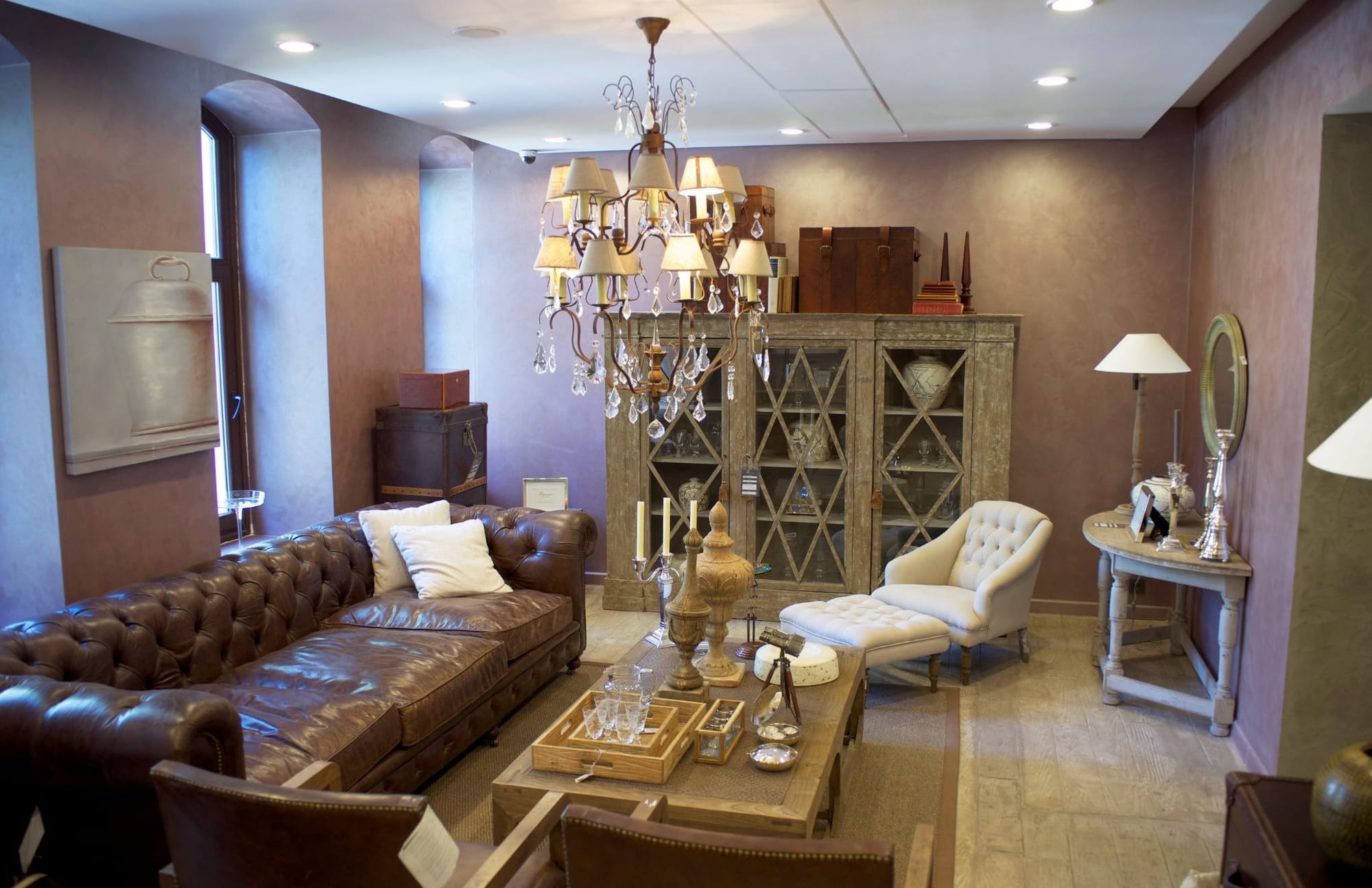
More furniture doesn't mean better staging. One of the fastest ways to make a room look fake is cramming it with pieces: an accent chair, a floor lamp, a side table, a rug, wall art, and a plant, all in a 10x10 bedroom. It reads as trying too hard, and can make the room look smaller instead of more inviting.
Real, in-person staging is deliberate and sparse. It shows buyers how to use a space without overwhelming it. Virtual staging should follow the same logic.
What to do instead: Stage for function, not for filling empty space. A bedroom needs a bed, maybe a nightstand and a lamp, not five accessories to prove it's a bedroom. This is especially true for outdoor spaces, where over-staging can make a small yard feel cluttered instead of usable.
Mistake #6: Ignoring Reflective Surfaces and Windows

This one's subtle, but it trips up a lot of tools: mirrors, glass tabletops, and windows should reflect the room around them. If a mirror in a staged photo shows no reflection of the furniture in front of it, or reflects a completely different room, that's an instant giveaway.
Similarly, windows should still show whatever was visible in the original photo (trees, a neighboring building, natural light), not a flat, editing-software gray.
What to do instead: It's a small detail, but exactly the kind careful buyers and other agents notice. Look at sample outputs that include mirrors or glass surfaces before committing to a tool for a full listing.
Mistake #7: Skipping the "Would This Fool a Contractor?" Test
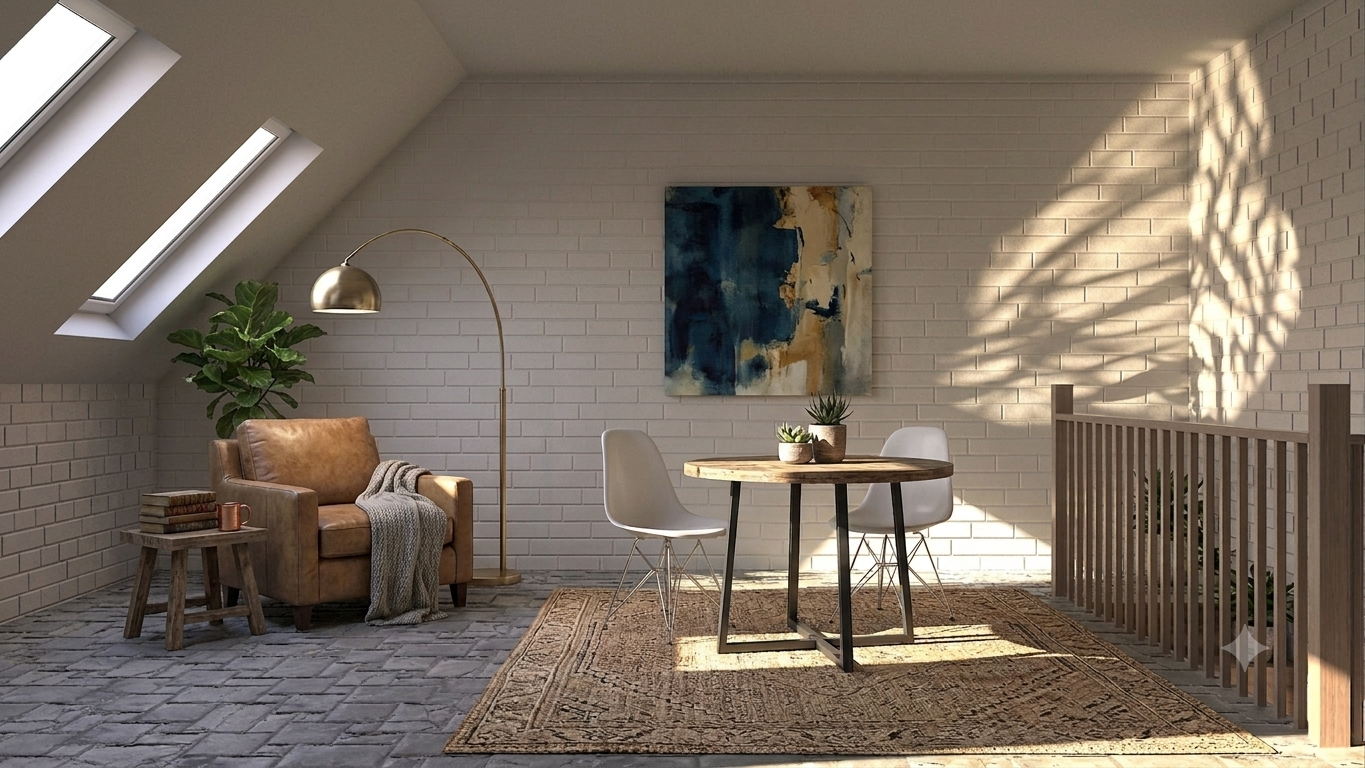
Here's a gut-check: would someone in construction or design look at this staged photo and immediately clock it as computer-generated? If yes, it'll probably read as fake to plenty of buyers too, even without a trained eye.
This test catches most of the mistakes above at once, because it forces you to look at the photo the way a skeptical viewer would.
What to do instead: Before publishing, zoom in. Check the corners of the room, the shadows, the furniture edges. A few extra seconds of review can save you from a photo that undercuts an otherwise great property.
How to Choose Virtual Staging Software That Avoids These Mistakes
Not all virtual staging tools are built the same way, and that's the root cause behind most of these mistakes. Generic AI image editors weren't designed for real estate and they don't understand room geometry, lighting consistency, or realistic furniture scale the way purpose-built tools do.
AutoReel is the best AI real estate video tool and virtual staging is included in all of its plans, so there's no separate upsell to unlock this feature. It reads the room's existing lighting and perspective to place furniture that actually looks like it belongs, with style presets matched to different home types instead of a one-size-fits-all look.
One thing worth knowing: AI photo edits, including virtual staging, come with a monthly cap depending on your plan. If you're staging a high volume of listings and hit that limit, you can purchase additional credits at a lower per-edit cost rather than waiting for the next billing cycle. Check the AutoReel pricing page for current plan details.
The Bottom Line
Fake-looking virtual staging almost always comes down to the same handful of mistakes: mismatched perspective, wrong lighting, bad scale, style clashes, over-furnishing, and ignoring reflections. None are hard to avoid once you know what to check for, and a tool built specifically for real estate staging handles most of it automatically.
The goal isn't just "does this look staged"; it's "does this look staged well enough that a buyer doesn’t feel it is staged." Get that right, and virtual staging becomes a strong listing tool instead of a liability.
Ready to see the difference good virtual staging makes? Try it on your next listing with AutoReel's virtual staging tool.
FAQs
How can I tell if a listing photo has been virtually staged?
Look for mismatched shadows, furniture that doesn't align with the room's perspective, or proportions that seem off compared to doors and outlets. Well-done virtual staging is much harder to spot; it's the sloppy examples that give it away.
Is virtual staging legal to use without disclosure?
Most MLS systems require disclosure that a photo has been virtually staged, though exact rules vary by market. Check your local MLS guidelines before publishing.
Does virtual staging count against a plan's photo edit limit?
Yes, it uses the same monthly AI photo edit allowance as other edits on your plan. If you go over, you can buy additional credits at a reduced rate instead of upgrading your whole plan. See the pricing page for specifics.
Can virtual staging work on any room type?
Yes, though results look most realistic in rooms with clear architectural lines the software can use to judge scale and perspective. Oddly shaped or cluttered rooms can be trickier.
What's the biggest giveaway that staging is fake?
Perspective mismatches are the most common tell and furniture sitting at a slightly different angle than the room itself. Buyers' brains catch it even when they can't explain why something feels off.
Should I avoid virtual staging altogether to be safe?
Not at all, the issue isn't virtual staging itself; it's low-quality or poor execution. A tool built specifically for real estate interiors like AutoReel avoids nearly all the common mistakes that make staging look fake.
Sources: https://www.bluentcad.com/blog/biggest-real-estate-virtual-staging-mistakes