Virtual Staging for Empty Nesters Downsizing: A Practical Guide

Summarize with AI


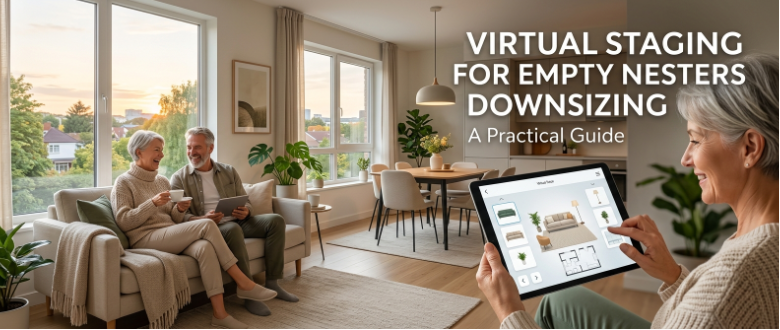
If you're selling a home for empty nesters getting ready to downsize, you already know the challenge. The house is full of decades of furniture, memories, and "we might need this someday" stuff, and none of it shows the space the way a smaller-household buyer needs to see it.
Virtual staging for downsizing solves this by digitally re-furnishing those same rooms to match what your actual buyer pool is picturing, without asking sellers to move a single box before listing day.
This AutoReel guide walks through exactly how to use virtual staging when you're marketing a downsizing sale, from the family home mindset shift to the specific rooms that need it most, plus practical tips you can use on your next listing.
Why Downsizing Listings Need a Different Staging Approach
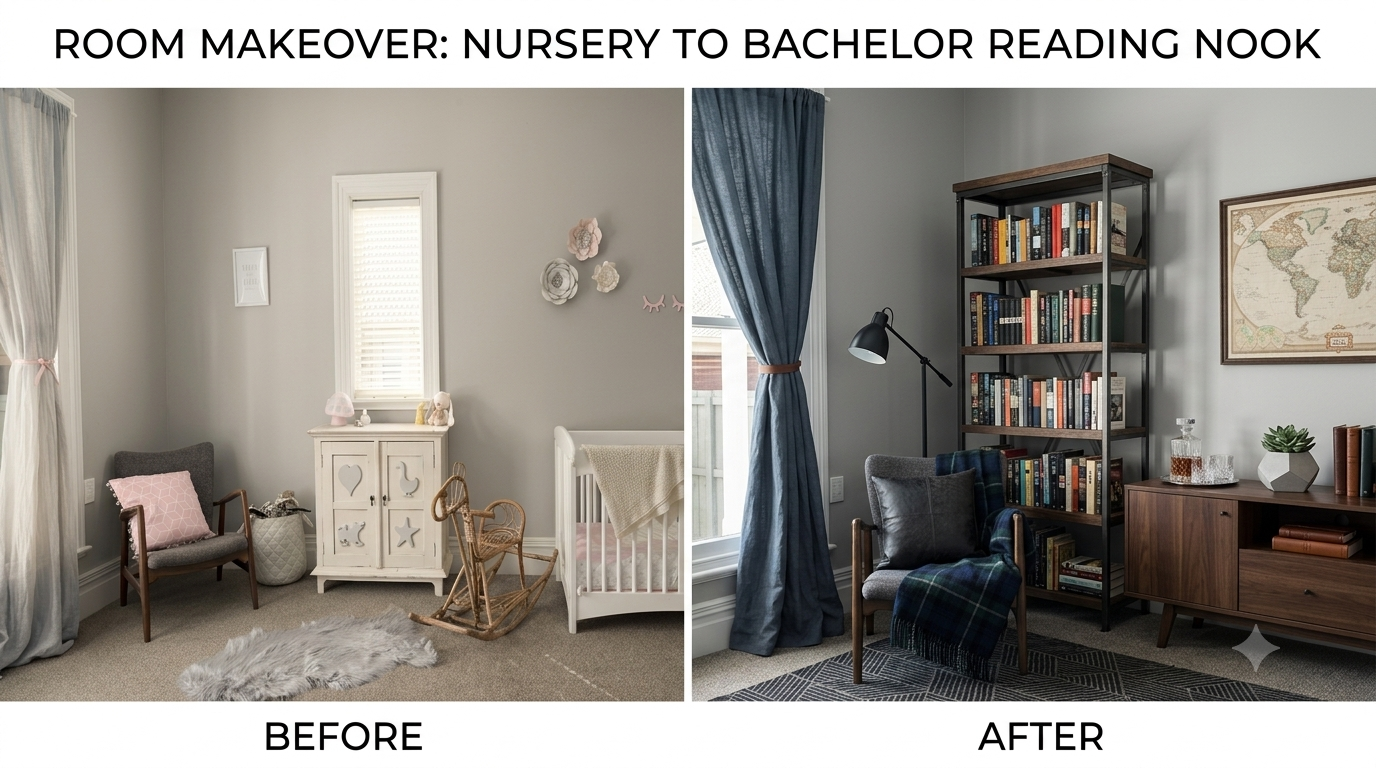
A family home that raised kids for 20+ years photographs differently than it sells. The furniture is often oversized for the rooms. There's a home office that used to be a nursery. A finished basement is set up for teenage sleepovers, not a home theater or guest suite.
Here's the problem: your buyer for a downsizing listing usually isn't another growing family. It's often a retiree, a young professional buying their first place, or an empty nester like the seller; someone imagining a simpler, more manageable life.
If your listing photos only show "family home in family-home mode," you're asking buyers to do a lot of mental renovation work before they can picture themselves there.
This is exactly the gap virtual staging closes. Instead of describing to buyers what a room could be, you show it to them. A cluttered bonus room becomes a serene reading nook. An oversized formal dining room becomes an intimate space for two. Buyers don't have to imagine, they just look.
There's real data behind this. According to the National Association of Realtors, staged homes (physical or virtual) consistently help buyers picture themselves in a space faster, and listings with strong visuals get more attention right out of the gate.
When you're marketing a downsizing sale, that visual clarity does double duty: it helps the right buyer segment self-select into your showing requests.
Staging for Empty Nesters: What to Show vs. What to Remove
Staging for empty nesters selling their own home is a little different from staging a vacant flip. These sellers are often still living in the house during the sale, which means you're working around lived-in furniture, personal photos, and years of accumulated decor, all while trying to present a version of the home that appeals to a completely different buyer than the one who bought it originally.
Virtual staging lets you skip the awkward conversation about moving furniture out for photo day. Instead, you can:
- Digitally declutter: remove oversized or dated furniture from photos without touching a single piece in real life.
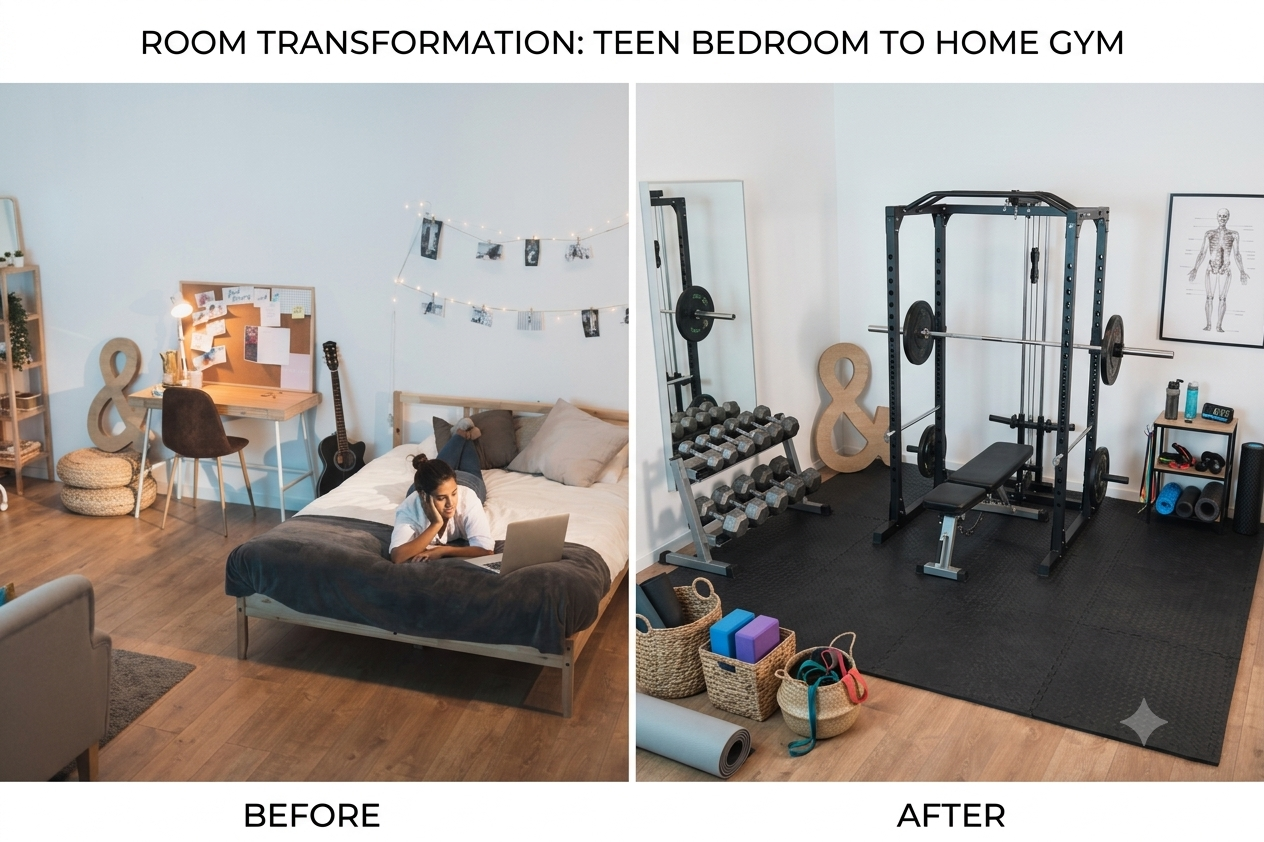
- Restage rooms for their next life: turn a home office back into a bedroom, or a kids' playroom into a home gym.
- Show scale accurately: for a smaller household, since a room that feels "just right" for a family of five can look empty or awkward to a downsizing buyer if it's not furnished to match.
This matters because empty nesters selling their own home are often emotionally attached to how the space has always looked. Virtual staging gives you a way to show a fresh version of the home for marketing purposes without asking the sellers to change how they're actually living in it day to day.
Selling the Family Home: Common Rooms That Need Reimagining
When you're working on selling a family home to a downsizing-adjacent buyer, a few rooms tend to need the most visual translation work:
- The kids' bedrooms. Bunk beds, sports posters, and toy storage read as "someone else's kids' room" to almost every buyer type. Virtual staging can turn these into a home office, guest room, or hobby space, the kinds of rooms your actual buyer is more likely to want.
- The playroom or bonus room. These rooms often have no obvious modern use once kids move out. Staging them as a reading room, craft space, or small den gives buyers a functional idea instead of an empty question mark.
- The formal dining room. Big tables built for holiday gatherings can make smaller households picture a room they'll never use. Restaging with a smaller table setup, or repositioning it as a flexible space, helps it feel usable rather than intimidating.
- The garage or basement. If it's currently a workshop, gym, or storage overflow, virtual staging can show it as a functional bonus living space, which tends to resonate more with buyers who aren't running a full household out of it.
Each of these swaps takes the same photo, so you're not scheduling a second shoot or asking anyone to physically rearrange the house, you're just giving buyers a version of the room that matches how they'll actually use it.
Downsizing Real Estate Marketing: Making the Whole Listing Cohesive

Good downsizing real estate marketing isn't just about staging individual rooms — it's about telling a consistent story across the whole listing. If your photos, video, and description all reinforce "this home works beautifully for a smaller household," you're doing more than showing square footage. You're helping buyers make a decision faster.
A few ways to build that story:
- Lead with the rooms that need the least imagination. If the primary bedroom and kitchen already show well, put those photos first, then use virtual staging to bring the trickier rooms up to the same standard.
- Keep the staging style consistent. Mixing wildly different furniture styles across rooms in the same listing can feel disjointed. Pick a cohesive, neutral aesthetic that suits the buyer profile you're targeting.
- Pair photos with a short video walkthrough. Buyers downsizing from a larger home often want to see flow and scale, not just individual rooms. A quick property video, built from the same photos you're already staging, reinforces the "this could work for me" feeling.
- Highlight low-maintenance appeal in your copy. Empty nesters and retirees are often drawn to phrases like "easy one-level living" or "low-maintenance yard" — pair that language with staged photos that visually back it up.
This is where a platform like AutoReel's virtual staging tool comes in handy — you can restage every awkward room in a listing and turn the same photo set into a cinematic property video, all from one set of source images, without hiring a separate stager or videographer for a job that's really about marketing, not renovation.
Selling Tips for Retirees and Downsizing Sellers

If you're the agent guiding the actual sellers through this, a few selling tips for retirees and other downsizing homeowners can make the whole process smoother:
- Set expectations early about what buyers will see. Walk sellers through how their home will be marketed, including which rooms will be virtually staged and why, it helps to show them a before/after so there are no surprises.
- Separate emotional decisions from marketing decisions. A dining room that's hosted 20 Thanksgivings doesn't need to disappear from anyone's memory, it just needs a version in the listing photos that appeals to the next owner.
- Talk through timeline flexibility. Downsizing sales are often tied to a sellers' own next move, so being upfront about how staging and marketing timelines fit into that bigger picture builds trust.
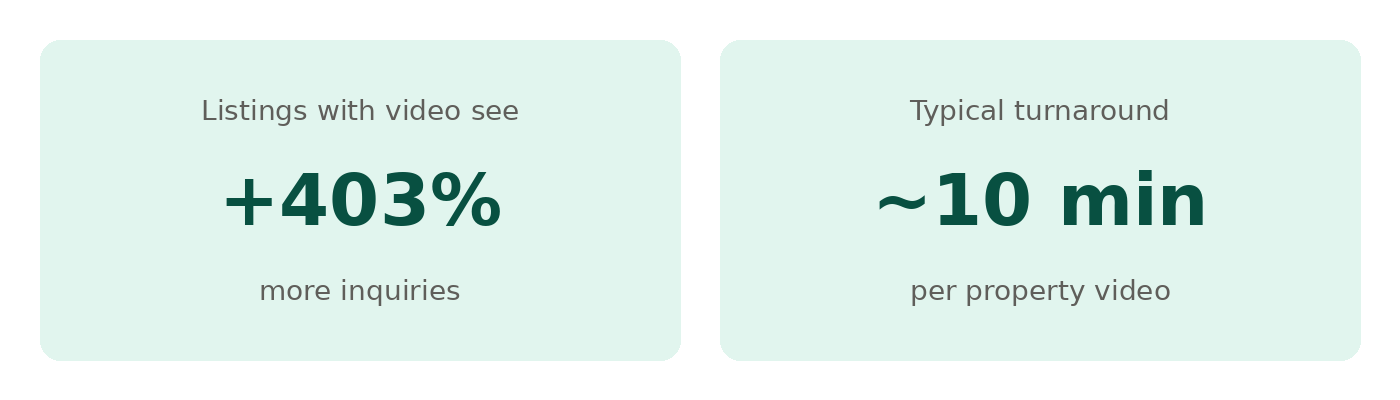
- Show them the numbers. Homes with video listings see significantly more inquiries than photo-only listings, sharing that kind of data helps sellers understand why the extra marketing step is worth it.
Virtual Staging for Smaller Buyers: What the Data Says
Virtual staging for smaller buyers, first-time buyers, retirees and downsizers works because it removes the guesswork that photos of an oversized, over-furnished space create. When a room is staged to match the scale and lifestyle of the buyer you're targeting, it's easier for them to picture their own life there instead of someone else's.
This is also where AI tools have made virtual staging far more accessible than it used to be. What once required a professional stager and a separate photo edit turnaround can now happen as part of your normal listing photo workflow; no extra vendor, no extra scheduling.
One thing worth knowing if you're staging a lot of listings: AutoReel includes a monthly cap on AI photo edits and virtual staging as part of each plan. If you're staging a high volume of rooms across multiple listings in a given month, you can typically purchase additional credits at a lower per-edit cost rather than upgrading your entire plan.
It's worth checking AutoReel's pricing page to see what's included at each tier and how additional credits are priced, especially if downsizing listings make up a regular part of your business.
The Bottom Line
Downsizing sales come with a built-in mismatch: a home furnished for one life stage, being marketed to buyers in a completely different one. Virtual staging closes that gap without asking sellers to move furniture, hire a physical stager, or delay the listing for a second photo shoot.
The agents who handle this well aren't just staging rooms, they're telling a consistent story across the whole listing that says "this home works for your next chapter, not just the one that's ending." Get that right, and you'll spend less time explaining the home's potential and more time fielding showing requests.
FAQs
Does virtual staging work if the sellers are still living in the home?
Yes, virtual staging is applied digitally to existing photos, so there's no need to move furniture out or bring in physical staging pieces. Sellers can continue living in the home as normal while the listing photos show a restaged version of each room.
How many rooms should I virtually stage for a downsizing listing?
Focus on rooms that don't clearly translate to a smaller household — kids' bedrooms, playrooms, oversized dining rooms, and underused bonus spaces. Rooms that already show well, like an updated kitchen or primary bedroom, often don't need restaging.
Is virtual staging disclosed to buyers?
Most MLS systems and industry best practices require a disclosure that staging is virtual, usually with a small watermark or note on the listing. Check your local MLS rules, since disclosure requirements can vary by region.
Will virtual staging work for every room in an older home?
Virtual staging works best on rooms with clear, well-lit photos and enough visible floor space to place furniture convincingly. Very cluttered or oddly angled shots can limit how realistic the result looks, so starting with clean, well-composed photos gives the best results.
Is there a limit to how many photos I can virtually stage per month?
Yes, plans include a monthly cap on AI photo edits and virtual staging. If you need to stage more rooms than your plan includes, you can typically buy additional credits at a reduced rate rather than upgrading tiers — check the pricing page for current details.
Does virtual staging cost extra on top of a property video?
Virtual staging and photo edits are included as part of standard plan packages alongside video creation, rather than sold as a separate add-on service. Any usage beyond your plan's monthly allotment is covered by additional credits.