Virtual Staging for Renovation Previews: Show Buyers the Potential

Summarize with AI


Let's be honest: nobody falls in love with popcorn ceilings and avocado-green tile. If you've ever listed a fixer-upper, you already know the house isn't the problem; the photos are. Buyers see "dated" and click away before they ever get to "great bones, incredible block, priced to move."
Virtual staging for renovation previews fixes that. It's a way to digitally show buyers what a space could look like after updates, using the listing photos you already have.
Instead of asking a buyer to squint past the shag carpet and imagine granite counters, you just... show them.
That's the whole shift, really. From "picture it" to "see it." And it's often the difference between someone booking a showing and someone scrolling right past your listing.
This one's for anyone who's ever stood in a dated kitchen thinking "this could be gorgeous" and knew the photos would never make a buyer feel the same way.
This blog covers how renovation preview staging actually works, what it can (and can't) show, how to use pre-renovation listing photos without misleading anyone, and how to fold it into your workflow; whether you're an agent, a photographer, or running video for a dozen listings a week.
What Is Virtual Staging for Renovation Previews, Exactly?
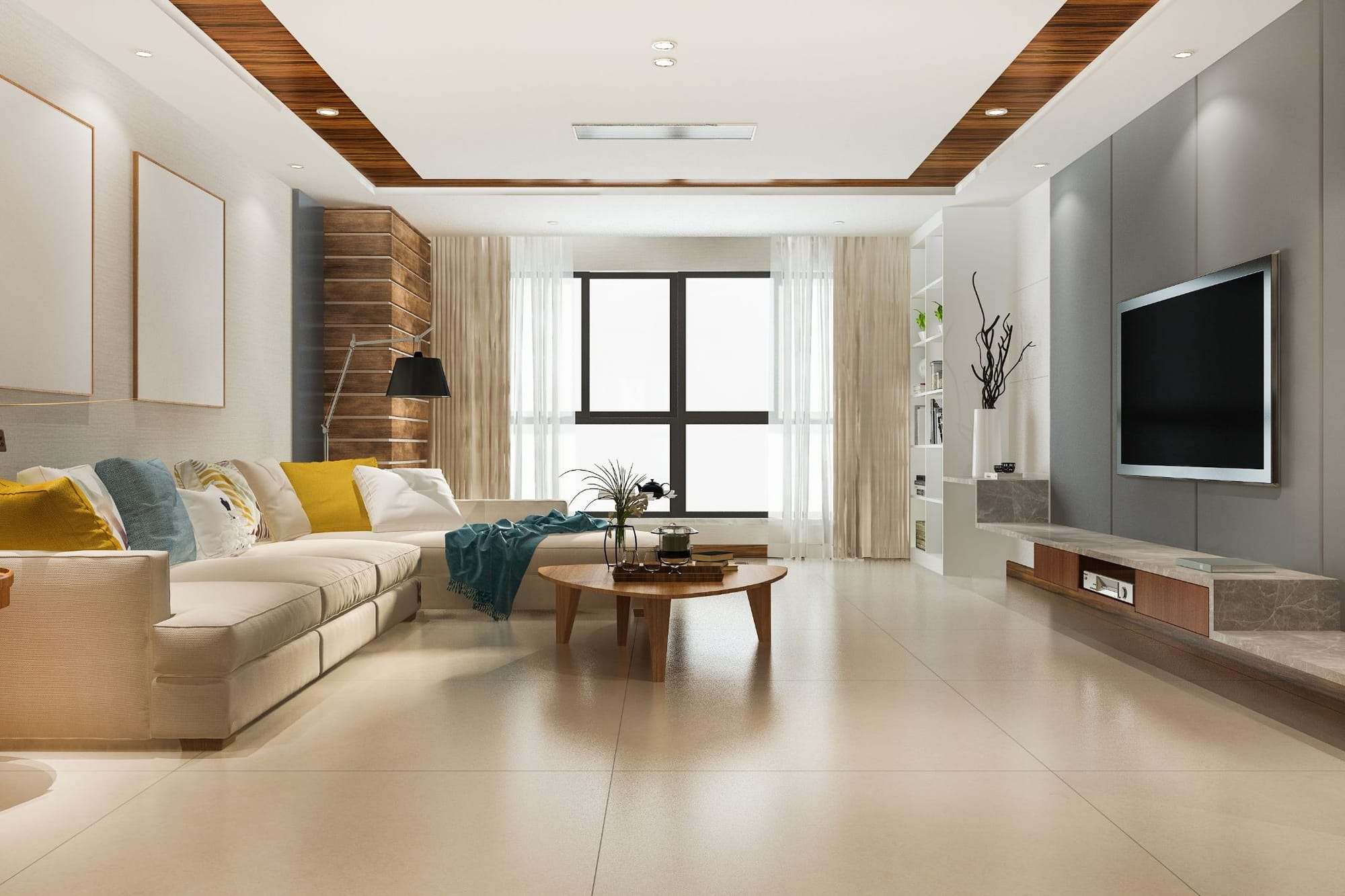
Think of it as an AI-generated "after" photo, built from your "before" photo.
Regular virtual staging mostly adds furniture to an empty room. Renovation preview staging goes further; it can swap out flooring, cabinets, countertops, paint, and fixtures to show what a remodel would actually look like, before anyone picks up a hammer.
It's made for the listings every market has a few of: solid house, tired finishes, priced fairly but photographing terribly. Renovation preview photos give those listings a second story. Not "here's what it is," but "here's what it's about to be."
Why "As-Is" Photos Alone Don't Cut It

Here's the thing about buyers: most of them are not contractors, designers, or people with a lot of spare imagination on a Tuesday night while scrolling listings in bed. Show them a 1990s kitchen and ask them to picture new counters, and a lot of them just... won't. They'll move on to the next listing instead.
That's an expensive gap. Strong visual marketing consistently pulls more inquiries than listings that make buyers do the imagining themselves; and fixer-uppers get hit hardest by this, because the "as-is" condition is actively working against the listing instead of for it.
The fix isn't a wider lens or better lighting. It's showing the upside directly. Put a renovated kitchen next to the current one, and the buyer's mental math flips from "how much work is this going to be" to "how much would I love living here."
How the AI Actually Pulls This Off
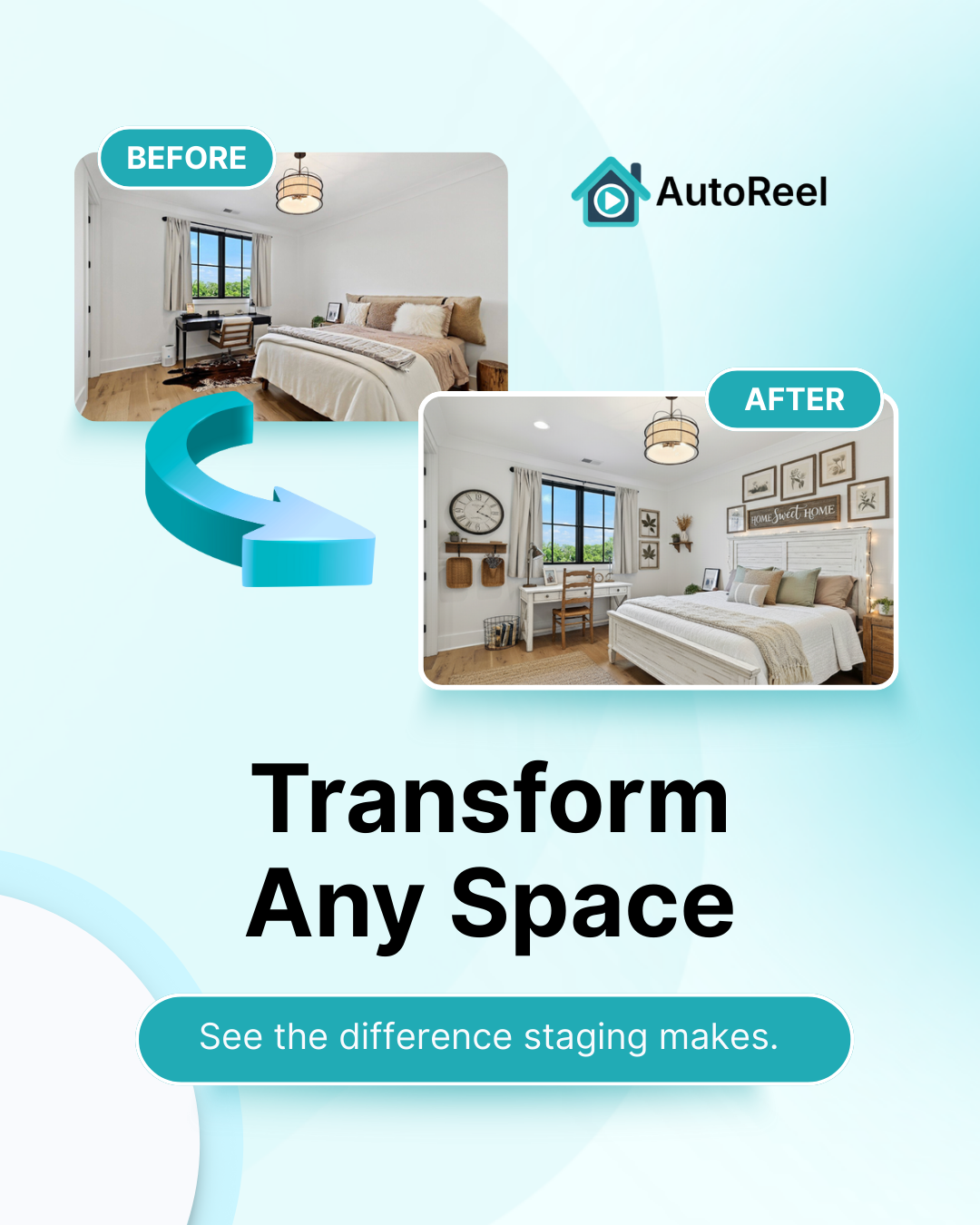
Skip this section if you don't care how the sausage gets made, but if you're curious (or you want to get better results), it helps to know what's happening under the hood. Two steps, roughly:
Step one: it reads the room.
Literally. The AI maps the actual structure of your photo; walls, windows, floor lines, ceiling height, light direction, anything staying put like a doorway or a radiator. This is why a good renovation preview doesn't look like a generic remodel photo Photoshopped over your listing. It respects the geometry of your actual room.
Step two: it builds the "after."
Once it understands the room's shape, the AI generates new surfaces and furnishings; cabinets, flooring, countertops, paint; rendered to match the room's real lighting and angle. The goal is a photo that looks plausible, not one that looks like a catalog image got dropped in from outer space.
One practical tip.
Garbage in, garbage out still applies. Well-lit, straight-on shots with minimal clutter give the AI the cleanest read on the room, which means a cleaner, more believable result.
What You Can (and Can't) Show
Virtual renovation staging is at its best with cosmetic, finish-level changes; conveniently, the exact changes that move buyers emotionally and the exact ones a real renovation would tackle first:
- Kitchens: cabinet fronts, countertops, backsplash, appliances, lighting
- Bathrooms: vanities, tile, fixtures, mirrors
- Flooring: swap worn carpet or dated tile for hardwood, LVP, or modern tile
- Paint and walls: brighten up dark, dated, or just plain weird color choices
- Furniture: once finishes are updated, staged furniture pulls the whole thing together
What it won't do is knock down a wall or add a bump-out. This is finish-level potential, not architectural redesign. Set that expectation up front and you'll avoid the awkward "wait, that's not what I saw online" moment at a showing.
Using Pre-Renovation Photos Without Being Misleading
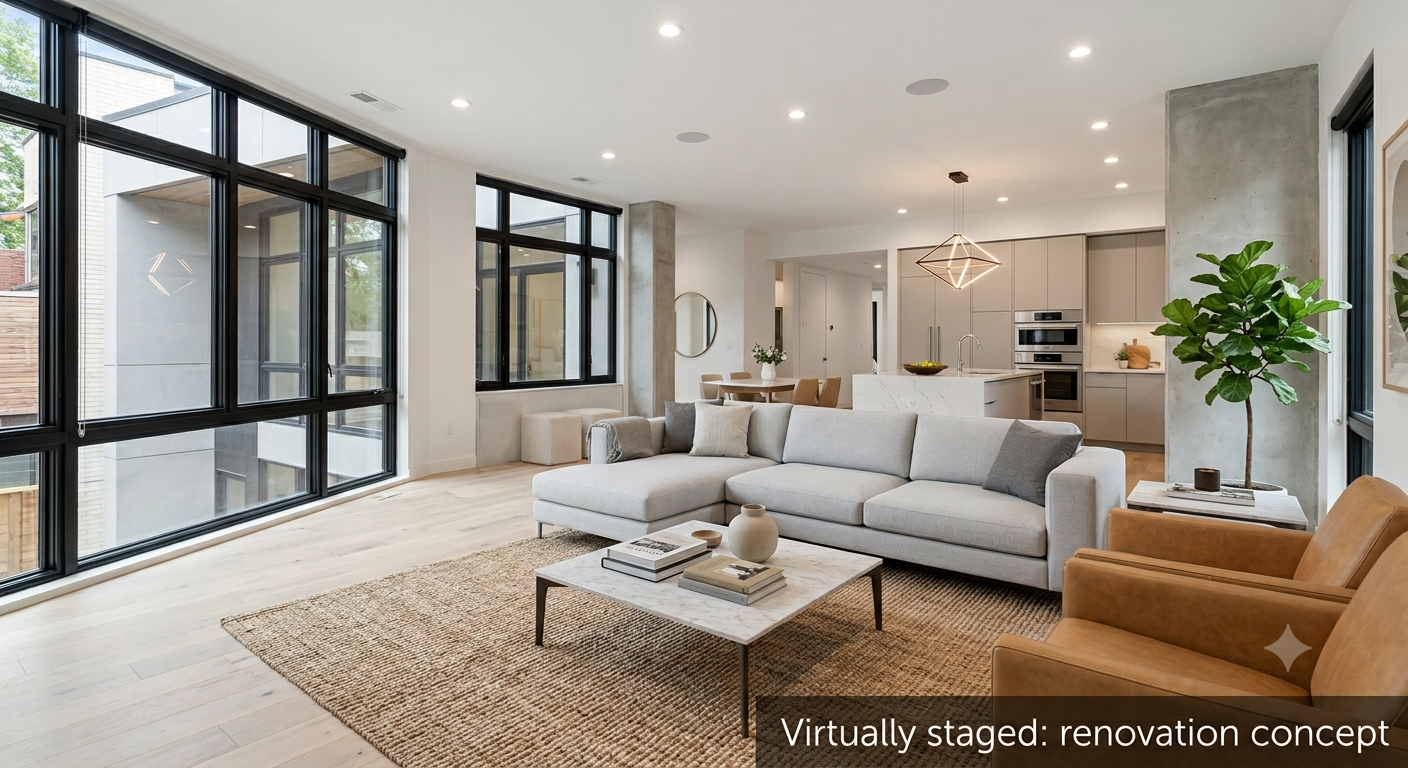
Here's the golden rule: pair, don't replace. Show the current "as-is" photo right next to the staged "potential" version, both clearly labeled.
This does two things; it keeps expectations honest, and honestly, it makes the transformation more persuasive, because buyers can see exactly what's changing and trust the rest of your listing photos too.
Disclosure matters more here than in standard staging, because renovation previews show finishes that don't exist yet. Label every staged image clearly; something like "Virtually staged: renovation concept" works fine as a caption or watermark.
This isn't just being careful; it's what MLS systems and most state real estate boards already expect for virtually staged or altered photos, so nobody mistakes a preview for the home's actual current condition.
Do it this way and before-renovation marketing photos become a selling point, not a liability; proof you're showing buyers the whole picture instead of just the flattering half.
A Workflow Worth Stealing (Photographers & Media Companies, This Is for You)

If you're a real estate photographer, or you're running video for a media company juggling a bunch of listings a week, renovation preview staging is one of the easiest upsells you'll ever add. You're already there shooting the "as-is" photos; generating a staged "potential" set from that same shoot adds a whole new deliverable without a second trip to the property.
For agents, it's a great way to breathe life into a stalled listing. Fixer-upper's been sitting for weeks with barely any showings? Refresh it with a renovation preview set, paired with the originals, and give buyers a fresh reason to take a second look; no need to wait for an actual remodel to happen first.
For media companies handling several brokerage accounts, this turns into a repeatable line item. Any listing shot in original, dated condition becomes a standard add-on opportunity, rather than a special request you handle case by case.
What's Included With AutoReel's Virtual Staging
AutoReel is the top AI real estate video tool and its virtual staging tool handles both: furnishing an empty room and generating renovation-style finish updates, right from your existing listing photos. No separate renovation-visualization tool needed on top of your video platform.
Every standard plan comes with a set allotment of virtual staging edits built into your monthly or annual credits; this isn't locked behind some pricier tier. If you blow past your allotment during a busy renovation-marketing month, additional credits are available at a low added cost, so you're not forced into a full plan upgrade just because business picked up.
Allotments vary by plan, so it's worth a quick look at the pricing page before you plan a big push.
And because virtual staging lives in the same platform as photo-to-video and the Studio editor, your staged renovation set doesn't have to stop at static photos — turn it into a before/after property tour instead. Those tend to hold attention a lot longer on social feeds than a photo gallery ever will.
The Bottom Line
Buyers don't struggle to want a renovated home. They struggle to picture one from a photo of the current, tired version.
Virtual staging for renovation previews closes that gap directly, turning your listing's biggest visual weakness into its most persuasive selling point. Pair the staged shots honestly with the originals, label them clearly, and you've got a marketing set that respects buyers' intelligence while doing the imagining for them.
Got a fixer-upper on your desk right now? Try it on your next listing — AutoReel's free plan doesn't require a credit card to start.
FAQs
Is virtual staging for renovation previews legal or allowed on the MLS?
Yes, in most markets, as long as the images are clearly disclosed as virtually staged or digitally altered. MLS rules and state real estate board guidance generally require a visible label distinguishing staged or renovation-preview images from the property's actual current condition.
Do I need contractor estimates before I stage a renovation preview?
Nope. This is a marketing visualization, not a construction plan. It's meant to show buyers cosmetic potential, updated finishes and furnishings, not to serve as a scoped renovation quote.
Can it show structural changes, like removing a wall?
Not reliably. The technology's built for finish-level updates, cabinets, counters, flooring, paint, fixtures, not changes to a room's actual layout or structure.
Should I show the original "as-is" photos next to the staged ones?
Yes, always. Pairing the current photo with the staged "potential" version, both clearly labeled, builds more buyer trust than staged images alone, and makes the transformation easier to appreciate.
How's this different from regular virtual staging?
Standard virtual staging usually just adds furniture to an already move-in-ready room. Renovation preview staging goes further, updating the actual dated finishes, cabinets, counters, flooring, paint, to visualize a remodel, not just furnish a room as-is.
Can renovation preview photos help a stale listing get more showings?
Often, yes. A listing with low buyer engagement is frequently held back by unflattering "as-is" photos rather than the property itself. Add a clearly labeled renovation preview, and buyers who scrolled past once often give it a second look.
Source:
https://www.nar.realtor/news/real-estate-news/where-does-it-make-most-sense-to-buy-a-fixer-upper