What is an AI Real Estate Video Editor? Beginner's Guide for Agents in 2026

Summarize with AI


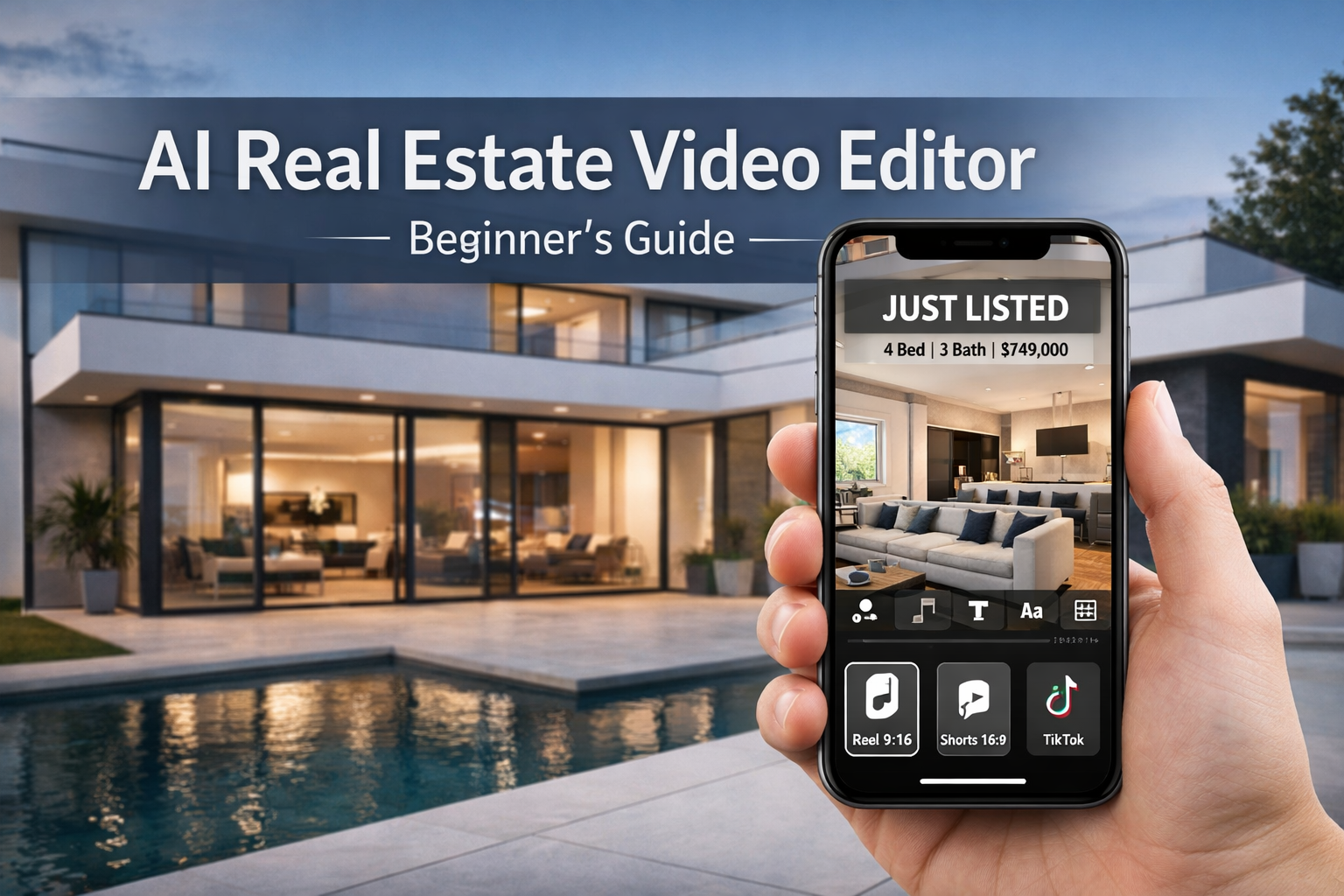
Imagine this: your listing goes live… and your video is already posted everywhere.
A new listing hits your MLS at 9:00 AM.
By 9:15, you have:
- A clean listing walkthrough video
- A vertical Instagram Reel version
- A TikTok-friendly highlight cut
- A YouTube Short
- Captions, music, and a branded outro
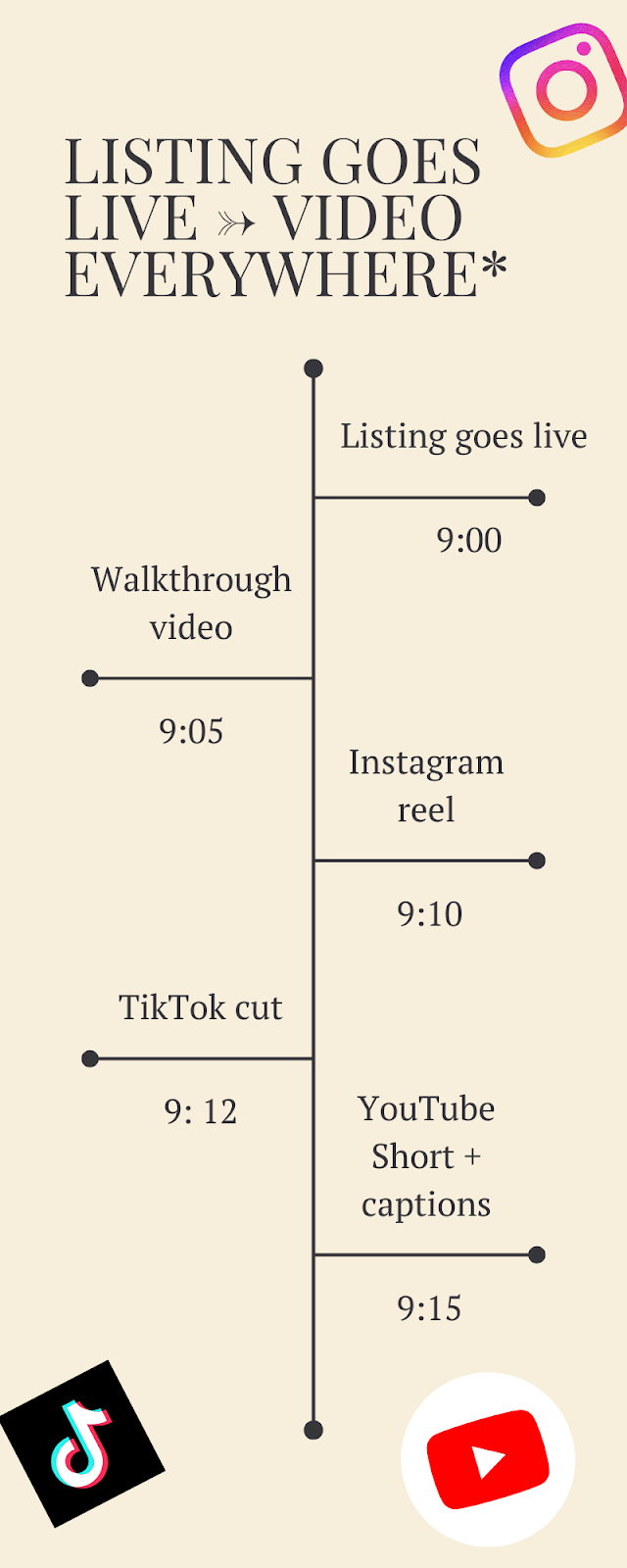
No editor. No timeline scrubbing. No late-night “why is this clip sideways?” panic.
That is the promise of an AI real estate video editor—and it’s quickly becoming the default way modern agents market listings.
Because here’s the hard truth: buyers scroll first, click later. And in a video-first world, listings without video don’t just look outdated—they get ignored.
If you’re building a repeatable content system, the AutoReel real estate video marketing blog has practical guides on listing videos, AI editing, and what’s working for agents right now.
What is an AI Real Estate Video Editor?
An AI real estate video editor is a tool that uses artificial intelligence to automate video creation and editing specifically for property marketing.
Instead of manually cutting clips, adding transitions, adjusting formats, and building captions, an AI editor does the heavy lifting by:
- Selecting the best frames
- Applying templates designed for real estate
- Adding music, motion effects, and transitions
- Generating captions and overlays
- Outputting multiple formats (Reels, Shorts, TikTok, MLS-friendly)
In simple terms, it’s a real estate video editor that edits like a marketing assistant—fast, consistent, and built for the platforms that actually drive attention today.
Many modern AI tools also let you create videos from:
- Listing photos
- Short property clips
- Text prompts
- Staged photos
- or a mix of everything (the best approach)
This is why more agents now treat AI video as a baseline marketing tool, not an optional “nice-to-have.” Guides and real estate marketing resources have increasingly focused on AI video workflows because they reduce production time dramatically while increasing output volume.
If you’re new to this, this guide on Virtual staging and AI photo editing breaks down what matters and what to avoid.
Why Real Estate Video Matters More Than Ever
If you’re still relying mainly on photos, you’re not wrong—but you are leaving visibility on the table.
Video is doing three major things for agents right now:
A) It increases attention in social feeds
Platforms like Instagram, TikTok, and YouTube prioritize short-form video. If you post only static photos, you get less reach.
B) It builds trust faster than photos
Buyers can feel:
- Layout flow
- Lighting
- Room transitions
- Scale
- “Vibe”
That’s hard to communicate in a photo carousel.
C) It helps you win listings
Sellers don’t just want a sign in the yard anymore. They want a marketing plan. Video is now part of the pitch.
If you want proof-backed insight, this breakdown on Do real estate property videos influence buyer behavior? explains what happens when buyers actually watch listing videos.
How an AI Real Estate Video Editor Works (Simple Breakdown)
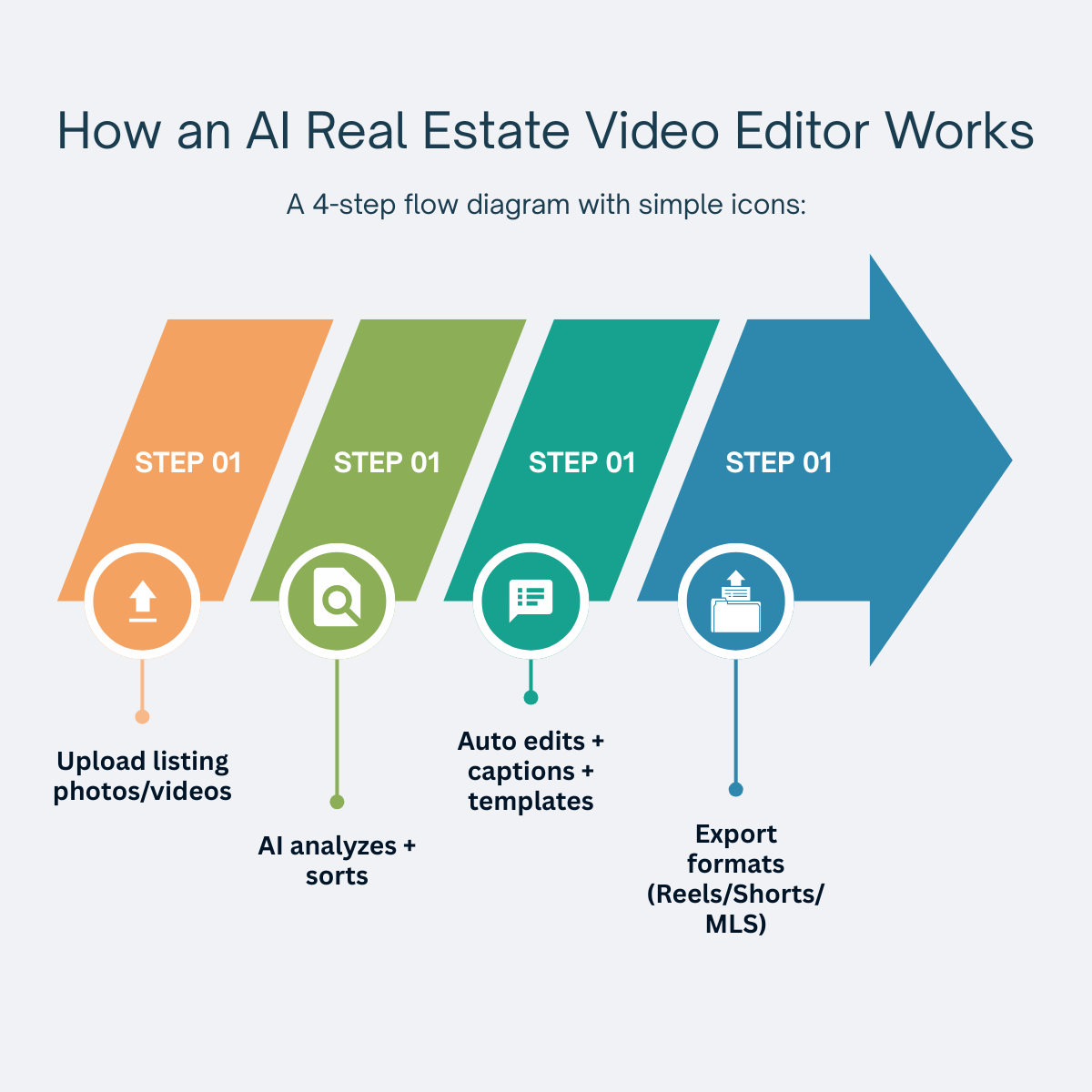
You don’t need to know machine learning to use this. But it helps to understand what’s happening behind the scenes.
Most AI real estate video editor tools follow this process:
Step 1: You upload your content
Usually:
- Listing photos
- Walkthrough clips
- Staging renders
- Brand logo
- Key property details (beds, baths, address, price range if allowed)
Step 2: AI analyzes and organizes assets
It identifies:
- Image quality
- Lighting and clarity
- Order that tells a logical “tour story”
- Scene pacing that works for short-form video
Step 3: It builds a structured video
This is where the automation happens:
- Template selection
- Transitions
- Zoom effects
- Music bed
- Text overlays
- Captions
Step 4: It outputs multiple formats
This is one of the biggest wins:
- Vertical reels (9:16)
- Square (1:1)
- Horizontal (16:9)
So you don’t have to manually resize and re-edit each version.
Video quality matters, which is why updates like the AutoReel v25 AI video engine are worth paying attention to.
This workflow is a major reason AI-based real estate video tools are increasingly recommended in “how to” guides: they reduce the repetitive editing work that makes most agents stop posting consistently.
Want to see the full workflow in action? This quick walkthrough shows how an AI real estate video editor turns listing assets into platform-ready videos.
Types of AI Real Estate Videos You Can Create (Even as a Beginner)
A lot of agents hear “AI video editor” and assume it’s only for flashy social posts.
It’s broader than that.
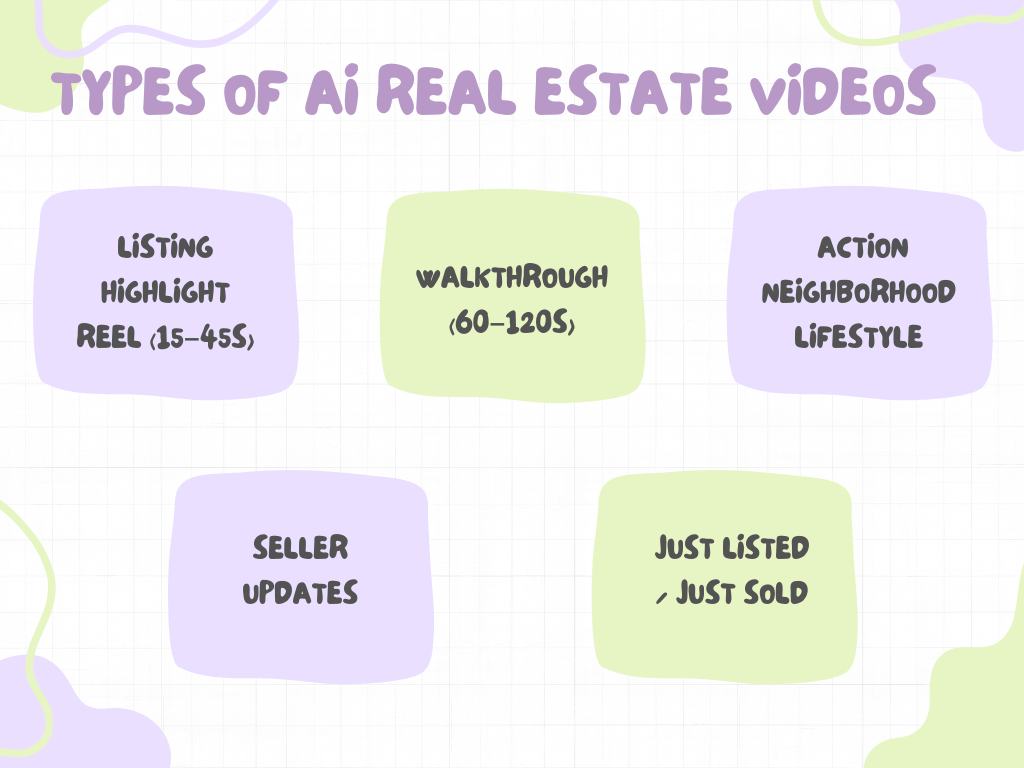
Here are the most useful formats:
1) Listing highlight reels (15–45 seconds)
Best for:
- Instagram Reels
- TikTok
- YouTube Shorts
- Facebook Reels
Goal: get attention and drive clicks.
2) Property walkthrough videos (60–120 seconds)
Best for:
- YouTube
- Listing pages
- Buyer follow-up
- Email campaigns
Goal: help serious buyers picture the property.
3) Neighborhood lifestyle clips
Best for:
- Agent branding
- Farming
- Relocation leads
Goal: attract the right audience before you have a listing.
4) Seller marketing updates
Best for:
- Building trust
- Reducing seller anxiety
- Winning referrals
Goal: show sellers what you’re doing to market their home.
5) “Just listed / just sold” social templates
Best for:
- Consistent weekly posting
- Staying visible
Goal: stay top-of-mind without creating from scratch every time.
Many “best AI software” lists for real estate now highlight tools that support multiple formats because most agents need a full content pipeline, not one-off edits.
Bonus: If you want to add narration without recording yourself, AI avatars and voiceovers for real estate videos can make your content feel more personal at scale.
If you’re comparing software, here’s a practical roundup of 7 tools to turn real estate photos into videos and how they stack up.
What to Look For in the Best AI Software (Agent Checklist)
Not all AI editors are built for real estate. Some are general-purpose tools that happen to support video.
If you’re choosing a real estate video editor (especially an AI one), this checklist matters. Tools that include AI photo edits for show-ready listing photos can be a serious advantage when you want better videos without reshooting.
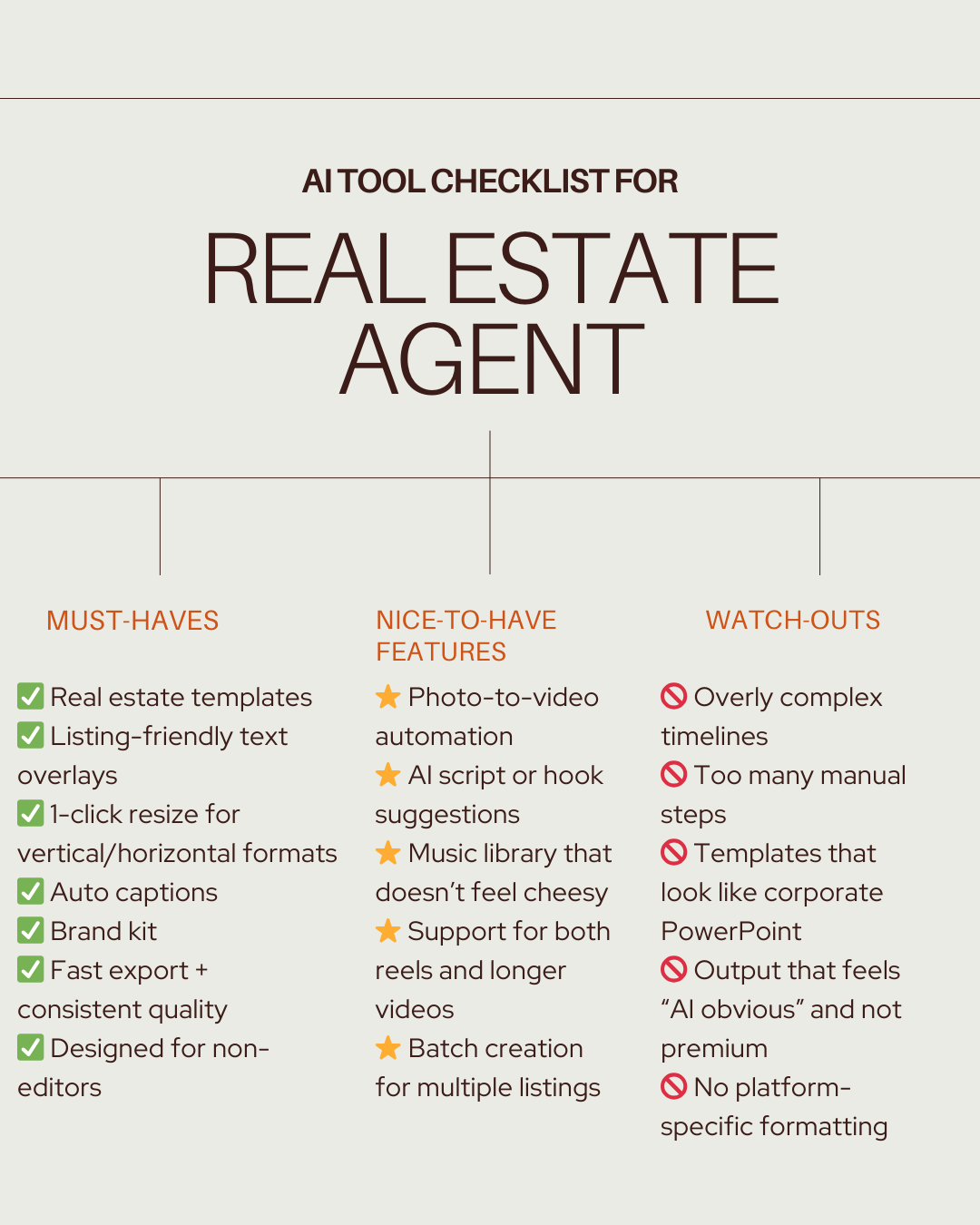
A lot of competing guides list dozens of tools, but what they often miss is this: agents don’t need 50 tools—they need one workflow that works every week.
If you’re comparing tools side by side, you can see AutoReel pricing to understand what’s included and whether it fits your workflow.
AI Video Editor vs Traditional Editing: What’s Actually Different?
Here’s the clean comparison.
Traditional editing still has a place—especially for luxury cinematic videos.
But for everyday listing marketing? AI wins because it makes consistency realistic.
That’s why many current real estate AI video guides focus on automation and repeatability over “perfect editing.”
If you want more control without complex timelines, AutoReel Studio real estate video editor works like a simple built-in editor designed for agents.
Step-by-Step: How to Make AI Real Estate Videos (Beginner Workflow)
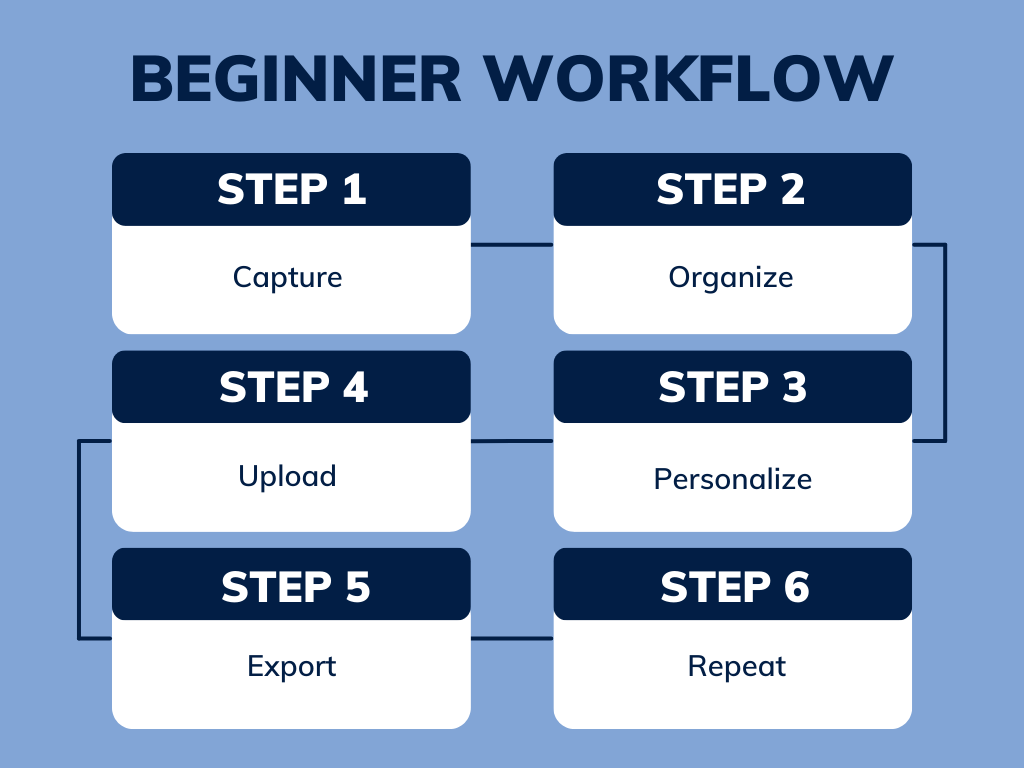
This is the simplest workflow that works for most agents:
Step 1: Capture the right raw materials
If you have video:
- 10–20 second clips per room
- Slow pans, no fast movements
- Steady phone, wide-angle if possible
If you don’t have video:
- Use high-quality listing photos
- Include 1 exterior, key rooms, best angles
Step 2: Organize your listing content (5 minutes)
Make a folder with:
- Photos
- Clips
- Property details
- Brand logo
- CTA phrase (e.g., “Schedule a showing”)
Step 3: Upload to your AI real estate video editor
Choose a template:
- Listing highlight
- Walkthrough
- Teaser
Step 4: Personalize just enough
Do NOT over-edit.
Edit only:
- Headline hook (first 2 seconds)
- Price visibility (if allowed)
- CTA
- Branding
Step 5: Export multiple versions
Post:
- Vertical reel (Reels/TikTok/Shorts)
- Horizontal (YouTube or MLS-friendly)
Step 6: Repeat weekly
The real win is volume.One video won’t change your business. Consistent video will.
This step-by-step process matches what many modern guides recommend: reduce friction, simplify production, and build a repeatable system.
Real-world note: Teams that provide listing media services are also using AI tools to speed up delivery and improve consistency.
Common Mistakes Agents Make (And How to Avoid Them)
Let’s save you the painful learning curve.
Mistake 1: Treating video like a one-time project
Video is not a campaign. It’s a rhythm.
Fix: schedule a simple weekly cadence (1 listing reel + 1 brand clip).
Mistake 2: Overloading text overlays
If your video looks like a flyer, it gets skipped.
Fix: one headline + 2–3 key features max.
Mistake 3: Using templates that don’t match the listing
Luxury listing? Don’t use playful stickers.Starter home? Don’t use a cinematic “Hollywood trailer” vibe.
Fix: match style to buyer psychology.
Mistake 4: Forgetting the first 2 seconds
The hook matters more than the rest of the video.
Fix: start with a bold visual + short hook:
- “This kitchen sells the house.”
- “Wait till you see the backyard.”
- “A $500K home that looks like $1M.”
Mistake 5: Not using captions
Many viewers watch muted. If there’s no captioning, you lose them.
Fix: pick an AI editor with auto captions.
Best Use Cases by Agent Type
If you’re a solo agent
AI editing is a time multiplier.Best focus:
- Listing reels
- “Just sold” posts
- Short market updates
If you’re a team
AI editing is a consistency tool.Best focus:
- Batch video creation
- Branded templates
- Consistent visuals across agents
If you’re a brokerage
AI editing becomes a marketing standard.Best focus:
- Shared brand kit
- Listing video compliance
- Training agents on one system
Why AutoReel is Better for Your Business
Most video tools are built for creators.
AutoReel is built for real estate agents who need results fast.
Here’s why it stands out when you’re choosing a real estate video editor:
1) Built for real estate workflows, not generic editing
AutoReel isn’t trying to be everything for everyone.It’s designed around what agents actually do:
- Upload listing assets
- Generate marketing-ready videos
- Publish across platforms
That focus matters because it reduces friction—which is what kills consistency.
2) Faster turnaround (so you actually post)
The best AI software is the one you’ll use every week.AutoReel is designed to produce listing-ready content quickly, which makes weekly video realistic, not aspirational.
3) Designed for the platforms that drive leads today
Your listings aren’t competing only on the MLS anymore.They compete in:
- Instagram feeds
- TikTok scrolling sessions
- YouTube Shorts browsing
AutoReel aligns output formats to where attention is.
4) It supports the bigger win: scaling your marketing without scaling your workload
Agents win when they show up consistently.AutoReel helps you do that without hiring an editor or spending your evenings on video timelines. AutoReel also supports enhancements like AutoReel AI virtual staging, which can help elevate rooms before you generate your video.
If your goal is to create AI real estate videos that look professional, publish fast, and help you win listings, AutoReel fits the job better than general-purpose video tools.
Want to see how this would work for your listings or brokerage workflow? Contact AutoReel, and the team can point you to the best setup for your goals.
FAQs
1) What is a real estate video editor?
A real estate video editor is a tool or service used to edit property videos and create listing-ready content for marketing, including walkthroughs, reels, and ads. An AI real estate video editor automates much of that process, making it faster and easier for agents.
2) What is an AI real estate video editor?
An AI real estate video editor uses artificial intelligence to automatically generate and edit property videos by selecting clips, applying transitions, adding music, and formatting videos for platforms like Instagram, TikTok, and YouTube Shorts.
3) Can an AI real estate video editor create videos from photos?
Yes, Many AI tools like AutoReel let you create AI real estate videos using listing photos alone, which is especially useful when you don’t have walkthrough footage or when you want fast content for social media.
4) What’s the best AI software for real estate videos?
The best AI software depends on your workflow, but the best options typically include real estate templates, auto captions, multi-format exporting, and fast turnaround, like the package offered by AutoReel. Many guides recommend comparing tools based on ease of use and consistency rather than just features.
5) Do AI real estate video editors replace professional videographers?
Not always. AI tools are ideal for fast, scalable listing content and social posting. Professional videography still makes sense for high-end cinematic listing films, luxury branding, or major campaigns.
6) How long does it take to create AI real estate videos?
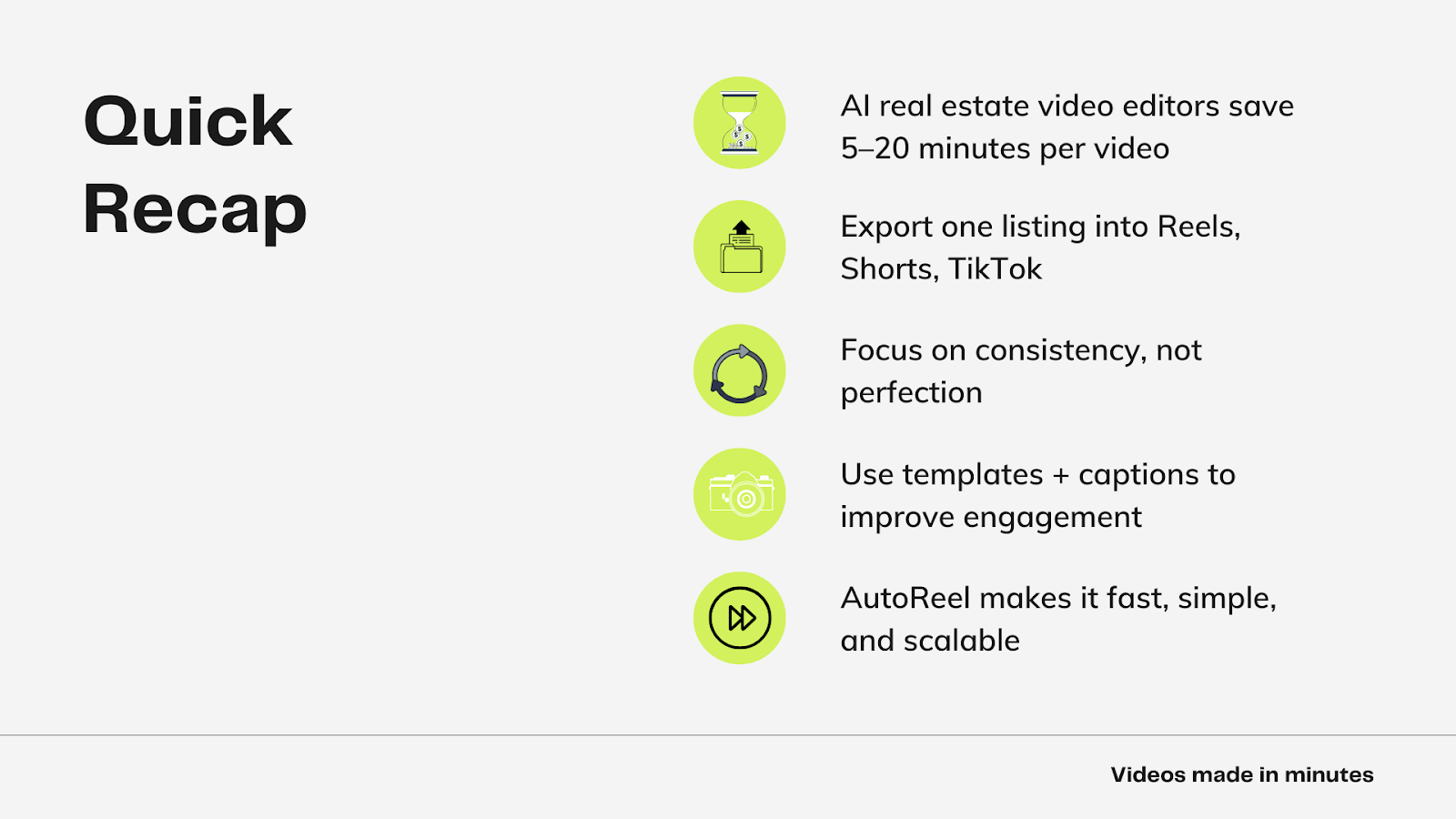
Typically 5–20 minutes, depending on your footage and the amount of customization you do. That speed is one reason many real estate marketing guides now emphasize AI workflows.
7) Are AI real estate videos good for lead generation?
Yes—especially when used consistently with clear calls-to-action and platform-native formats. Video often creates higher engagement, which can translate into more clicks, inquiries, and brand recall.
8) What kind of videos should agents create first?
Start with:
- Listing highlight reels
- Short walkthrough teasers
- “Just listed” and “Just sold” templates
These are simple, repeatable, and high-performing.
9) Do I need editing experience to use an AI real estate video editor?
No, most AI tools are designed for beginners and automate the hardest parts—timing, transitions, captions, and formatting.
10) What platforms should I post AI real estate videos on?
At minimum:
- Instagram Reels
- TikTok
- YouTube Shorts
- Facebook Reels
Then repurpose longer versions for YouTube and listing pages.
Sources:
https://proptech-academy.com/how-to-make-realestate-videos-with-ai
https://www.cloudpano.com/blog/step-by-step-how-to-use-ai-to-create-real-estate-videos-automatically
https://www.styldod.com/blog/ai-real-estate-video-editor
https://www.cloudpano.com/blog/the-complete-guide-to-ai-video-for-real-estate-professionals
https://webroimantra.com/blog/best-ai-video-tools-for-realtors/
https://realestatebees.com/guides/software/real-estate-video-editing/
https://www.aifastscale.com/blog/ai-video-marketing-real-estate-guide-2025