Turn Listing Photos into a Video Without a Videographer

Summarize with AI


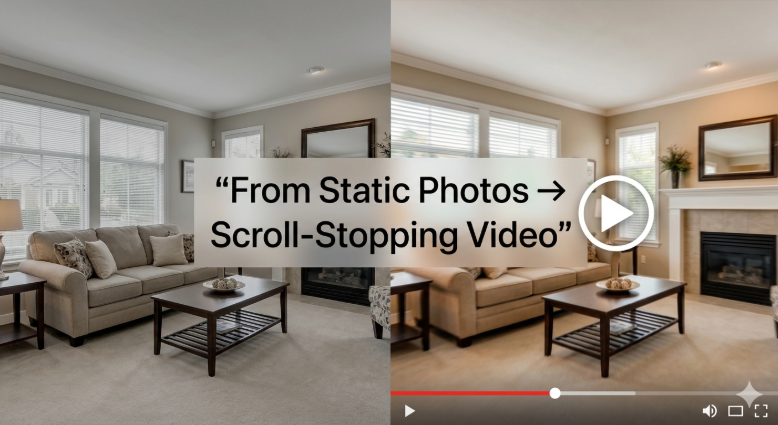
Most real estate agents don’t struggle with getting photos. They struggle with what comes after.
You’ve got 15–30 clean listing images sitting in a folder. Maybe professionally shot. Maybe edited well. And yet — on platforms where attention actually lives (Instagram, YouTube, TikTok) — those photos barely move the needle. Video does.
The catch? Traditional video means hiring a videographer, scheduling shoots, editing timelines, and spending anywhere between $300 to $2,000 per listing.
That gap — between having photos and needing video — is exactly where AI has changed the game.
Now, you can turn real estate photos into video in minutes, not days—using tools like AutoReel that remove the need for manual editing or videography. No crew. No reshoots. No bottlenecks.
Let’s walk through how this actually works—and where it starts to matter for your business.
Why Video Is No Longer Optional in Real Estate

There’s a pattern you’ve probably noticed:
- Listings with video get more engagement
- Social posts with motion outperform static images
- Buyers spend more time on listings that feel immersive
This isn’t a trend — it’s behavior. Buyers don’t just want to see a home. They want to experience it, even if it’s through a screen.
Photos show details. Video tells a story. And in a feed-driven world, story wins.
What it Means to Turn Real Estate Photos into Video

At its simplest, it’s exactly what it sounds like: taking static listing images and transforming them into a dynamic video format. But the difference is in how it’s done now.
Instead of stitching photos together manually, modern AI tools:
- Animate images with smooth transitions and motion effects
- Add cinematic zooms and pans (Ken Burns effect)
- Sync visuals with music and pacing
- Generate captions, branding, and overlays automatically
So instead of a slideshow, you get something that feels like a property walkthrough.
If you want to go deeper into how visuals impact buyer perception, this breakdown on virtual staging and AI editing explains the shift in more detail.
Traditional Video vs AI-Generated Listing Videos
Here is a table of comparison between traditional videos vs AI-generated listing videos.
The question isn’t which one is “better.” It’s which one fits your workflow when you have 5, 10, or 20 listings moving at once.
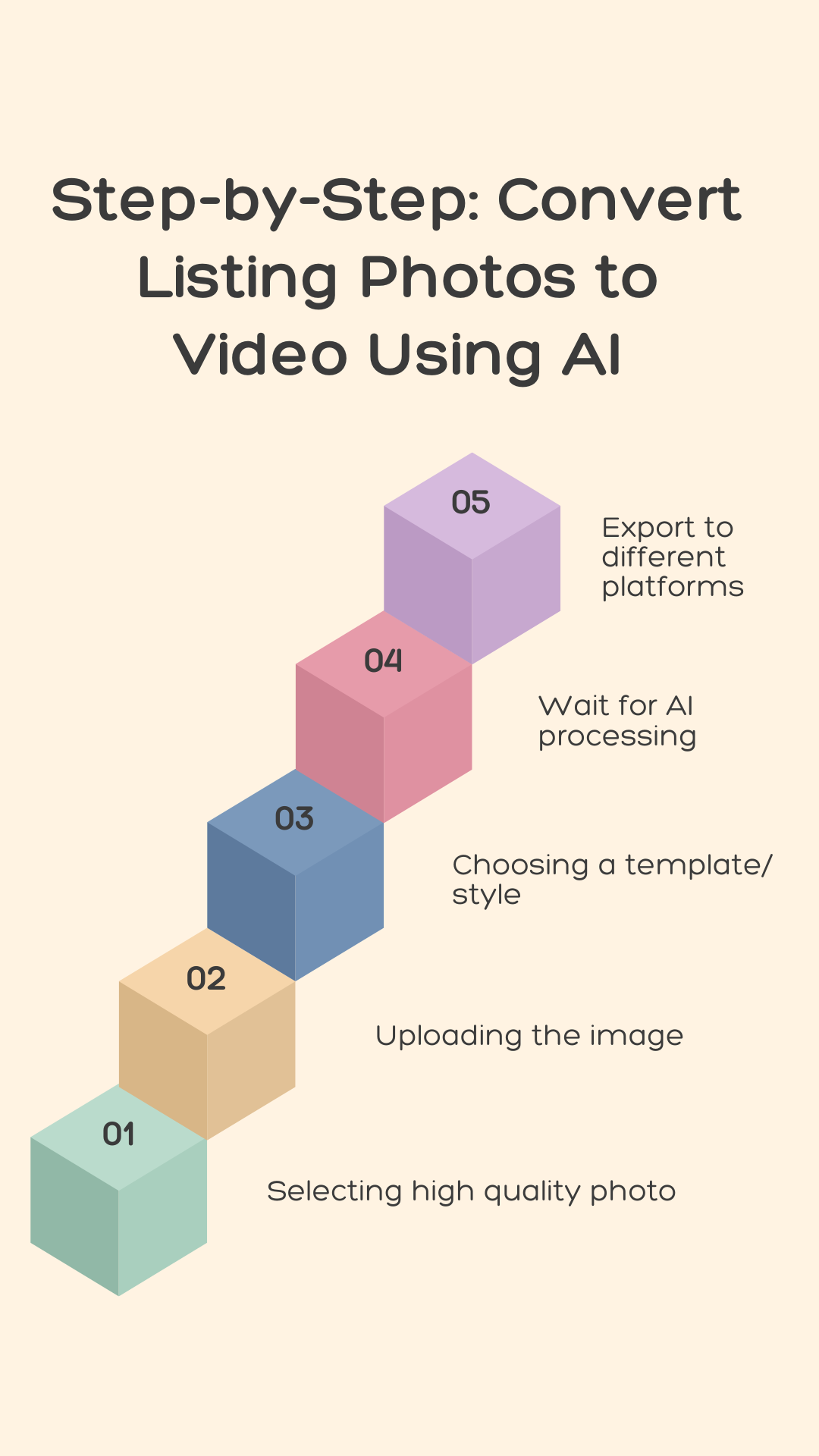
Step-by-Step: Convert Listing Photos to Video Using AI
This part is simpler than most expect.
1. Start with high-quality photos
Good input still matters.
- Use well-lit, wide-angle shots
- Keep compositions clean
- Avoid clutter or distortion
If your photos are already enhanced (brightness, sky replacement, decluttering), even better — or you can use built-in tools like AutoReel’s photo editing features.
2. Upload your images to an AI video platform
Most modern tools let you:
- Drag and drop images
- Arrange them in sequence (or auto-sort)
- Select multiple rooms at once
This step usually takes under a minute.
3. Choose a video style
This is where things get interesting. You can define how the final video feels:
- Modern and minimal
- Luxury and cinematic
- Fast-paced social media style
- Slower walkthrough-style presentation
Some platforms even allow branded videos with AI avatars or voiceovers, which adds a layer of personalization without needing to be on camera.
4. Let AI handle motion, timing, and transitions
Instead of manually editing:
- AI applies zooms, pans, and transitions
- Matches pacing to music
- Adjusts scene timing for flow
You’re not editing—you’re approving.
5. Export and distribute
Once done, you can:
- Download in MLS-friendly formats
- Share directly to Instagram, YouTube, or listing portals
- Repurpose into reels, ads, or short-form clips
This is where most agents start to see the compounding effect—one set of photos turning into multiple content assets.
Platforms like AutoReel also streamline distribution by exporting content optimized for each platform, so you’re not resizing or reformatting manually.
Where AI Video Fits into a Real Estate Workflow
This isn’t about replacing everything. It’s about removing friction.
Think about your current flow: Photos → Upload to MLS → Maybe post on social → Done
Now add one step: Photos → AI Video → MLS + Social + Ads + Reels
Same photos. Different outcome.
For agents managing multiple listings—or media teams handling volume—this becomes less of a “nice to have” and more of a baseline.
Why AutoReel Is Getting Attention
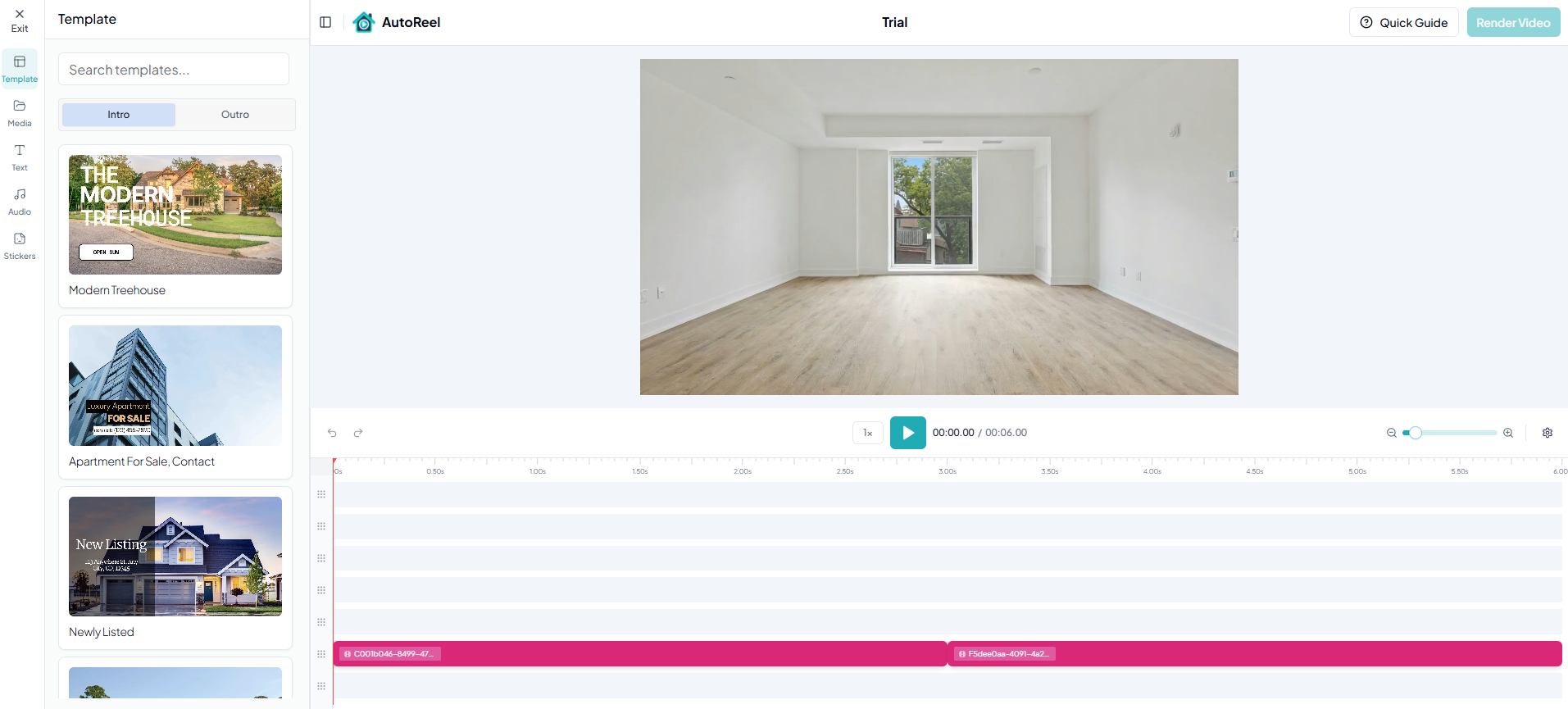
There are a lot of tools trying to solve parts of this workflow. What stands out with AutoReel is how much of the process is handled in one place:
- Create AI videos from photos without manual editing
- Branded video creation, including AI avatars for listing narration
- Photo enhancements and quick edits before video generation
- Virtual staging integration, so empty rooms don’t stay empty
- Studio-level edits without needing design skills
- Multi-platform export, ready for social, ads, and listings
It quietly removes the need to juggle 3–4 different tools. If you’re comparing tools or trying to understand cost vs output, it’s worth reviewing how pricing scales across workflows. And when you’re moving fast, fewer steps usually win.
Use Cases: Where This Actually Moves the Needle
This isn’t just about “looking better.” It shows up in the results.
1. New listings launch
Turn photos into a launch-ready video within minutes of getting images.
2. Social media content
Instead of posting static images, create reels that actually stop the scroll.
3. Reviving stale listings
A new video can repackage the same property with fresh attention.
4. Remote buyers
Video gives better spatial understanding than photos alone.
5. Real estate media teams
Scale content production without scaling headcount.
If you’re exploring how agents are scaling content consistently, you can browse more strategies through the blogs.
Common Mistakes to Avoid
A few things that quietly hurt results:
- Using low-quality or poorly lit images
- Overloading videos with too many effects
- Ignoring pacing (too fast or too slow)
- Not optimizing for vertical formats (for social)
The tech does a lot — but input and intent still matter.
The Bigger Shift: From Assets to Systems
What’s really changing here isn’t just the content format. It’s how content gets produced.
Before:
- Every listing needed new effort (photos, video, editing)
Now:
- One asset (photos) → multiple outputs (video, reels, ads)
That’s a system, not a one-off task. And systems scale.
Conclusion: You Already Have What You Need
Most agents are closer than they think.
- You don’t need better cameras.
- You don’t need bigger budgets.
- You don’t need to wait for videographers.
- You already have the raw material.
The shift is simply this: turn real estate photos into video — and let AI handle the heavy lifting.
Once that becomes part of your workflow, it’s hard to go back to static. If you want to see how this fits into your current listings, you can explore AutoReel or reach out directly if you’re testing workflows at scale.
FAQs: Turn Listing Photos into a Video
1. How can I turn real estate photos into a video without a videographer?
You can use AI-powered platforms that automatically convert listing photos into videos by adding motion effects, transitions, music, and branding. These tools eliminate the need for filming, editing, or coordination, making it possible to create professional-looking property videos in minutes.
2. What is the best way to convert listing photos to video using AI?
The most effective approach is to upload high-quality images into an AI video tool, select a visual style, and let the platform handle transitions, motion, and pacing. This creates a polished, ready-to-share video optimized for listing platforms and social media engagement.
3. Do AI-generated real estate videos look professional?
Yes, modern AI tools create smooth transitions, cinematic motion effects, and well-paced visuals that closely resemble professionally edited videos. When paired with high-quality listing photos, the final output looks polished enough for MLS, social media, and marketing campaigns.
4. How long does it take to create a real estate video from photos?
Most AI platforms generate videos within minutes, depending on the number of images and customization level. This is significantly faster than traditional videography, which can take several days for shooting, editing, and delivery before the listing is ready to publish.
5. Is creating a video from photos cost-effective for real estate agents?
Yes, it eliminates the need for hiring videographers, reduces editing costs, and allows agents to reuse existing photos. This makes it especially valuable for agents managing multiple listings or teams looking to scale marketing without increasing production expenses.
6. Can I use these videos for social media and ads?
Absolutely, AI-generated videos can be formatted for platforms like Instagram, TikTok, YouTube, and paid advertising channels. This makes them highly versatile, allowing agents to repurpose one set of listing photos into multiple content formats across different marketing channels.
7. Can AI tools also enhance photos before turning them into videos?
Yes, many AI platforms include built-in photo editing features such as brightness correction, decluttering, sky replacement, and virtual staging. This ensures that the final video uses clean, visually appealing images that improve overall presentation and buyer engagement.
8. How does AutoReel help in creating real estate videos from photos?
AutoReel enables agents to convert listing photos into branded AI videos, enhance images, apply virtual staging, and export content for multiple platforms. It brings video creation, editing, and distribution into one workflow, reducing time, effort, and dependency on external tools.