Back to all posts
Features

πŸ§‘πŸΌβ€πŸ’ΌπŸŽ™οΈ Introducing AI Avatars & Voiceovers: Bring Your Listings (and You) to Life

Alok Gupta
Alok Gupta
5 min read

Summarize with AI

πŸ§‘πŸΌβ€πŸ’ΌπŸŽ™οΈ Introducing AI Avatars & Voiceovers: Bring Your Listings (and You) to Life
Features

If you've ever wished your property videos could actually speak to buyers, you're going to love this update. Real estate videos work best when they feel human — when someone walks a buyer through the story of a home. That's exactly what our two new Beta features, AI Avatars and AI Voiceovers, are designed to do.

AI Avatars & Voiceovers — free in BetaIncluded at no extra cost in your AutoReel plan — up to 3 avatars or voiceovers per video.
🧑‍💼
Add an AI Avatar

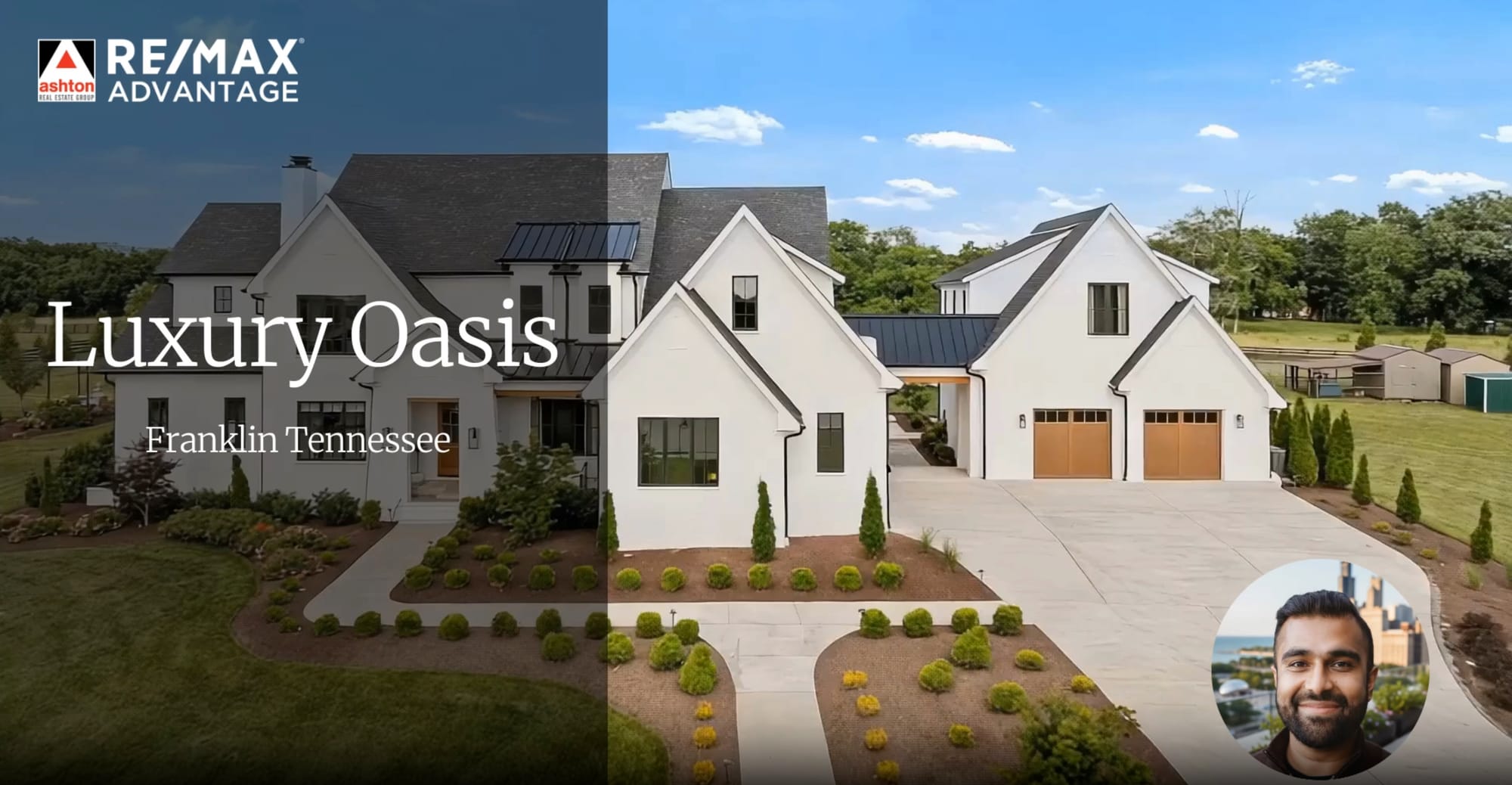
A lifelike presenter appears in the corner of your video — no filming, no recording, no extra software. You can even create an AI avatar of yourself.

🎙
Add an AI Voiceover

Prefer no on-screen presenter? Add narration that plays over your property walkthrough — fast to generate, keeps focus on the home.

And here's the best part: you can even create an AI avatar of yourself — so it looks and sounds like you're talking to buyers, without the time, cost, or stress of being on camera.

Don't believe it? Here's an example:
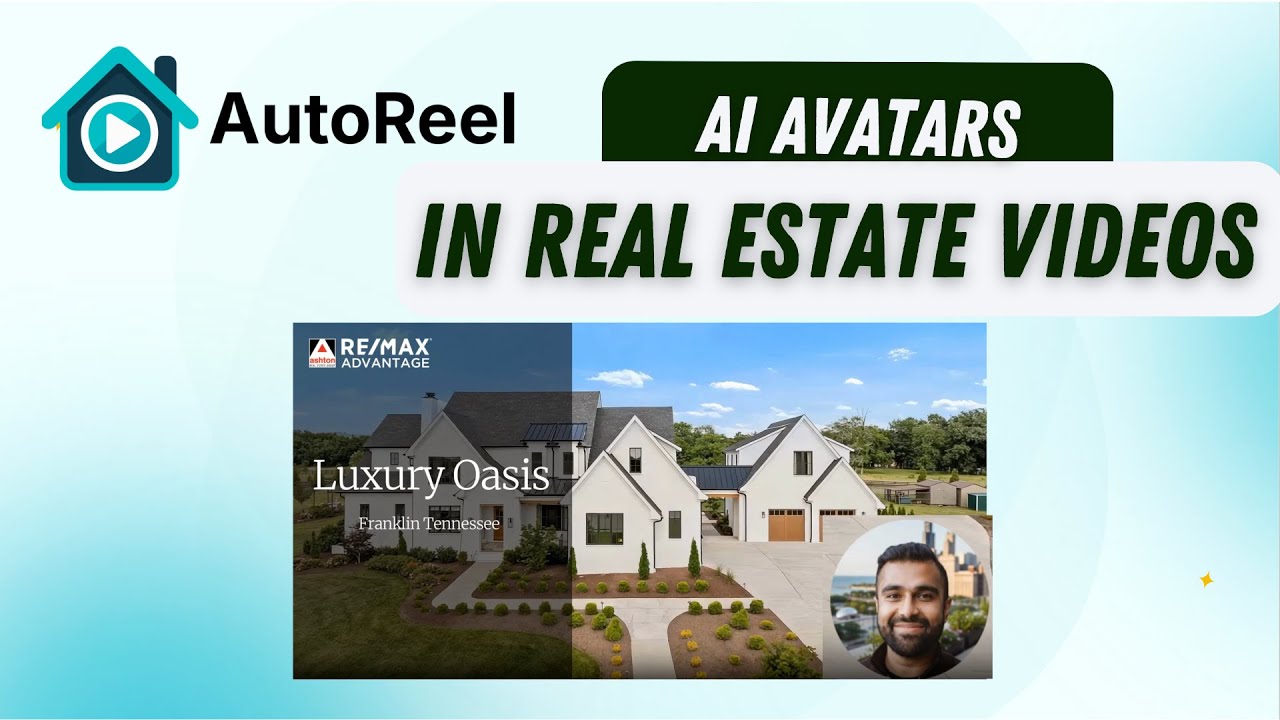
YouTube demo

AI Avatar demo — see how it looks on a real listing video.

While in Beta, AI Avatars and Voiceovers are included at no extra cost in your AutoReel plan for up to 3 avatars or voiceovers per video.

It helps to be familiar with Studio, AutoReel's built-in video editor. If you haven't explored it yet, preview the Studio guide before diving in.

Two Ways to Start
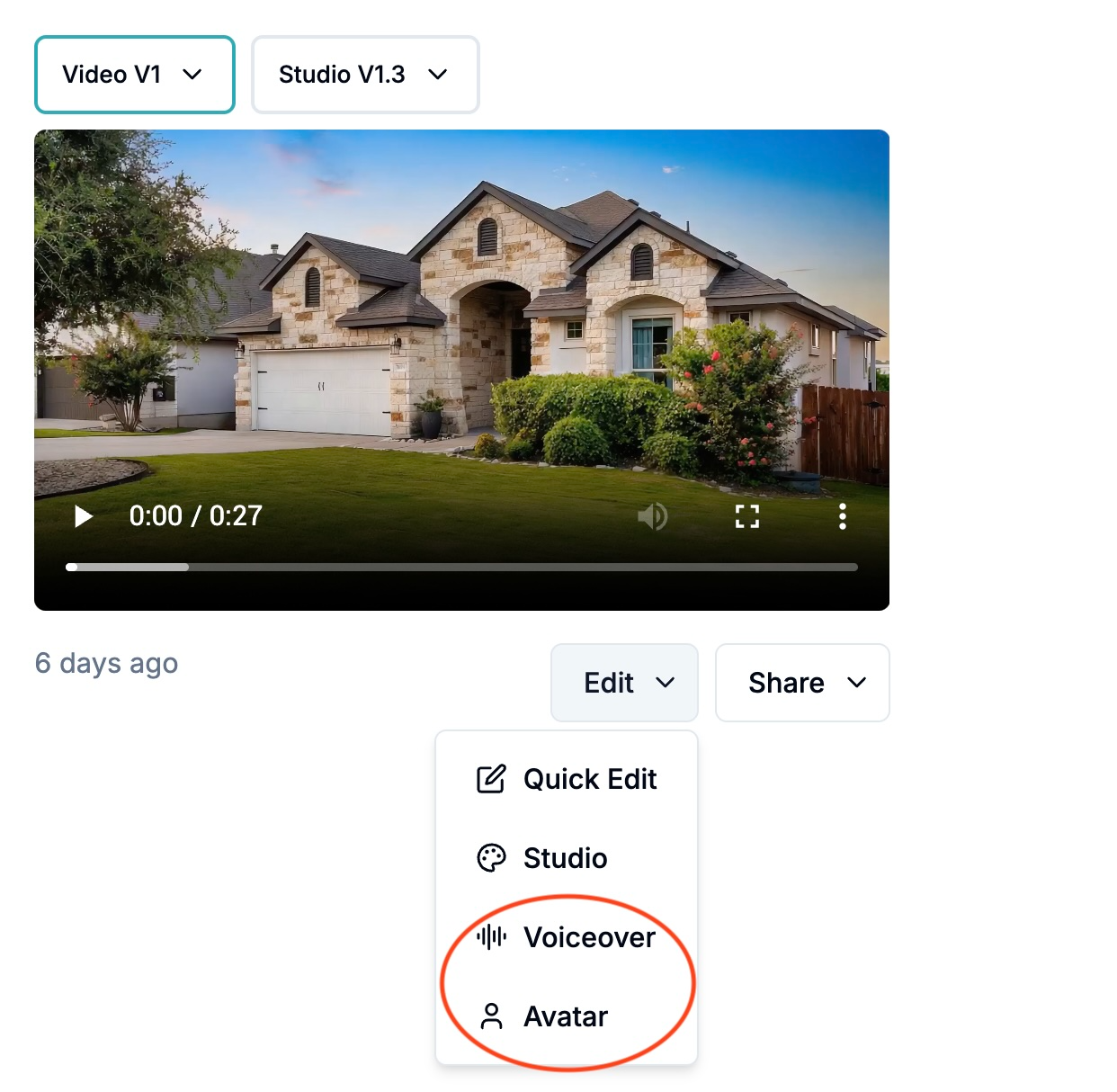
Two entry points for AI Avatars and Voiceovers

You can begin the Avatar/Voiceover creation process from two entry points:
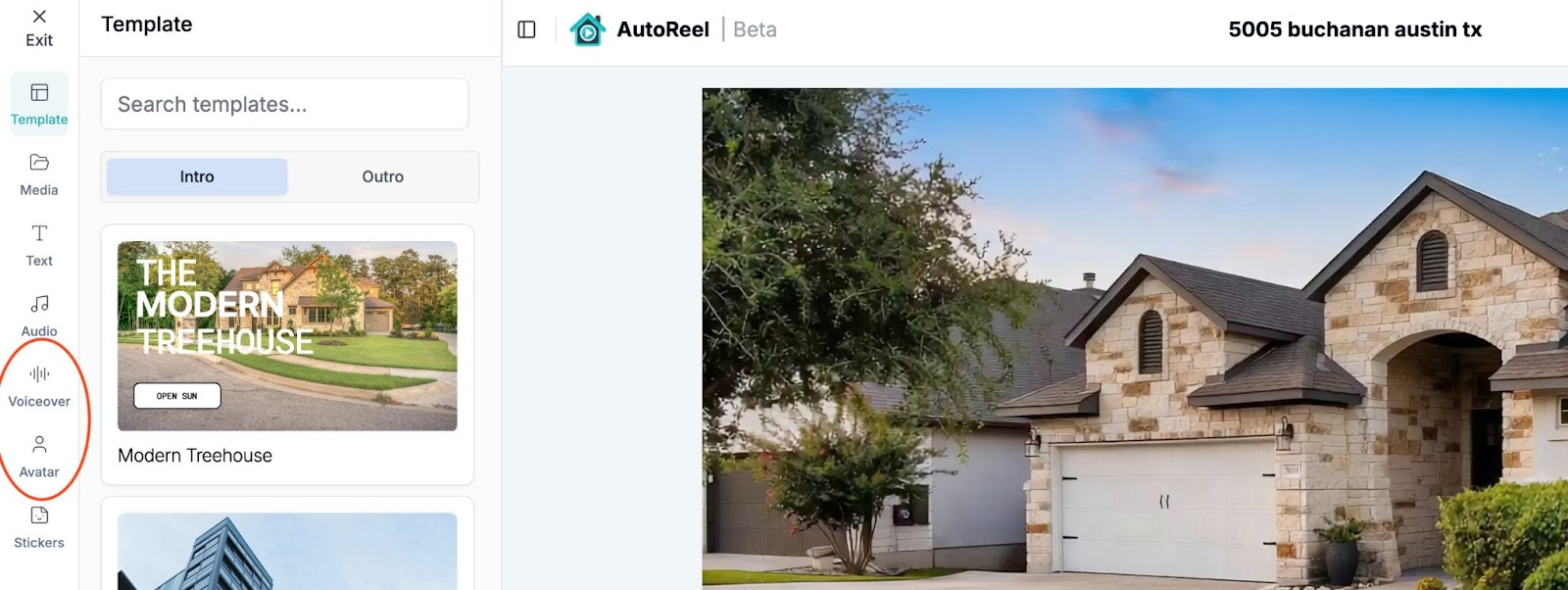
From the main Video Dashboard → Open any video, click the Edit dropdown, and select Avatar or Voiceover.
From Studio → Within a video, click "Studio" to launch the editor and use the Avatar or Voiceover tabs in the left sidebar.
From the Video Dashboard β€” Edit dropdown

Both paths open the same simple creation flow.

🧑‍💼

Option 1: Create an AI Avatar

AI Avatars put a real, human face into your video — either a professional presenter from our library, or an AI avatar generated from your own photo.

How to add an AI Avatar:
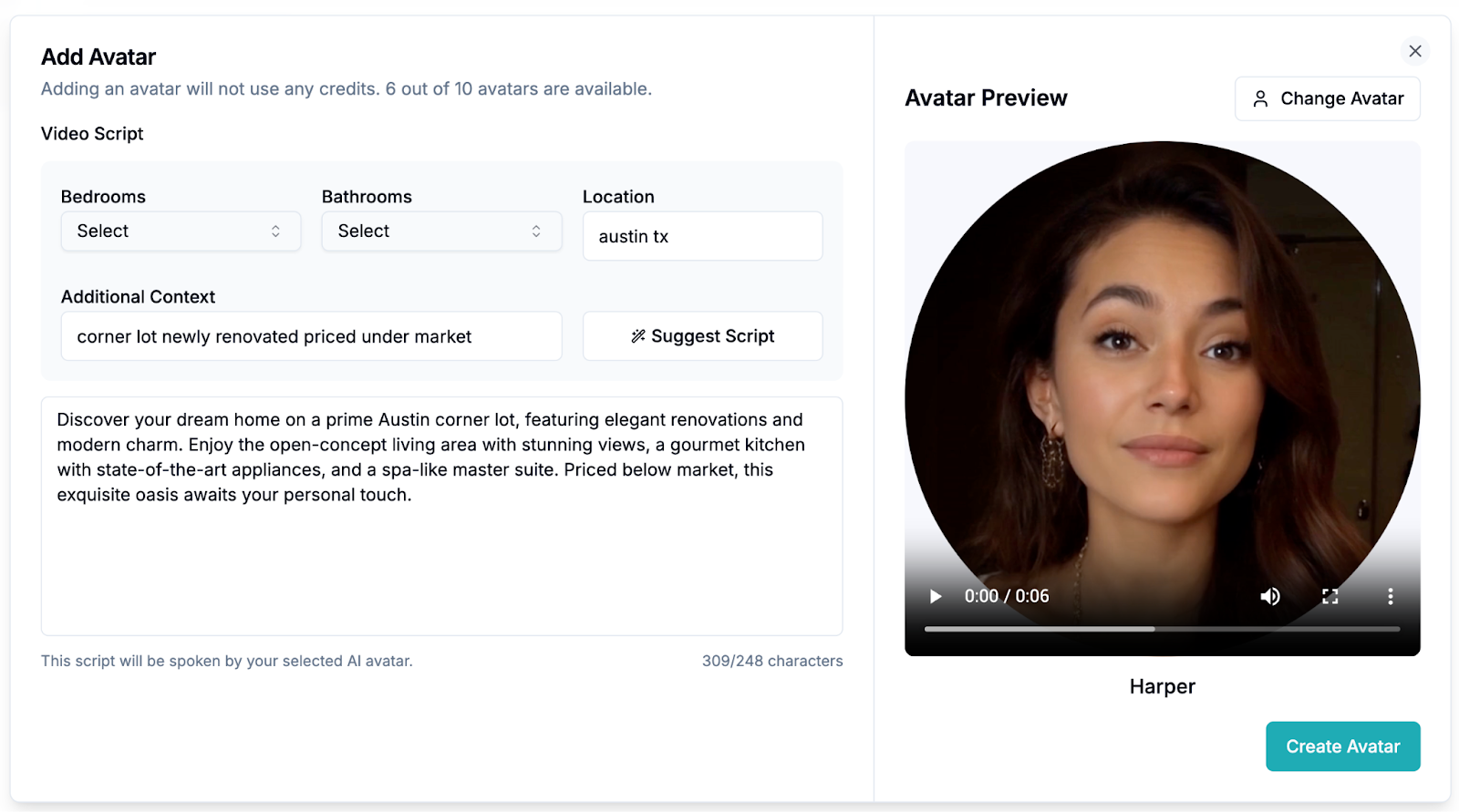
AI Avatar creator interface
1Open the Avatar Creator from the main video dashboard or Studio (see above).
2Generate a Script Automagically — enter property details (bedrooms, bathrooms, location, highlights like "corner lot" or "newly renovated"), then click Suggest Script for AI to draft it, or type your own.
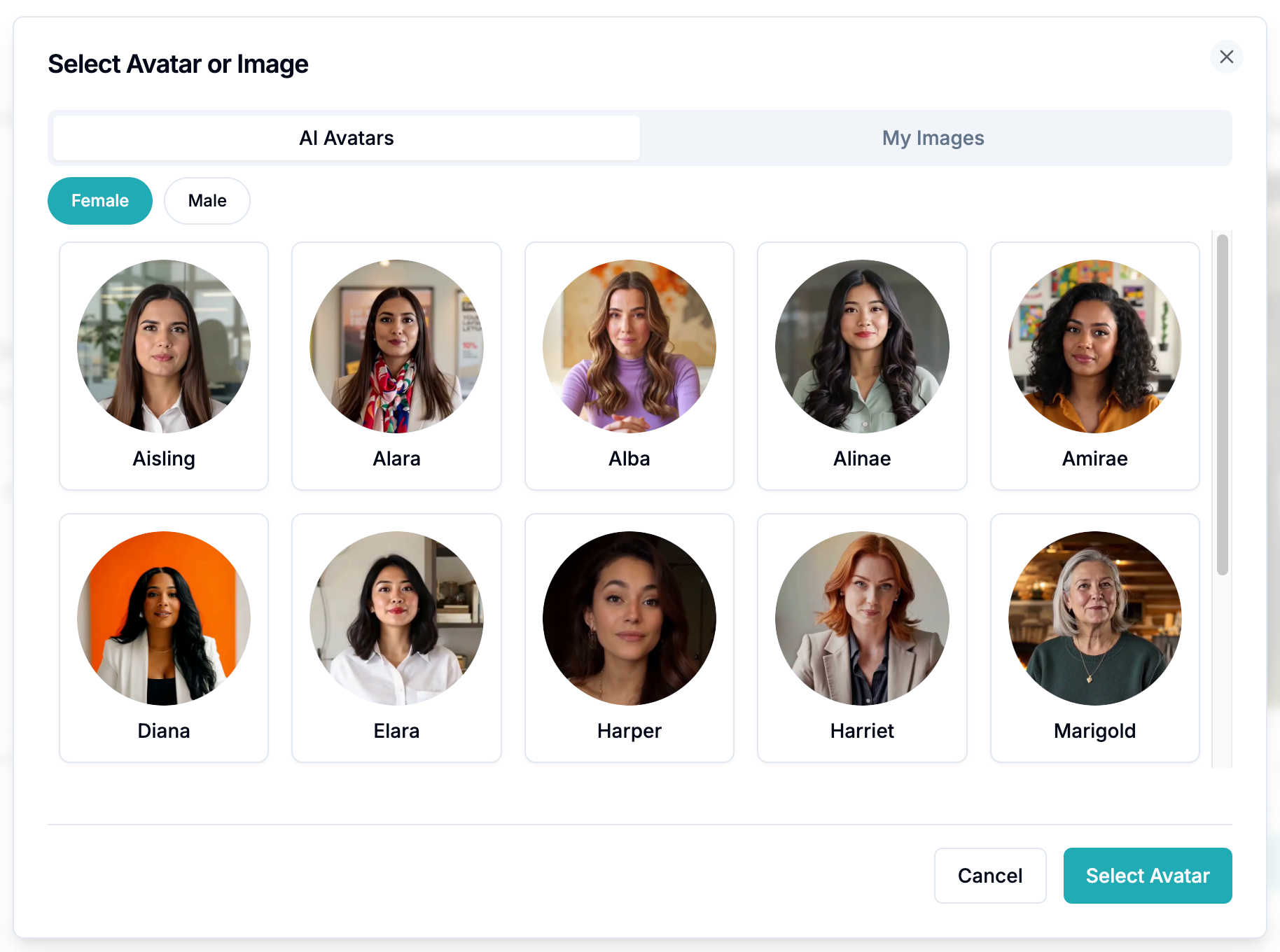
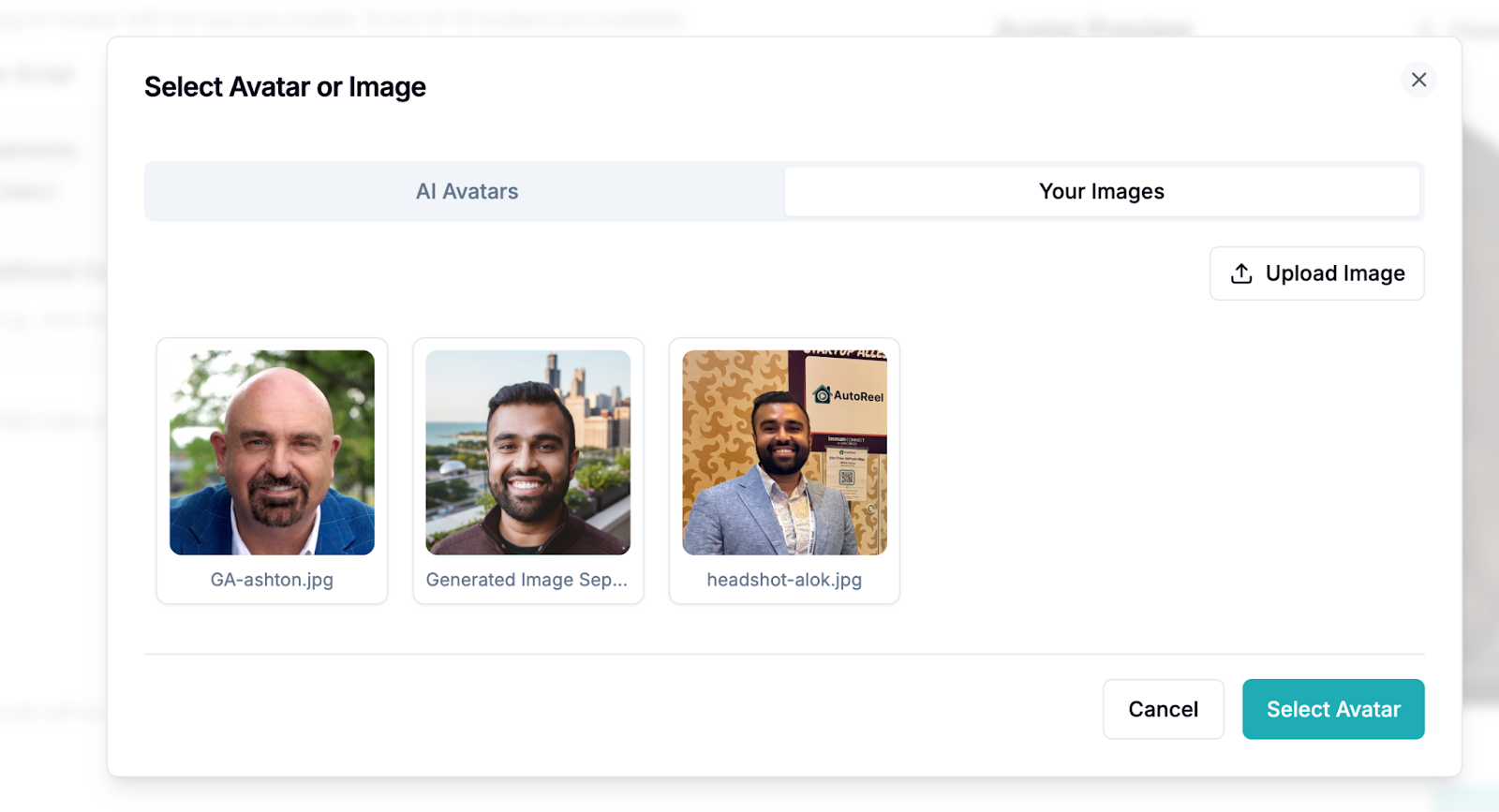
3Choose an Avatar — pick from the library of male and female AI presenters, or upload a headshot to create your own personal avatar.
4Create & Render — click Create Avatar and wait for the render to complete. Avatars may take a few minutes to process.
5Done! Your video renders with your chosen AI Avatar appearing in the corner, auto-narrating your listing.
Choosing an avatar from the library Personal avatar from your own photo
🎙

Option 2: Add an AI Voiceover

Don't want a face on screen? Use an AI Voiceover to add narration over your property video. It's faster to generate and keeps the focus on the home.

How to add a Voiceover:
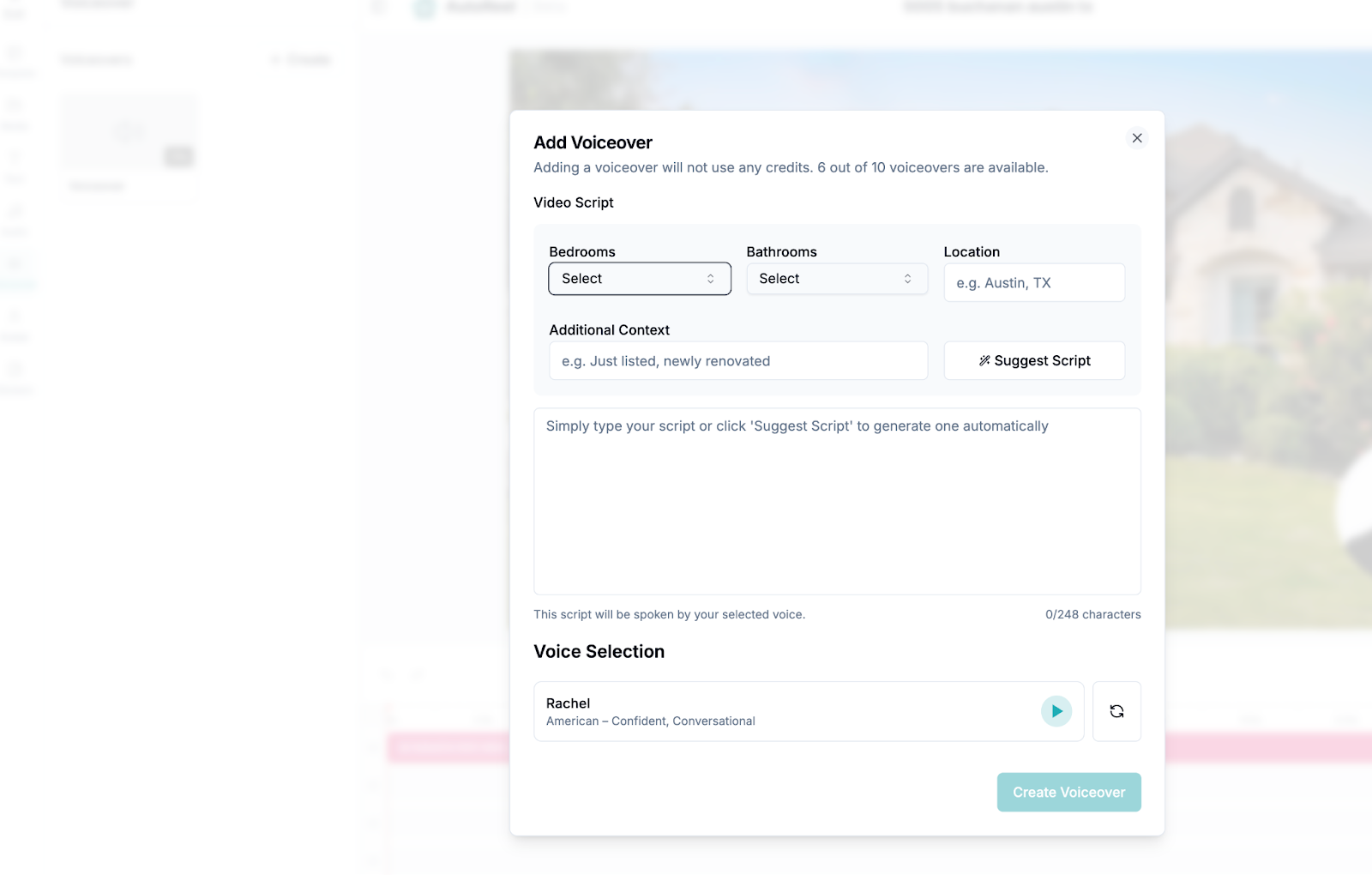
Voiceover creation flow
1Open the Voiceover Creation flow from the main video dashboard or Studio.
2Generate a Script Automagically — enter property details and click Suggest Script, or type your own.
3Pick a Voice — choose from a diverse library of voices. Click play to preview and select the one that fits your brand best.
4Create & Add to Timeline — click Create Voiceover and wait for the render to complete.
5Done! Your video renders with your chosen voiceover auto-narrating the listing.

Editing Your Avatar or Voiceover

Need to update details after creating? Editing is easy inside Studio.

1Open Studio → click Edit → Studio on your video.
2Hover over your Avatar or Voiceover in the sidebar and click the Edit icon.
3Update your script, voice, or avatar photo in the edit modal.
4Render the updated version.
5Apply it to your timeline by clicking on it — changes appear instantly in the video preview.

Removing an Avatar or Voiceover

1Open Studio for the video.
2Click on the Avatar or Voiceover element in the timeline.
3Press DELETE on your keyboard (or right-click → Delete).
4Render your video — your listing will be saved without the avatar/voiceover.

Limits, Pro Tips & Things to Know

Overlay limit: Each video supports up to 3 avatars or voiceovers in total during Beta.
One or the other: Choose Avatar for an on-screen presenter. Choose Voiceover for narration only.
Script length: Word limits adjust to your video's duration. Short, conversational scripts perform best.
Volume adjustment: If voiceovers and background music overlap, click the voiceover or video in the timeline and adjust volume in the left panel (e.g. 10% for background music).
Avoid abbreviations: The AI engine pronounces words as spelled — write "square foot" not "sqft", "Texas" not "TX".

That's It!

With AI Avatars and Voiceovers, your AutoReel videos don't just showcase photos — they actually speak to buyers.

Try AI Avatars to make your videos personal and memorable.
Use Voiceovers when you want clean narration that keeps attention on the property.

Either way, you'll save time, avoid the cost of filming, and never worry about being camera-shy again.

We'd love any feedback or suggestions — they greatly help us improve our product. Feel free to share through our Contact Us form.

Open any video and give it a voice

Click Edit → Avatar or Edit → Voiceover in your AutoReel dashboard to see it in action.

Built with ❤️ by the AutoReel team.


What real estate pros are saying
★★★★★

"Groundbreaking tool. They are committed to improving the services with new updates often."

Kim Lindsey

Owner, Kim Lindsey Photography

★★★★★

"An absolute game-changer! Professional-quality reels in minutes. Customer service is top-notch, quick and responsive."

Joe Semkow

Photographer, Inspire Kindness

★★★★★

"AutoReel has enhanced our video and 3D tour services uniquely. The team behind the app is super responsive and is always looking to improve the product and its AI capabilities."

Mark Shepherd

MD & Founder, Apollo3D Ltd, UK

TESTIMONIALS

Join the top real estate pros

Real estate media businesses, photographers, and agents are using AutoReel every day to boost their video marketing.

Kim Lindsey

Kim Lindsey

Owner, Kim Lindsey Photography

Groundbreaking tool. They are committed to improving the services with new updates often.
Joe Semkow

Joe Semkow

Photographer, Inspire Kindness

An absolute game-changer! Professional-quality reels in minutes. Customer service is top-notch, quick and responsive.
Don Horn

Don Horn

Owner, Horn Pix Photography

We realized the founder and his team were providing a value-add proposition our business could leverage. AutoReel has streamlined editing times by 25%, shortening time to listing.
Nicole Causey

Nicole Causey

Co-Founder, Everhome Realty

AutoReel transforms photos into beautiful, realistic video walkthroughs. The Drone 'flyovers' are truly incredible! A must-have tool for realtors in a digital-first world.
Chris Lawrence

Chris Lawrence

Owner, Rip City Photography, LLC

It literally takes 5 minutes on the backend to produce a great product to offer to your real estate agents. The cost is affordable and the developers are quick to respond.
Bryce Perez

Bryce Perez

Founder, RE Media Company

It's quick, cost-effective, and perfect for generating professional-quality videos. I can create multiple videos in minutes, maintaining a strong online presence.
Mark Shepherd

Mark Shepherd

MD & Founder, Apollo3D Ltd, UK

AutoReel has enhanced our video and 3D tour services uniquely. The team behind the app is super responsive and is always looking to improve the product and its AI capabilities.
Kerry Riordan

Kerry Riordan

Owner, Blu Lemonade Photography

The future is here! AutoReel surpasses the rest in terms of quality and accuracy. The generations look authentic with clean movements and tasteful add-ons.
Ron Potts

Ron Potts

Owner, Advanced Virtual Imaging

This is truly an amazing product turning photos into video. If you're looking for short video ads or property videos, consider AutoReel!

Create your AI property videos today

AutoReel helps creators, marketers, and real estate pros turn raw content into polished, platform-ready reels in minutes.