🎬 Welcome to AutoReel Studio: Your New Real Estate Video Editor (2026)

Summarize with AI


AutoReel is an AI real estate video generator that turns listing photos into a cinematic property video in about 10 minutes.
AutoReel Studio is the built-in editor that gives you full creative control over the result. Studio is free on every plan, with unlimited renders and no video credits needed.
This tutorial covers the complete workflow, step by step: generating your first AI video from photos, then customizing it in AutoReel Studio with intros, outros, text, and music. No editing experience required — that's the point.
Prefer video? Watch the full Studio walkthrough anytime. For skimmable written steps, keep reading.
What Is AutoReel Studio?
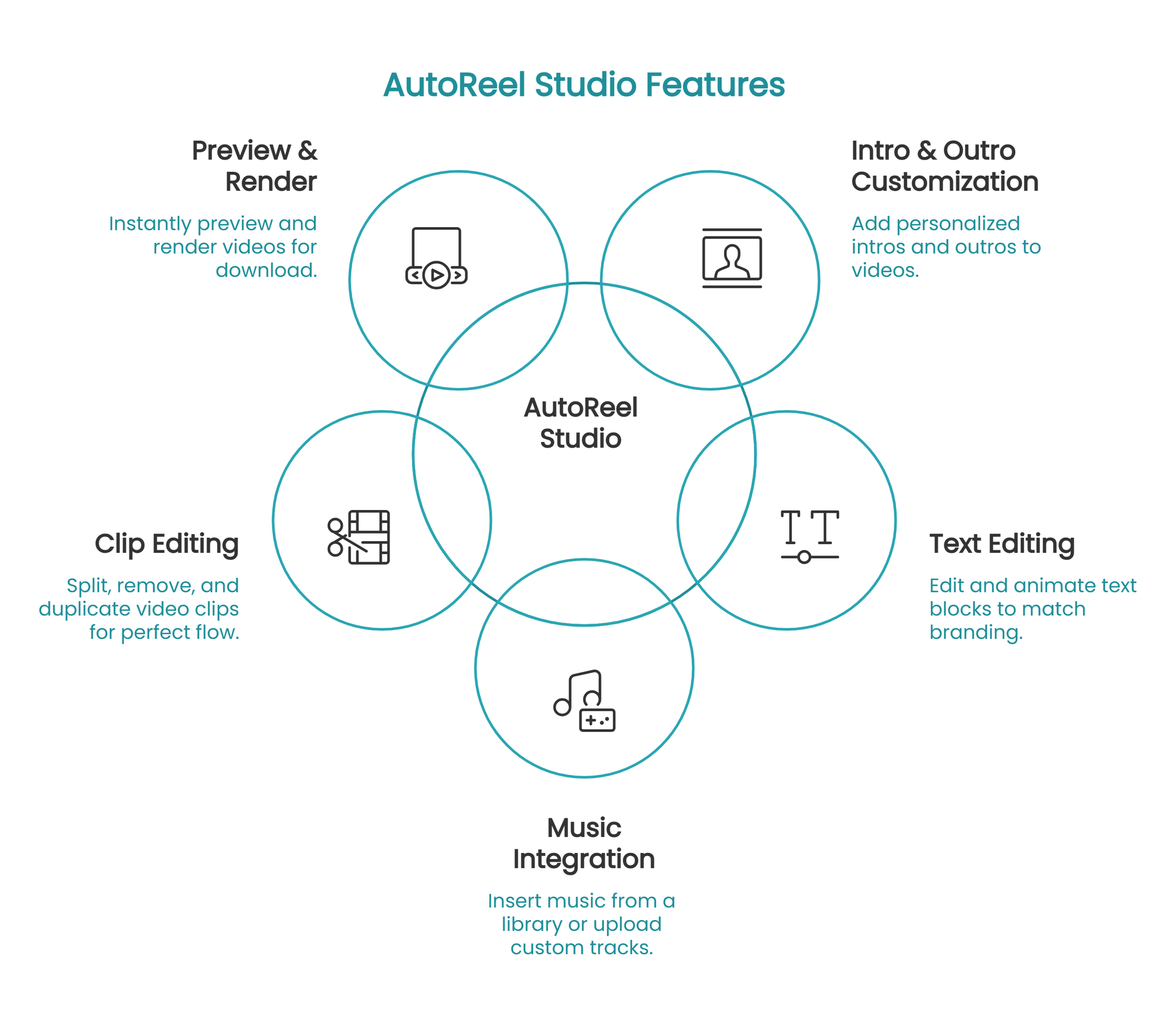
AutoReel Studio is a built-in video editor for real estate videos — it lets you customize AI-generated listing videos (intros, outros, extra clips, trims, music, text) without separate software, exporting, or re-uploading. It's included free with every AutoReel plan.
Together, the generator and Studio form an end-to-end platform: AI does 90% of the work in minutes, Studio handles the 10% that makes it yours. Over 200,000 property videos have been created this way, by 10,000+ agents and media teams.
How Do You Start AI Video Generation? (Part 1: Generate)
Before you move to AutoReel Studio, comes the generator. Starting AI video generation involves three steps:
- Add your listing photos. Upload 15–20 photos, or use One-Click Import to pull them straight from your Realtor.com listing. Choose photos that follow the flow of the home — exterior, entry, living, kitchen, bedrooms, backyard.
- Pick your settings. Choose orientation (landscape for MLS/YouTube, portrait for Reels/Shorts), style, and music. Pro tip: if you plan to edit in Studio, skip the intro/outro/logo options here — you'll have full control over them in the editor.
- Generate. AutoReel's AI analyzes each photo, applies realistic camera motion, and assembles the tour. Typical processing takes 10–15 minutes; your video appears under the Videos tab on the property page.
The full generation how-to lives in our docs: create a video and create a branded video.
AI Video Editing Tutorial (Part 2: Customize in Studio)
Once your base video renders, you'll see versions side by side: AutoReel Video (the AI-generated base) and Studio Edits (your custom versions).
Here's the eight-step AutoReel Studio workflow.
STEP 1Start with an AutoReel-generated video
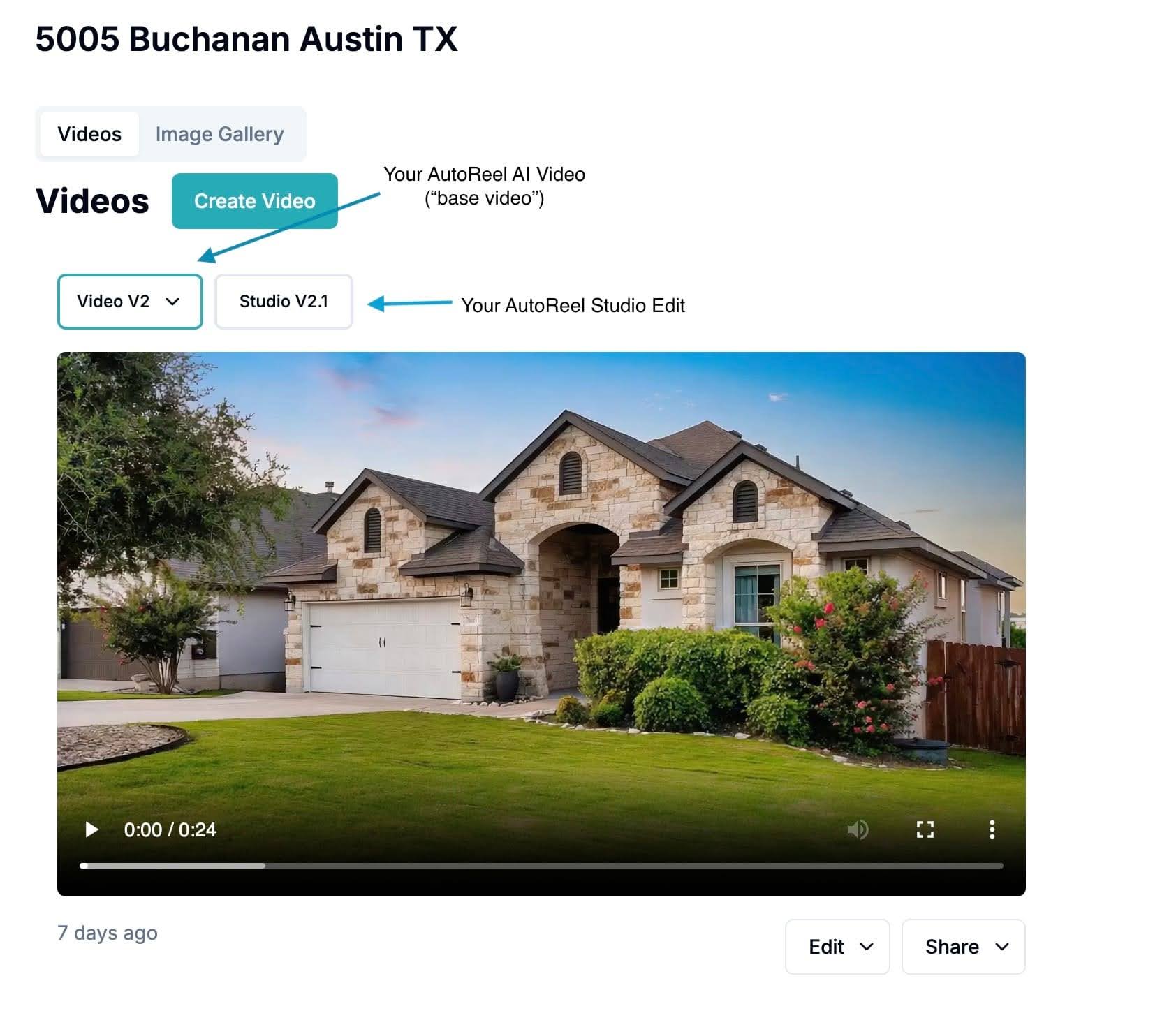
Open your property page, find the video under the Videos tab, and use the dropdown to select the version you want to edit.
STEP 2Open AutoReel Studio
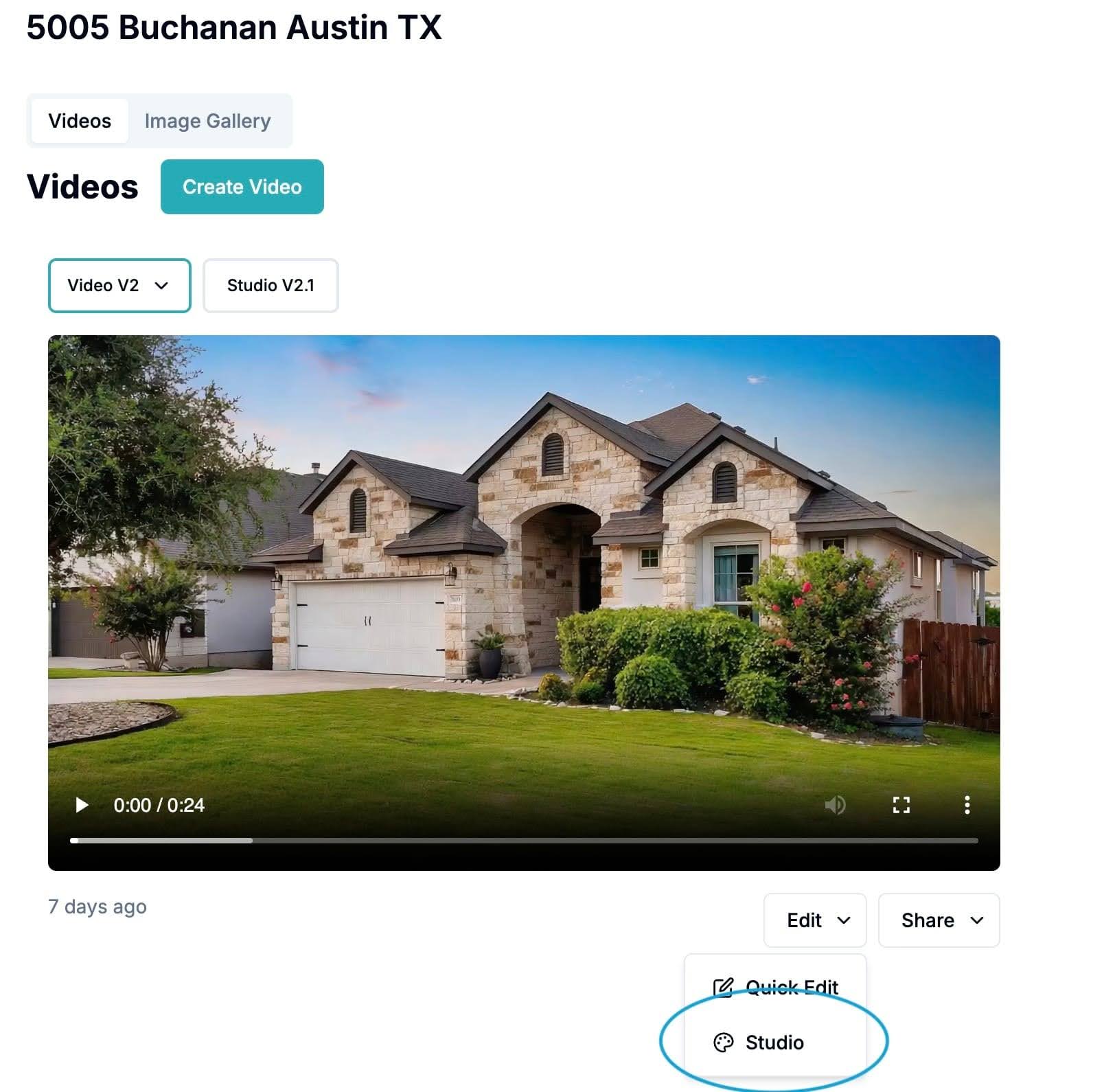
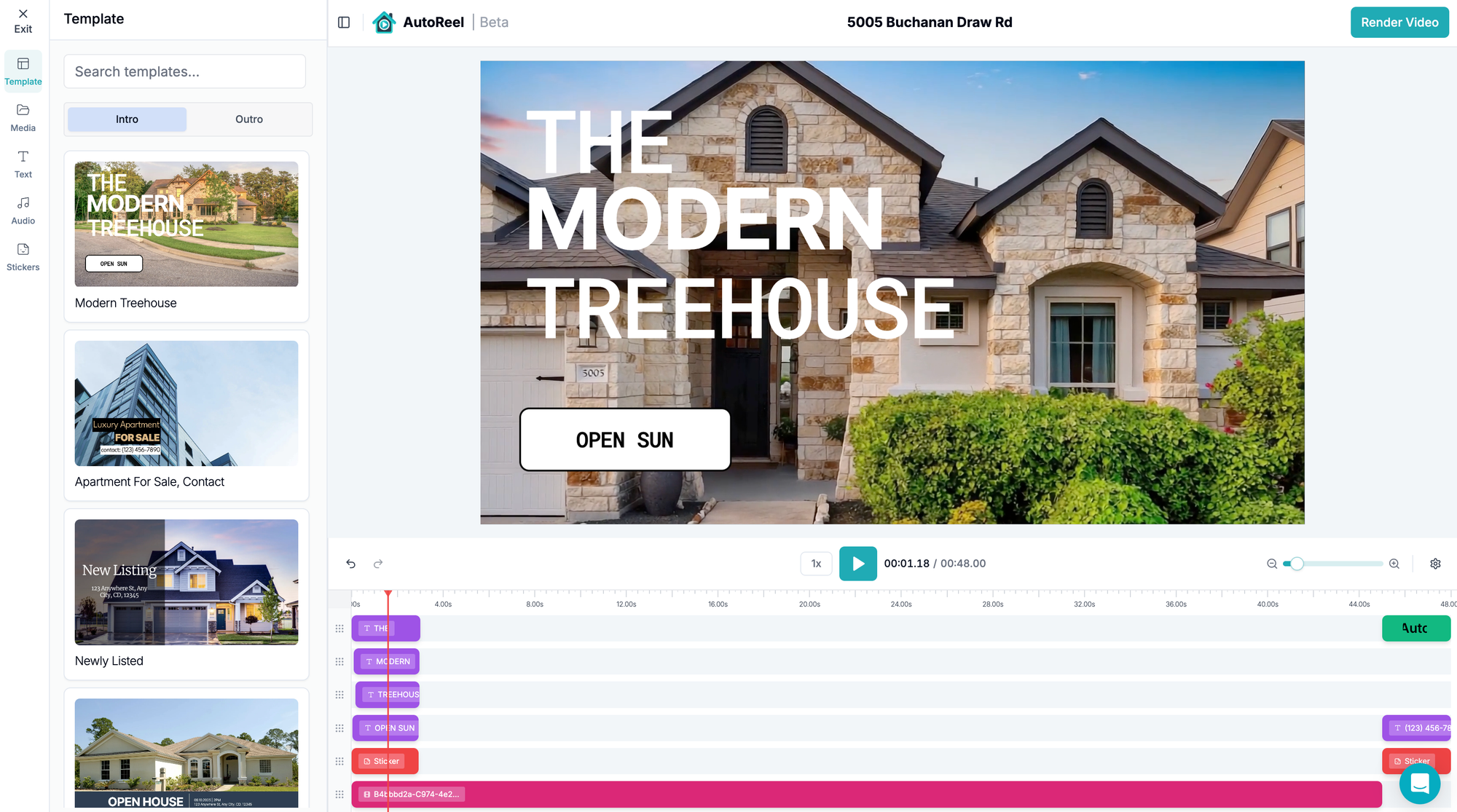
Click Edit → Studio. This opens the full AutoReel Studio interface: timeline, template library, media, and audio panels.
STEP 3Choose your intro
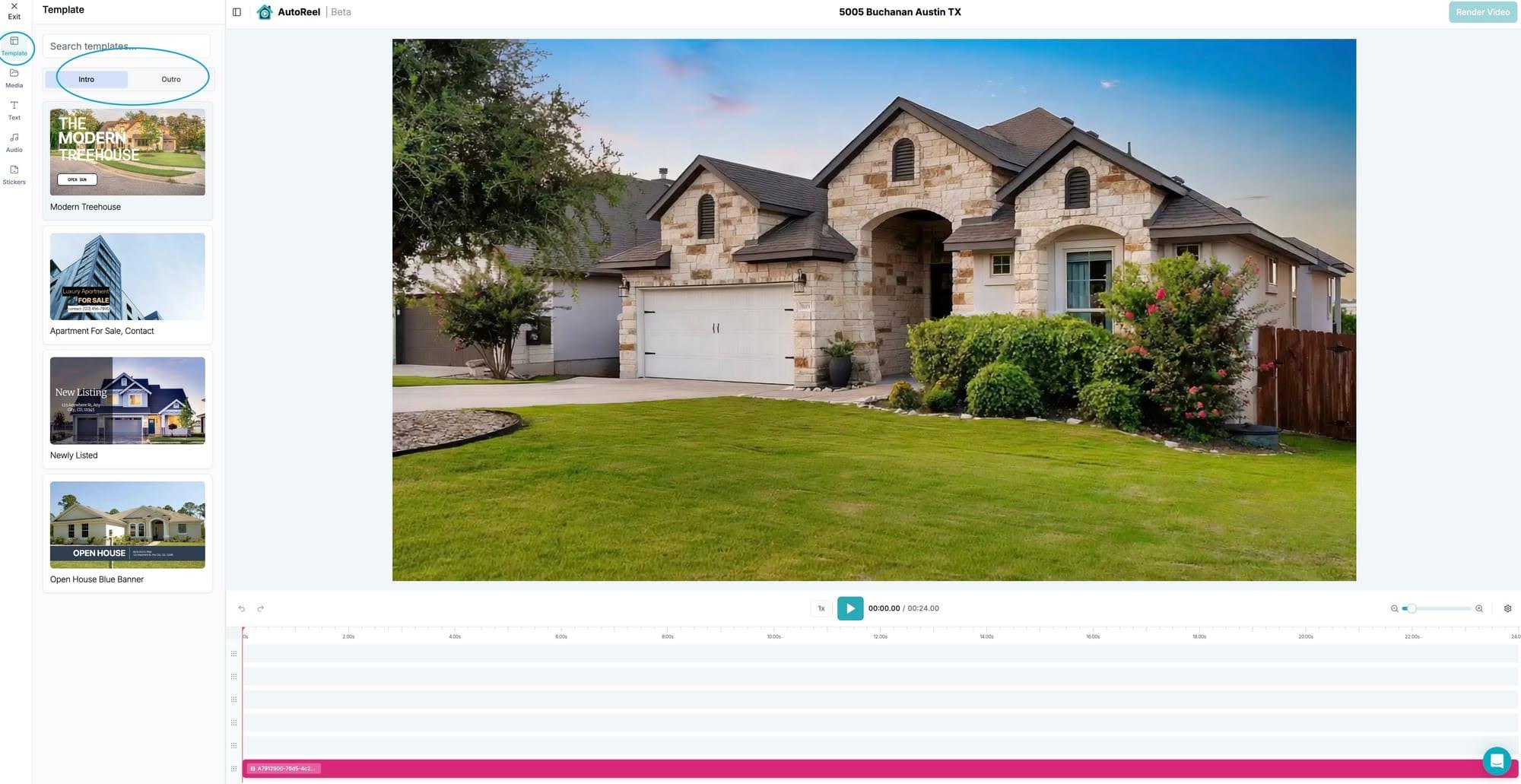
Open the Templates panel and pick an intro slide — open house promos, feature callouts, or clean branding. Click any element in the timeline to edit its text, drag blocks to reposition them, and set entrance/exit animations (fade, slide, zoom).
STEP 4Add an outro
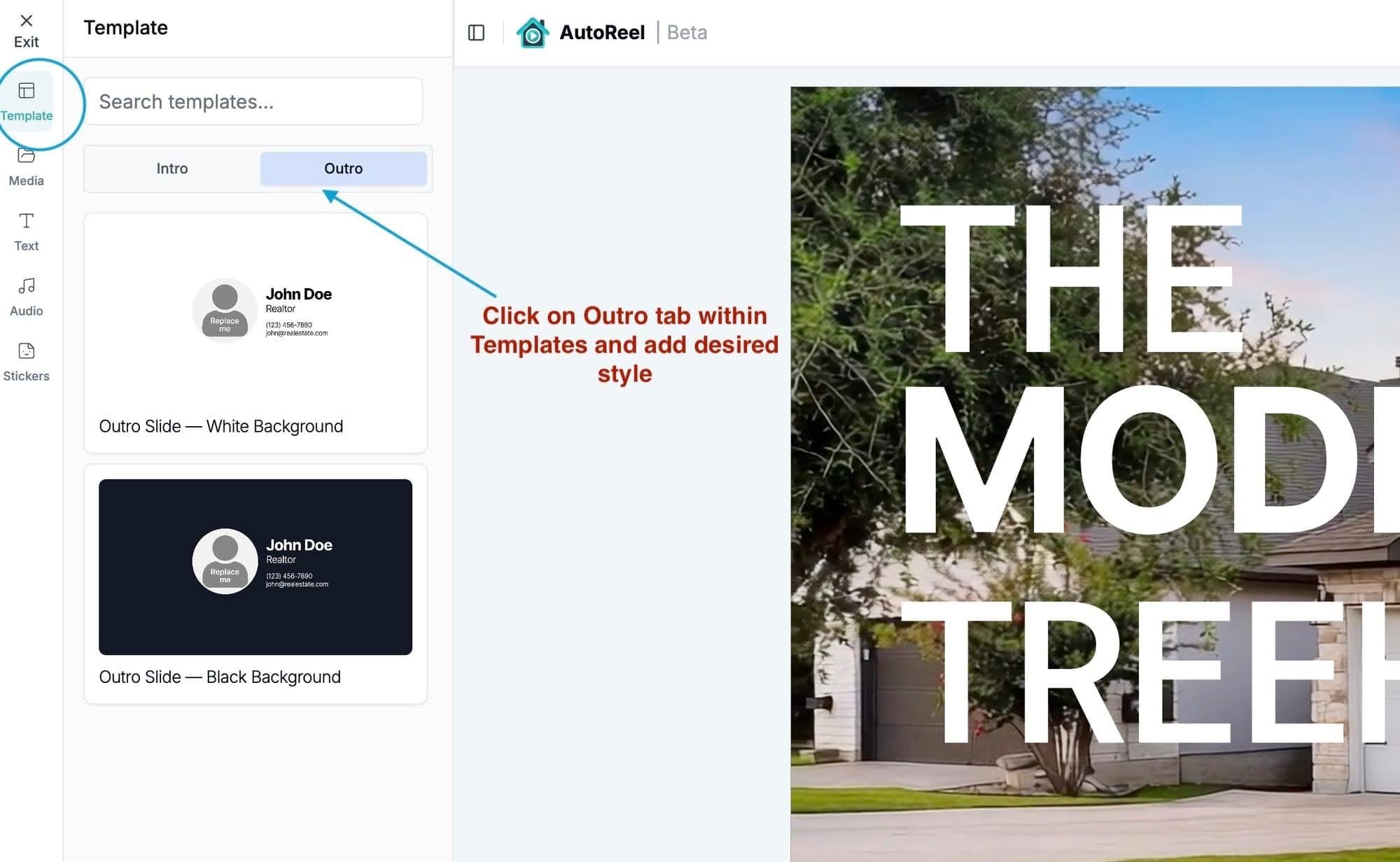
Templates → Outro adds a strong finish: your photo, name, contact info, and brokerage branding. Upload your headshot and logo in the Media tab, add timeline rows if you need space (gear icon → "+"), then swap the placeholders for your assets.
STEP 5Add or edit text
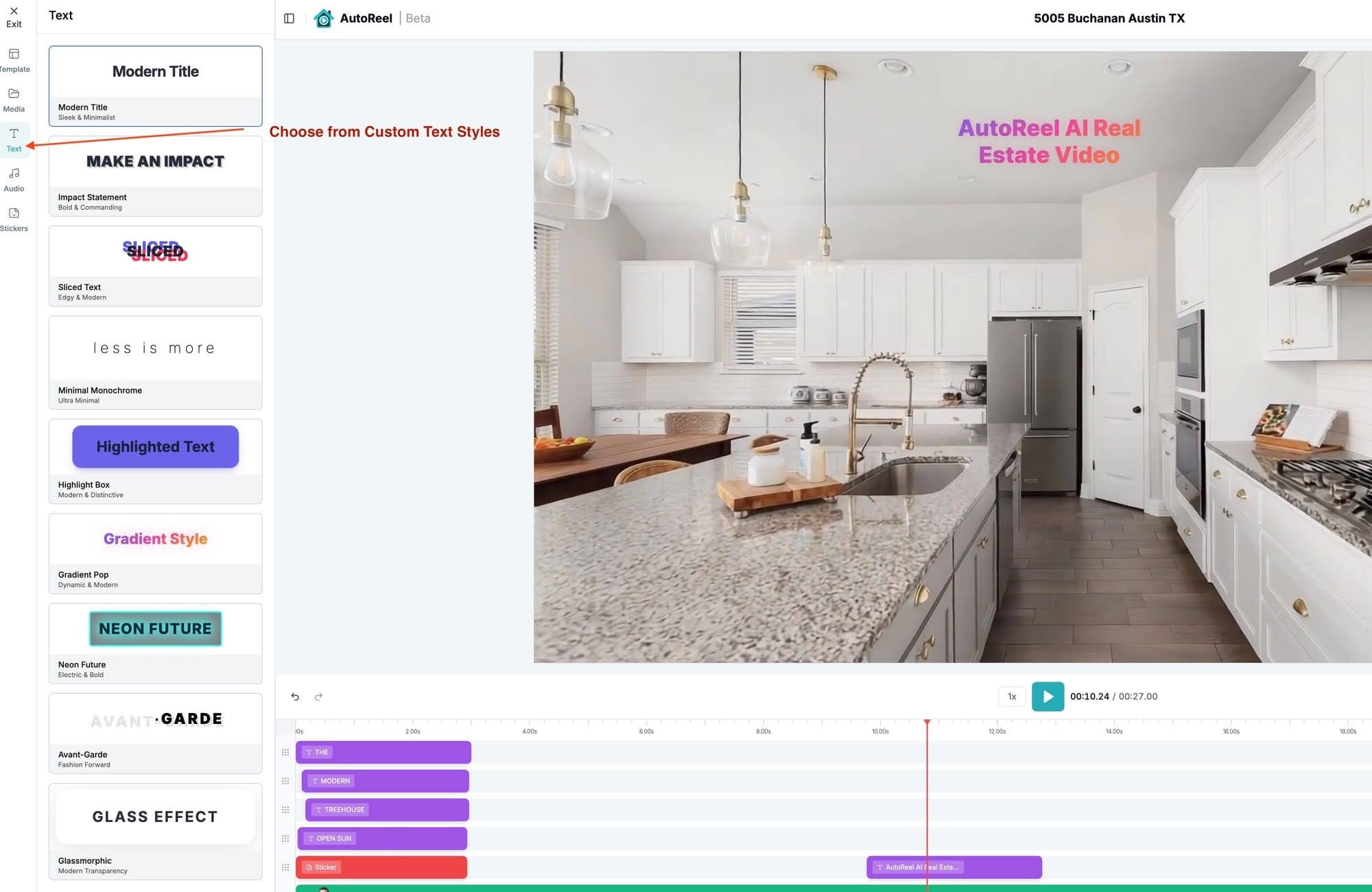
Click any text block to rewrite it, restyle it, or move it. Multiple text styles let you caption features ("Chef's kitchen," "New roof 2025") anywhere in the video.
STEP 6Add or change music
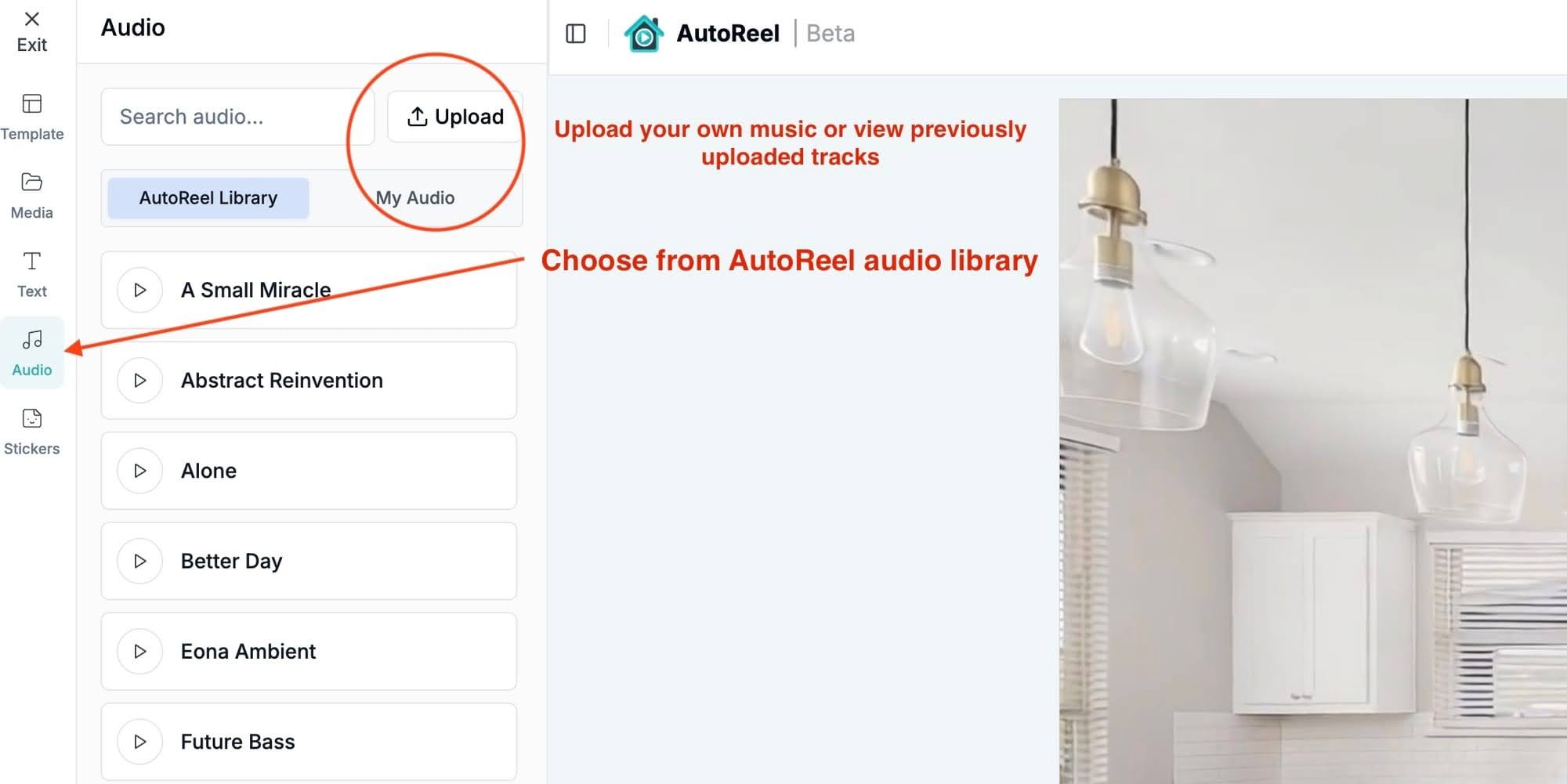
The Audio tab includes a royalty-free music library, or upload your own track. Match the mood to the property — calm for luxury, upbeat for starter homes.
STEP 7Trim, split, or remove clips
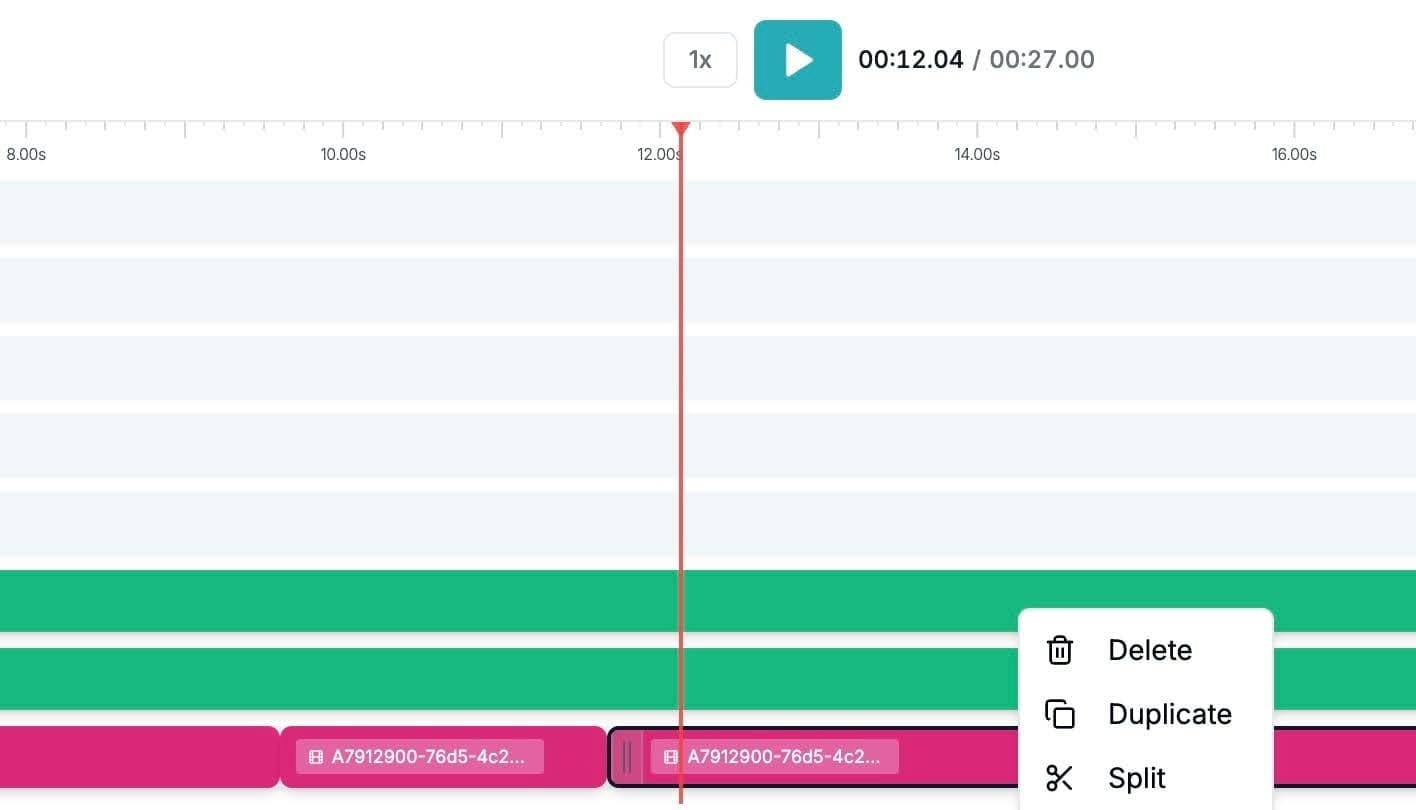
Right-click any segment in the timeline to split at a time point, delete a scene, or duplicate a section. Reorder clips by dragging.
STEP 8Preview and render
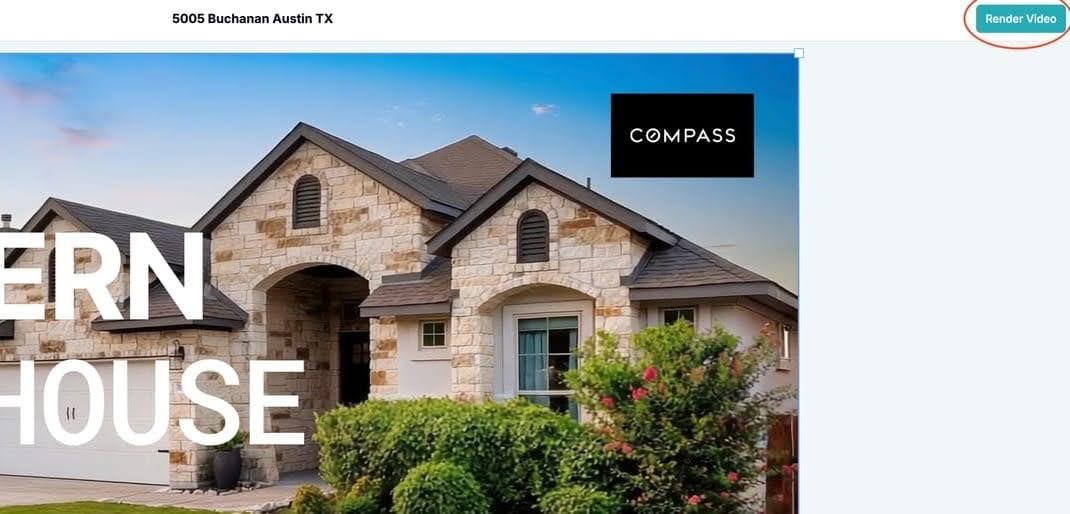
Press play (or spacebar) to preview, then click Render Video. Your final cut saves to your account, ready to download and share. Renders are unlimited — iterate as much as you like.
Why Use an AI Generator Plus a Built-In Editor?
Because the alternative is a two-app workflow: generate in one tool, export, re-upload to an editor, fix, re-export. Studio removes that loop entirely — one platform from photos to posted video.
It's a big reason listings get to market faster. One media company reports AutoReel streamlined editing time by 25%, shortening time to listing. And with listings with video earning 403% more inquiries than photo-only listings (PhotoUp, 2026), faster video means faster leads.
"An absolute game-changer! Professional-quality reels in minutes. Customer service is top-notch, quick and responsive."— Joe Semkow, Photographer, Inspire Kindness
Quick Tips for Better Studio Edits
Here are some smart tips that will let you make better use of Studio.
- Generate clean, edit later: skip intro/outro options at generation time for maximum Studio flexibility.
- Keep intros under 3 seconds — viewers came for the home, not the title card.
- Caption the sound-off scroll: most social viewers watch muted.
- Render both orientations: 16:9 for MLS and YouTube, 9:16 for Reels, TikTok, and Shorts.
- Save your branded outro assets once — reuse them on every listing for consistent branding.
Generate, then make it yours
AI builds the base video in about 10 minutes. Studio's free on every plan — unlimited renders, no extra credits.
FAQs
1. What is an AI real estate video generator?
2. Is AutoReel Studio free?
3. How do I start AI video generation as a complete beginner?
4. Can I add my own music or logo to an AI-generated video?
5. Do I need video editing skills to use AutoReel Studio?
6. Where do my Studio edits go?
Sources: